Stealth Cam Data Plans: Prices, Tiers and How to Pick the Right One
Stealth Cam makes some of the most feature-packed cellular trail cameras on the market, from the 360-degree Revolver to the fast Deceptor MAX. But the camera is only half the cost. Every Stealth Cam cellular camera needs a data plan, and choosing the wrong one means either paying for photos you never use or running out mid-season.
This guide breaks down the current Stealth Cam data plans, how multi-camera pricing works, which cameras use them, and how to pick the plan that fits the way you scout.
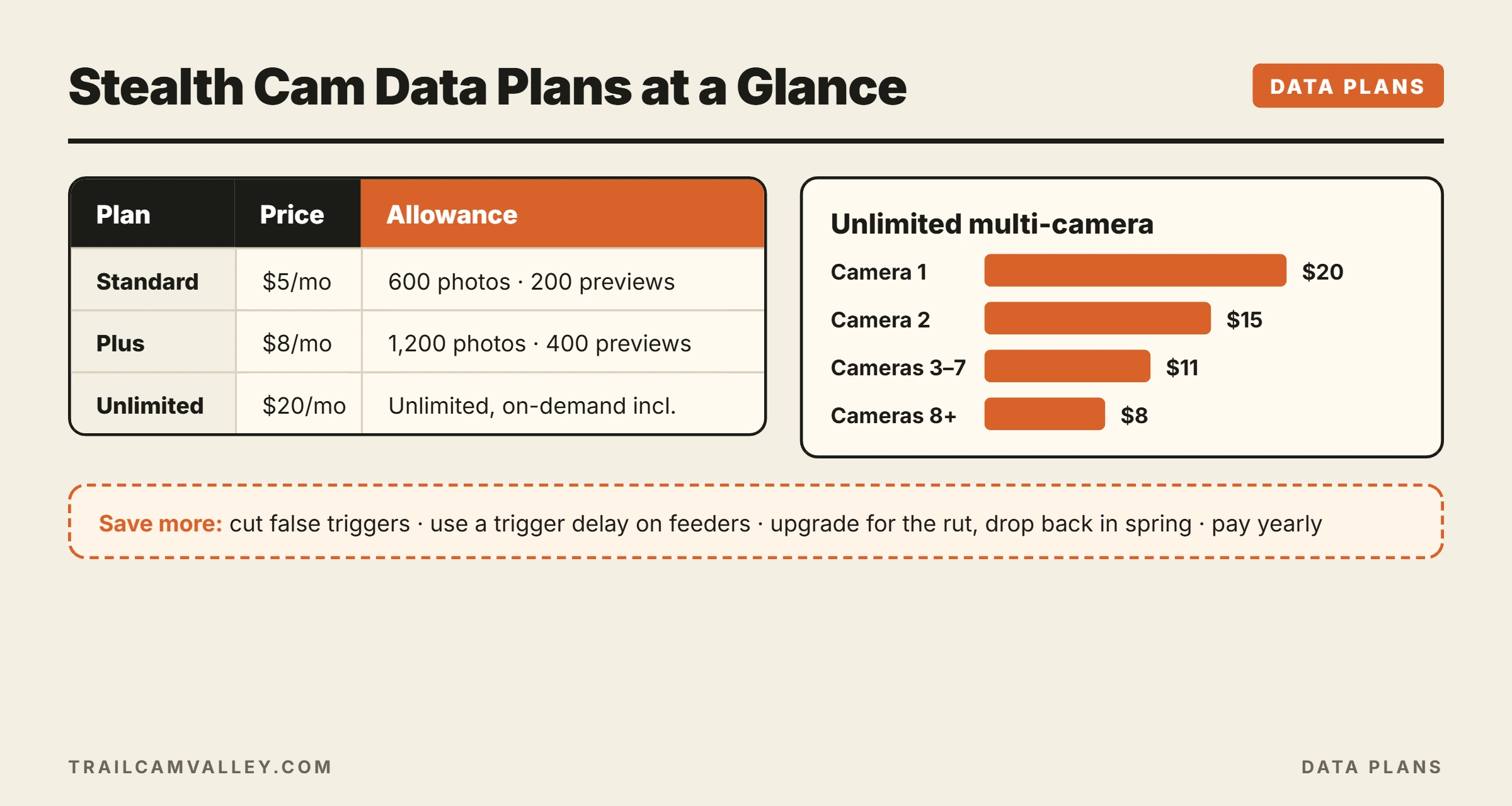
Quick answer: Stealth Cam plans are bought in the Command Pro app and priced per camera. Current tiers are Standard ($5 per month, 600 photos and 200 video previews), Plus ($8 per month, 1,200 photos and 400 video previews), and Unlimited ($20 per month). Unlimited gets discounted on additional cameras, and annual billing saves more.
Stealth Cam Plan Tiers
The plan table on Stealth Cam’s own Revolver Pro 2.0 product page lists three monthly tiers:
| Plan | Price per camera | Photos | Video previews |
|---|---|---|---|
| Standard | $5/month | 600 (includes 4K) | 200 |
| Plus | $8/month | 1,200 (includes 4K) | 400 |
| Unlimited | $20/month | Unlimited (includes 4K) | Unlimited |
Stealth Cam labels Plus as the best value and says paying yearly gives even larger savings. On-demand photo downloads are included with all plans. Prices and allowances change over time, so always check the Command Pro app or Stealth Cam’s data plans page before you buy.
Multi-Camera Pricing
If you run several cameras, Unlimited gets cheaper per camera. Stealth Cam lists these monthly prices:
- Camera 1: $20
- Camera 2: $15
- Cameras 3 to 7: $11 each
- Cameras 8 and up: $8 each
Example: four cameras on Unlimited would cost $20 + $15 + $11 + $11 = $57 per month, about $14.25 each. Four cameras on Standard would be $20 total, but with a 600-photo cap each.
How Stealth Cam Plans Have Changed
Stealth Cam has adjusted its plans several times. When the Fusion series launched, Moultrie Mobile’s plan roundup described Stealth Cam’s entry plan as 600 photos or 50MB for $5, a 100MB tier for $10, and unlimited for $20. A 2020 report by Game & Fish covered an earlier refresh. Older reviews may quote outdated numbers, so trust the app over old articles.
Which Cameras Use Stealth Cam Plans?
All current Stealth Cam cellular cameras activate through Command Pro, and so do Muddy cellular cameras (see our Muddy cell cam plans guide). Popular Stealth Cam models include:
- Revolver Pro 2.0: 360-degree camera with 40MP photos and 1440p video. See our 360-degree trail camera guide.
- Deceptor MAX 2.0: Stealth Cam’s product page lists 40MP photos, 1440p video at 30 fps, 100-foot detection, a trigger under 0.3 seconds, and no-glow flash.
- Connect MAX 2.0: a budget model with 20MP photos, 720p video, 80-foot detection, and automatic network coverage on Verizon or AT&T, according to Stealth Cam.
- Fusion X Pro and Sonix Pro models.
Higher-resolution cameras do not necessarily cost more to run, since plans count photos rather than megabytes. Video previews have their own allowance.
How to Choose the Right Plan
| Your setup | Best starting plan |
|---|---|
| Quiet trail, one camera | Standard |
| Food plot or scrape in season | Plus |
| Busy feeder, video lover, or 360-degree camera | Unlimited |
| 3+ busy cameras | Unlimited with multi-camera pricing |
| Year-round security use | Annual billing on the tier you need |
A 360-degree Revolver in full 360 mode takes multiple photos per trigger, so it burns through allowances faster than a standard camera. Factor that in.
Tips to Save on Stealth Cam Plans
- Reduce false triggers by aiming away from moving brush and lowering sensitivity.
- Use a trigger delay on feeders so one deer does not send 50 photos.
- Use previews and request full-resolution or HD only when you need it.
- Change plans with the season. Bump up in October and November, drop down in spring.
- Pay annually for cameras you run all year.
Activating a Plan
- Install batteries and an SD card if your model uses one.
- Open Command Pro, tap add camera, and scan the QR code.
- Pick your plan and complete payment.
- Take a test photo before leaving the site.
Step-by-step help: how to use Command Pro. Problems? See Stealth Cam not sending pictures.
Monthly vs Annual Billing
Stealth Cam says paying yearly gives larger savings than paying month to month. Whether annual billing makes sense depends on how you use your cameras.
- Annual is usually better if a camera runs all year, such as a security camera on a gate, a camera on a food plot you manage year-round, or a property you monitor for trespassers.
- Monthly is usually better if you only run cameras from late summer through the end of the season. You can start the plan when you hang the camera and cancel or downgrade when the season ends.
- A mix works well for many hunters: one or two year-round cameras on annual plans, and seasonal cameras on monthly plans.
Before switching, check the current annual prices in the Command Pro app and compare them against the number of months you actually run each camera. If you only run a camera four or five months a year, monthly billing may still come out ahead.
How Stealth Cam Compares to Other Brands
Stealth Cam’s $5 starting price is competitive with most major brands, and its Standard plan includes a generous 600 photos. Brands differ in how they structure plans. Some price per camera, some offer account-wide plans, and SPYPOINT offers a capped free tier. To compare total costs across brands, see the cheapest trail camera plans, SPYPOINT data plans, and Moultrie Mobile plans. The best plan is the one that matches how many photos your cameras actually send, not the one with the lowest headline price.
Estimating Your Photo Count
The easiest way to choose a tier is to estimate how many photos each camera will send in a month. A camera on a quiet trail might trigger a few times a day, adding up to 100 to 300 photos a month. A camera on a feeder or a busy food plot can trigger dozens of times a day, easily passing 1,000 photos a month, especially with burst mode on. A 360-degree Revolver in full 360 mode takes several images for every trigger, which multiplies the count further.
If you are unsure, start on Standard for the first two weeks and check your usage in the Command Pro app. Multiply that number by two to get a monthly estimate, and pick the tier that covers it with a little room to spare. It is better to upgrade once mid-season than to pay for Unlimited on a camera that only sends a handful of photos a day.
Quick Facts
- Standard: $5/month, 600 photos, 200 video previews (Stealth Cam).
- Plus: $8/month, 1,200 photos, 400 video previews (Stealth Cam).
- Unlimited: $20/month for the first camera, discounted for more (Stealth Cam).
- Annual billing offers larger savings; on-demand photos included in all plans (Stealth Cam).
- Muddy cellular cameras also run on Command Pro.
Frequently Asked Questions
Is there a free Stealth Cam plan?
No ongoing free plan is listed. The cheapest tier is $5 per month. See cellular trail cameras with free plans for alternatives.
Do 4K photos count against my plan?
Stealth Cam lists 4K as included in each tier’s photo count.
Can I share one plan across cameras?
Plans are priced per camera, but Unlimited is discounted for each additional camera.
Can I change plans mid-season?
Plans can be changed in the Command Pro app. Check the terms for timing and billing.
Which carrier does Stealth Cam use?
Many current models auto-connect to the strongest Verizon or AT&T signal.
Is Stealth Cam a good brand overall?
Read our honest take: is Stealth Cam a good trail camera?
Final Thoughts
Stealth Cam data plans are simple once you see the three tiers. Most hunters can start on Standard or Plus, while feeder watchers, video fans, and Revolver owners will want Unlimited, especially with multi-camera pricing. Cut false triggers, adjust plans with the season, and check the Command Pro app for current pricing before you commit.