
SPYPOINT Data Plans: Free, Basic, Standard & Premium Compared (2026)
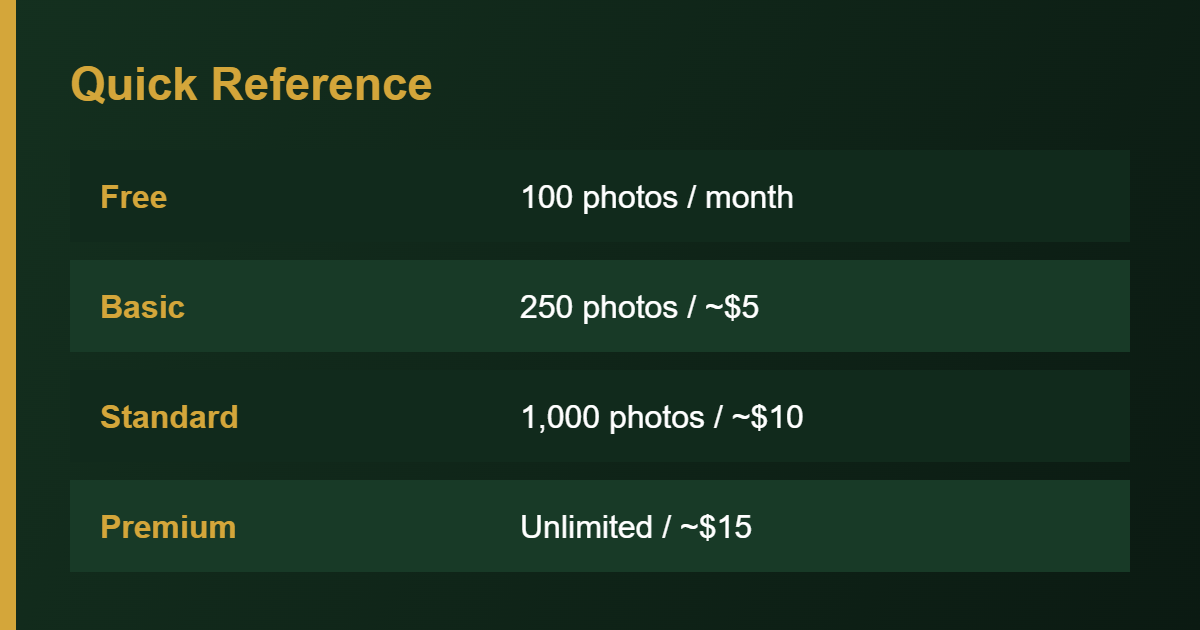
Short answer: SPYPOINT offers a free plan with 100 photos a month per camera, plus three paid tiers: Basic (250 photos), Standard (1,000 photos) and Premium (unlimited photos). Retail listings show about $5, $10 and $15 a month on monthly billing, with lower rates on annual billing. Each camera needs its own plan, and prices can change, so confirm them in the SPYPOINT app before you subscribe.
SPYPOINT plans at a glance
SPYPOINT is the one major brand with a genuinely free tier, which is a big reason many first-time buyers start here. The table below uses prices shown on retailer listings for SPYPOINT cellular cameras. They are typical figures, not a guarantee, so treat them as a guide. For how SPYPOINT compares with other brands, see our cheapest plan comparison.
| Plan | Photos per month | Monthly billing | Annual billing (per month) |
|---|---|---|---|
| Free | 100 | $0 | $0 |
| Basic | 250 | about $5 | about $4 |
| Standard | 1,000 | about $10 | about $7 |
| Premium | Unlimited | about $15 | about $10 |
Video and full-HD photo transmission are sold as extras on top of the photo plans. A competing brand’s marketing claims that SPYPOINT’s unlimited plan costs more once video and HD are added, so look at the add-ons if you want more than standard thumbnails.
How the free plan works
The free plan sends up to 100 photos a month per camera with no activation fee and no long-term commitment. SPYPOINT’s app description calls out a free transmission plan of 100 photos per month, per camera. A retailer listing explains that after a paid period ends, the camera falls back to the free plan, so you pay only while you need more photos.
A busy trail can use up 100 photos in a few days, so the free tier suits quiet spots, short trips to check a location, or cameras you use for light monitoring. Most owners who hunt a property end up on a paid tier for at least part of the year.
Are SPYPOINT plans per camera?
Yes. Each camera needs its own transmission plan, and plans are not pooled across cameras the way some other brands allow. Three cameras on Standard means three Standard subscriptions. If you run several cameras, compare this against shared-pool plans such as Moultrie Mobile before you buy. Our subscription guide explains which camera types need a plan at all.
Yearly cost examples
| Setup | Plan | Approximate cost per year (monthly billing) |
|---|---|---|
| 1 camera, light use | Free | $0 |
| 1 camera, moderate use | Basic | About $60 |
| 1 camera, busy trail | Standard | About $120 |
| 1 camera, unlimited | Premium | About $180 |
| 3 cameras on Standard | Standard x3 | About $360 |
These are straightforward multiplications of the typical monthly prices. Annual billing, where offered, lowers the effective monthly rate.
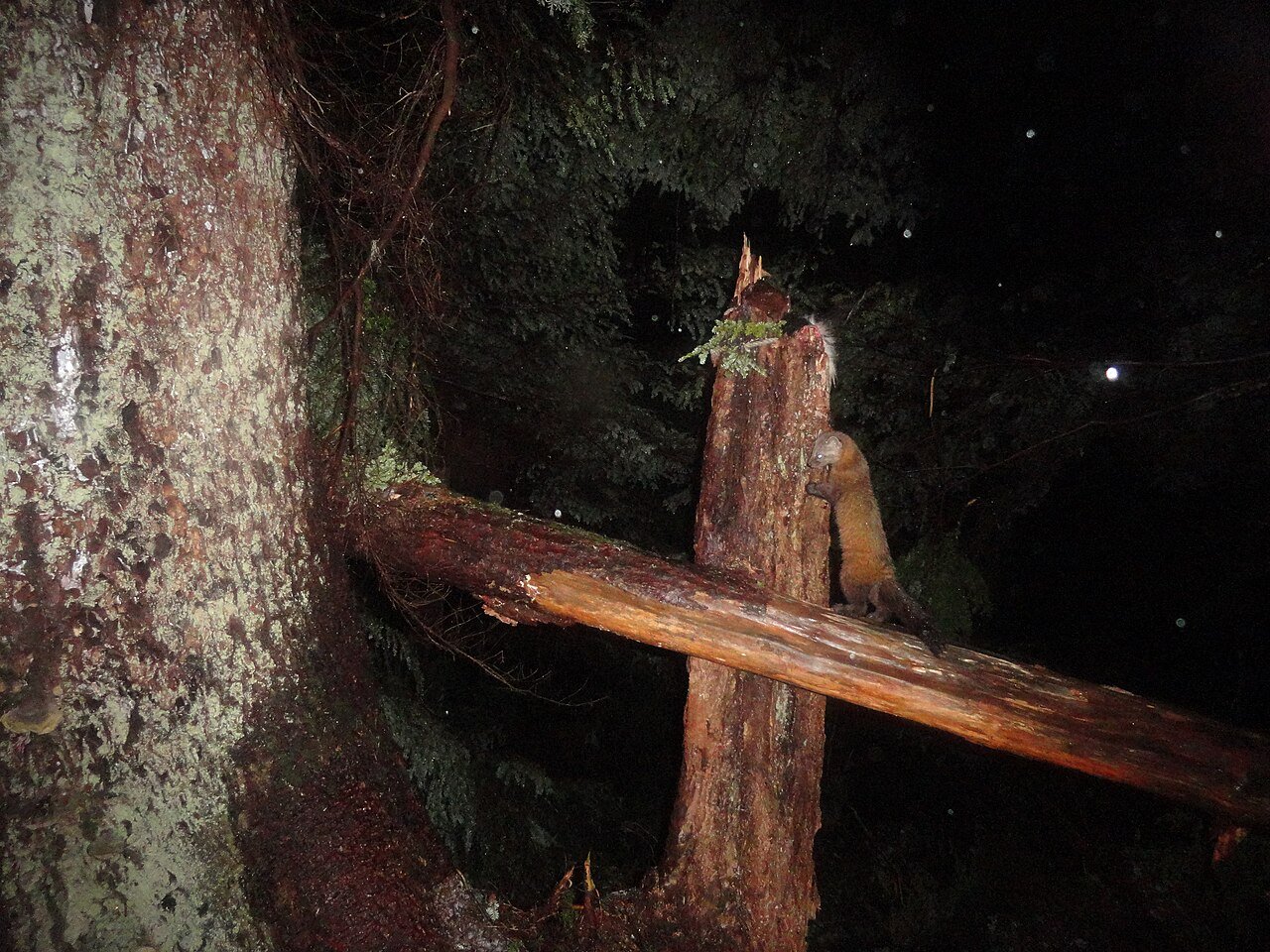
A real trail camera photo
SPYPOINT Insiders Club
The Insiders Club is an optional membership with its own fee. SPYPOINT’s app listing describes perks such as a free basic transmission plan of 250 photos a month, 20 percent off paid plans and accessories, camera sharing and access to the app’s species filters. Retail pages also mention 20 percent savings on each plan for members. The membership only pays for itself if the discounts exceed its cost across your cameras, so do the math for your setup. Some users find it frustrating that features such as sharing photos with family sit behind the club.
Which SPYPOINT plan should you choose?
| Your situation | Plan to consider |
|---|---|
| Occasional checks, quiet property | Free |
| One camera over a food plot or trail | Basic or Standard |
| High-traffic feeder, scrape or security use | Premium so you never hit a cap |
| Hunt a few months a year | Upgrade before season, drop back after |
| Many cameras | Compare against shared plans from other brands |
If your usage is unpredictable, start on Free or Basic and move up the first time the cap bites. Moving up is easier than getting a refund for a tier you did not need.
How to stay inside your photo limit
- Lower motion sensitivity if the camera triggers on wind or branches. See sensitivity settings.
- Increase the delay between photos so a lingering animal does not fill your quota.
- Move the camera off a busy feeder if you only need occasional checks.
- Choose thumbnails only unless you need HD for a specific shot.
- Switch to a lower upload frequency if your model allows it.
SPYPOINT compared with other brands
- Cost: a free tier is rare. Bushnell and Moultrie have no equivalent. See Bushnell plans and brand cost ranges.
- Billing: per camera. A shared plan from another brand may be cheaper for larger setups.
- Quality: read Is SPYPOINT a good trail camera? to weigh the hardware.
Setting up and fixing problems
You choose or change a plan in the SPYPOINT app after activating the camera. If photos are not arriving, the plan may not be the cause. Check activation, signal and batteries first with our SPYPOINT connection fixes, and follow the SPYPOINT setup guide if you are starting from scratch. To understand how uploads work, read how cellular cameras work.
Example scenarios
These are illustrations using typical prices, not guarantees.
- Quiet back corner: a camera that triggers a few times a week fits comfortably in the free 100-photo tier. Cost: $0.
- Trail with steady deer traffic: expect to blow past 250 photos in a month, so Standard at about $10 is a sensible fit. Cost: about $120 a year, or less if you pause it in the off-season.
- Feeder or mineral site: animals linger and trigger repeatedly. Unlimited Premium avoids hitting a cap, at about $15 a month.
Before hunting season: a plan checklist
- Open the app and confirm the camera is online and the last check-in is recent.
- Upgrade the plan a few days before you want regular photos.
- Replace batteries with a fresh matched set.
- Check the SD card and format it. See formatting steps.
- Walk-test the detection zone and confirm a photo arrives.
- After the season, drop back to Free to stop paying.
Common mistakes with SPYPOINT plans
- Paying for Premium on a quiet camera. Check a month of usage before upgrading.
- Forgetting to downgrade. Drop back to Free when you stop needing more photos.
- Assuming one plan covers several cameras. Each camera needs its own.
- Blaming the plan for missing photos. Signal, batteries and activation cause most upload problems.
- Ignoring add-ons. Video and HD cost extra, so factor them in.
Bottom line
SPYPOINT’s free tier and low-cost Basic plan make it one of the cheapest ways to try a cellular camera. Pick the lowest tier that covers your usual month, upgrade when you hit the limit, and confirm current prices in the app before you subscribe.
Frequently Asked Questions
Does SPYPOINT have a free plan?
Yes. It includes 100 photos per month per camera, with no commitment.
How much are SPYPOINT plans?
Retail listings show about $5, $10 and $15 a month for Basic, Standard and Premium, with lower annual rates.
Can I change plans any time?
SPYPOINT describes its plans as flexible with monthly or annual billing. Check the app for the exact rules on changing mid-cycle.
What happens if I go over my photo limit?
Photos beyond the limit generally stop transmitting until the next cycle or an upgrade, though they still save to the SD card.
Do I need a plan for a SPYPOINT camera without cellular?
No. SD-card models need no plan. See non-cellular trail cameras.
Can multiple SPYPOINT cameras share one plan?
No. Each camera needs its own plan.
Is video included?
Video and HD photos are typically sold separately from the photo plan.
Is the Insiders Club worth it?
It depends on how many cameras you run and how often you use paid plans. Compare the membership fee with the 20 percent discount.
Sources
- SPYPOINT FLEX-M retail listing, Walmart (free plan and paid tier prices)
- SPYPOINT FLEX Plus and FLEX-M twin listings, Decathlon (tier limits, monthly and annual prices)
- SPYPOINT app listing, Apple App Store (free plan and Insiders Club)
- FLEX E-36 listing, Conns Cameras (reverting to the free plan)
- GardePro, plan comparison of GardePro, Tactacam, Moultrie and SPYPOINT