
Trail Camera Megapixels Explained: Why 32MP Isn’t What You Think
Trail camera boxes shout big numbers: 24MP, 32MP, even 48MP or more. It is natural to think more megapixels means sharper photos. But with trail cameras, the megapixel number on the box is often not what the camera’s sensor really captures. Here is how trail camera megapixels really work, why a “32MP” camera can take softer photos than a “16MP” one, and what to look at instead.
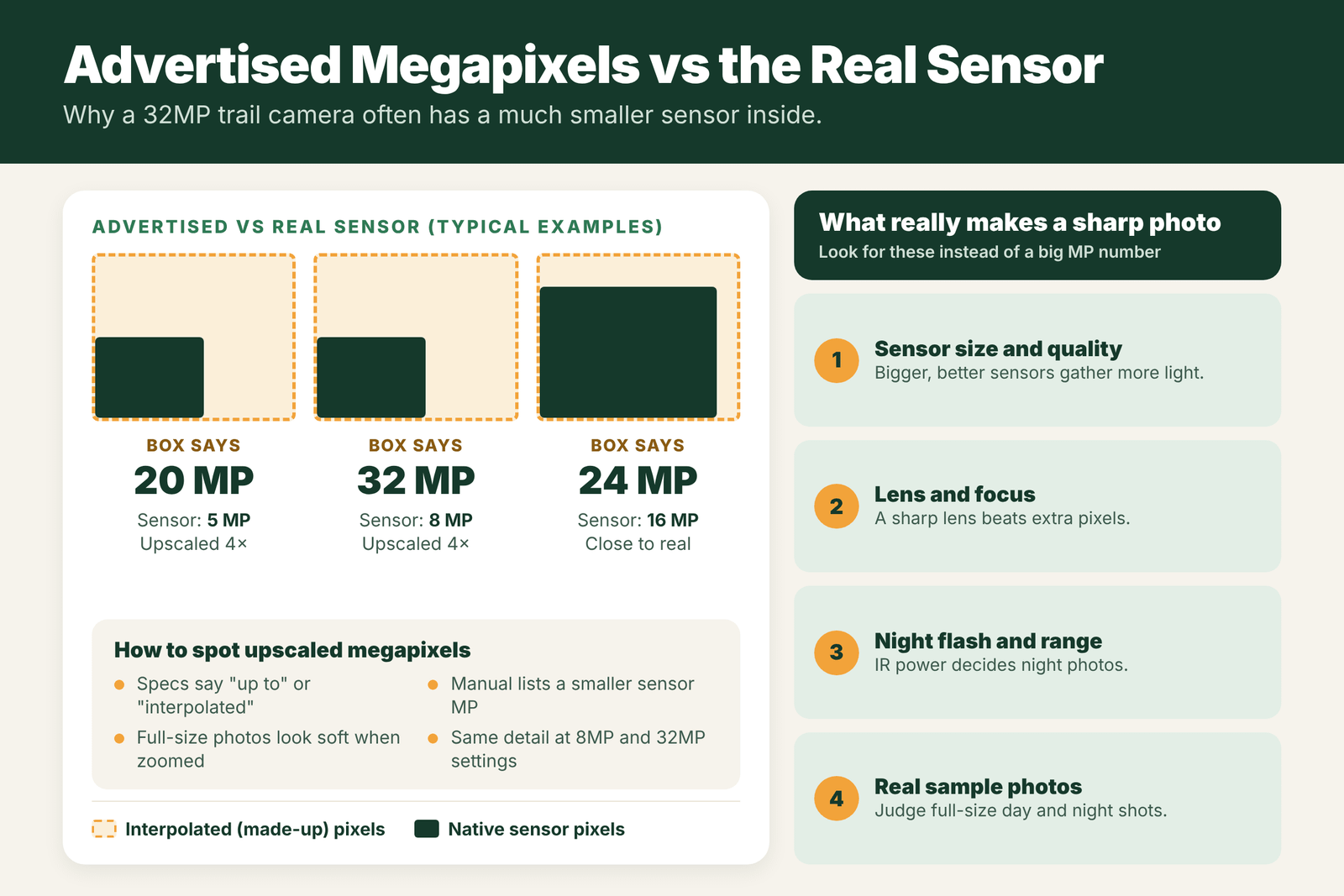
Many trail cameras advertise interpolated megapixels: the camera takes a photo with a smaller native sensor (often around 5 to 16MP) and then upscales it with software to a bigger number like 24 or 32MP. That adds pixels but no real detail. Image quality depends far more on sensor size and quality, the lens, focus, and the night flash. When you buy, look for the native sensor resolution and judge real full-size sample photos, day and night, instead of the number on the box.
- Advertised MP
- Often interpolated (upscaled)
- Native sensor
- Often about 5 to 16MP
- Upscaling adds
- Pixels, not detail
- What matters more
- Sensor, lens, focus, flash
- Night photos
- Limited by IR light, not MP
- Higher MP setting
- Bigger files, more storage
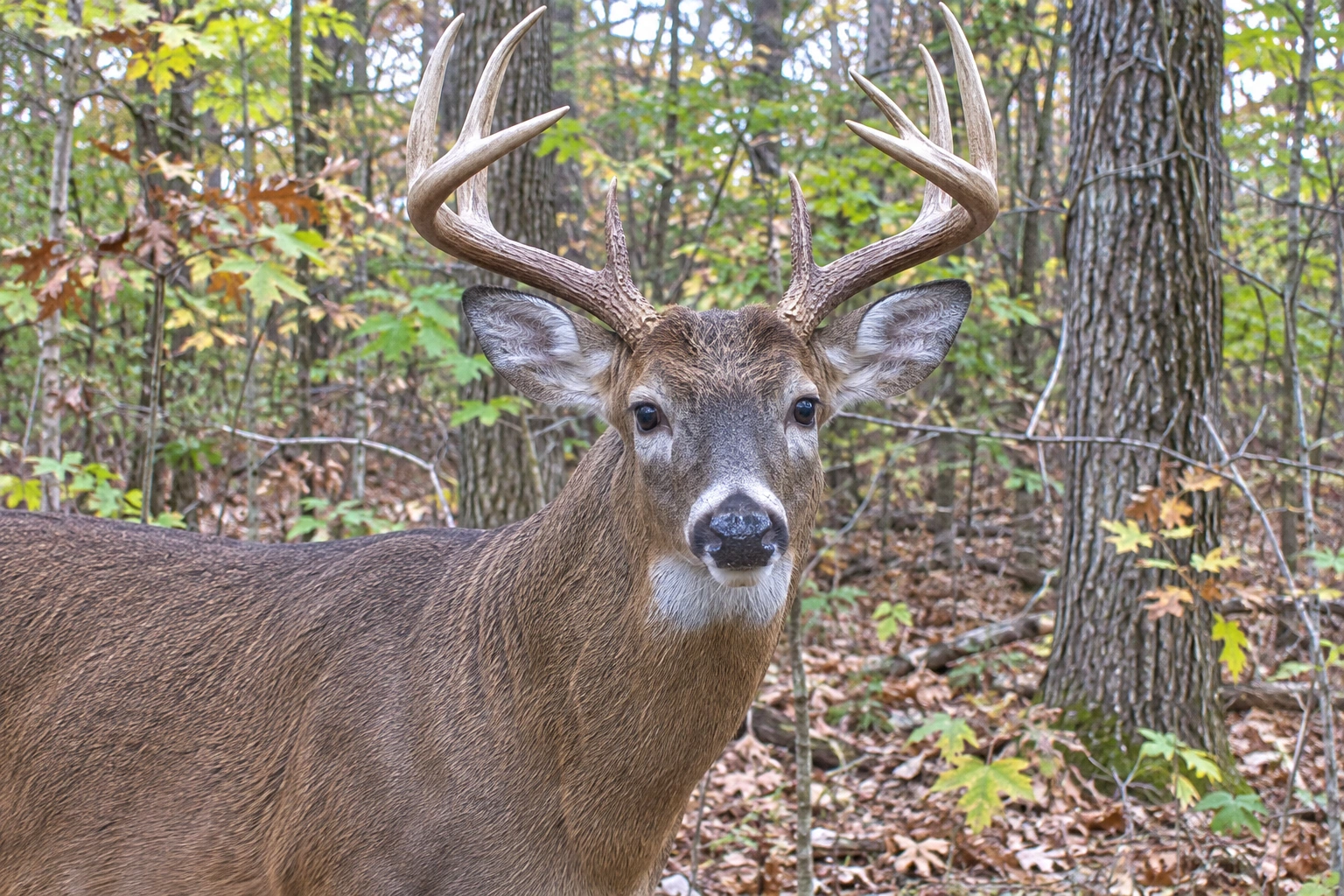
Native Sensor vs Interpolated Megapixels
- Native resolution is the number of real light-sensing pixels on the camera’s image sensor. This is the true amount of detail the camera can capture.
- Interpolated resolution is created by software. The camera takes the native image and stretches it to a larger size, guessing the color of the new pixels from the ones around them.
A camera with an 8MP sensor that saves 32MP photos has stretched each image to about four times the pixel count. The file is bigger, but zoom in and you will see the same detail as the 8MP version, often with a soft or smeared look. Many brands write “up to 32MP” or bury the sensor size in the manual.
What Really Drives Image Quality
- Sensor size and quality: a larger, better sensor gathers more light, which means cleaner photos with less grain, especially at dawn and dusk.
- Lens quality and focus: a sharp lens focused at the right distance beats extra pixels every time. Many trail cameras are fixed-focus, set for a certain range.
- Image processing: how the camera handles exposure, color and noise reduction.
- Trigger speed: a sharp photo of a deer’s tail is still a bad photo. Read trail camera trigger speed vs recovery time.
- Setup: distance to the animal, a clean lens, and the sun behind the camera. See how to get better images from a trail camera.
Night Photos and Megapixels
At night, trail cameras rely on their infrared flash. In the dark, the sensor gets very little light, so night photos are usually black and white, softer and grainier than daytime photos, no matter how many megapixels are advertised. What matters most at night:
- IR flash power and range, which decides how far the camera can light up a deer.
- Even lighting, so the center is not blown out while the edges are dark.
- Shutter speed, since slow night shutters blur moving deer.
Some cameras even switch to a lower resolution at night automatically. If night photos matter most to you, compare night samples, not daytime megapixels.
Storage Cost of High Megapixel Settings
- Bigger files fill cards faster. A 32MP interpolated photo can be several times the size of the same image saved at native resolution.
- Slower saving can lengthen recovery time between shots on some cameras.
- Cellular cameras usually send a small, compressed version anyway, so high MP settings make little difference in the app.
- Tip: set your camera to its native resolution (or the closest setting) for the best balance of detail and storage. See how many photos a trail camera can store.
What to Look for Instead
- The native sensor resolution in the specs or manual. Some reviews list it when the box does not.
- Full-size sample photos, day and night, at the distance you will use the camera. Zoom in on antlers and fur.
- Night flash range and type. See trail camera infrared vs black flash.
- Trigger speed and recovery time.
- Independent reviews that compare cameras side by side. Our list of trail cameras with the best picture quality is a good starting point.
Advertised Megapixels vs Real Detail
The number on the box often tells you less than you think. Here is a rough guide to what different settings usually mean on a typical trail camera.
| Setting on the box | Often the real sensor | What you actually get | Best use |
|---|---|---|---|
| 8 to 12MP | Native or close to native | Clean files, smaller size | Cellular cameras, long deployments |
| 16 to 20MP | Sometimes native, often upscaled | Similar detail to the native size | Everyday scouting |
| 24 to 32MP | Usually upscaled from a smaller sensor | Bigger files, little or no extra detail | Rarely worth it |
| 40MP and up | Almost always upscaled | Huge files, same detail | Avoid on most trail cameras |
These ranges are general. Some cameras use larger native sensors, so look for the maker’s stated native or sensor resolution, and judge real sample photos.
How to Judge Image Quality Before You Buy
- Find full-size sample photos, not resized web images. Zoom in on a deer’s face and antlers.
- Look at night samples at the distance you expect deer to be. Night quality matters more for most hunters.
- Check motion blur on moving deer, especially at night.
- Read the sensor size or native resolution in the specs, if listed.
- Compare video quality if you use video. A camera with average photos may have great video, or the reverse.
Choosing the Right Resolution Setting
| Situation | Recommended setting | Why |
|---|---|---|
| Standard SD card camera | The native resolution | Best quality without wasted space |
| Cellular camera uploads | Standard or thumbnail upload | Saves data and battery; full size on the card |
| Small SD card or long trip | A lower setting | More photos fit; little visible loss |
| Judging antlers at a scrape | Native resolution | More detail on the buck you care about |
Field Examples
The 32MP letdown: a hunter upgrades from an old 12MP camera to one sold as 32MP, but the photos look about the same when zoomed in, and the card fills twice as fast. The new camera’s native sensor is close to the old one. Setting it to its native resolution saves space with no loss.
Better night photos with fewer megapixels: a camera with a lower megapixel number but a better sensor and flash produces sharper night photos at 40 feet than a high-number budget camera. For deer hunting, that matters more than daytime pixel counts.
Mistakes With Megapixels
- Buying on the biggest number. Compare real samples instead.
- Always using the highest setting. It fills cards and may slow recovery time with no gain.
- Ignoring the lens and focus. A soft lens or poor focus wastes every pixel.
- Forgetting the SD card. Big files need a good card. See SD cards for trail cameras.
What Actually Makes Photos Better
If you want sharper trail camera photos without buying a new camera, focus on setup. Keep deer within the flash range and at a distance where they fill a good part of the frame, usually 10 to 25 feet. Clean the lens cover. Face north to avoid glare. Use fresh batteries so the flash is strong. Angle the camera so deer walk toward it, which reduces blur. These steps often improve photos more than any megapixel upgrade.
Why Interpolation Exists at All
Interpolation is a software trick that adds pixels by guessing what belongs between the real ones. It makes a file bigger and can make a photo look a little smoother when you zoom in, but it cannot add detail the sensor never captured. Trail camera brands use it because big megapixel numbers sell, and shoppers often compare cameras on that one spec. It is not dishonest in itself, as long as the maker also lists the native sensor resolution, but many do not make that easy to find. If a budget camera claims a very high number, assume most of it is interpolation until you see full-size samples that prove otherwise.
Video Resolution Is a Separate Question
Megapixels refer to still photos. Video is measured differently, by resolution such as 720p, 1080p or 4K, and by frame rate and bit rate. A camera can have average photos and excellent video, or the other way around. If you rely on video at scrapes or for predator ID, compare video samples directly. Keep in mind that 4K video fills cards very quickly and needs a fast U3 or V30 card, while 1080p is plenty for most scouting. See trail camera with video for more on choosing a video camera.
Sensor Size and Night Performance
For night photos, the size and quality of the image sensor matter far more than the pixel count. A larger sensor collects more light from the infrared flash, which means less noise and less blur. Cramming more pixels onto a small sensor makes each pixel smaller, so it gathers less light, and night photos can look grainier. That is why some cameras with modest megapixel ratings beat high-number cameras after dark. Since most mature bucks show up on camera at night, the night samples are the most important photos to judge.
Frequently Asked Questions
Do more megapixels mean better trail camera photos?
Not always. Many trail cameras upscale a smaller sensor to a big megapixel number. Sensor quality, lens, focus and flash matter more than the advertised MP.
What is interpolated resolution on a trail camera?
It is a larger image made by software stretching the real sensor photo. It adds pixels and file size but no real detail.
How many megapixels does a good trail camera need?
A good native sensor of around 8 to 20MP, with a sharp lens and good processing, is plenty for clear trail camera photos.
Why are my trail camera night photos blurry?
At night the camera relies on its IR flash and slower shutter speeds, so moving deer blur and detail drops. Megapixels do not fix that; flash power and shutter speed do.
Should I use the highest resolution setting?
Use the setting closest to the camera’s native sensor resolution. Higher interpolated settings mainly make files bigger without adding detail.
What is native resolution on a trail camera?
It is the real resolution of the camera’s image sensor, before any software upscaling.
Does higher resolution slow down a trail camera?
It can. Bigger files take longer to save, which may slow recovery time on some cameras.
How do I get sharper trail camera photos?
Keep deer within flash range, clean the lens, face north, use fresh batteries and angle the camera so deer walk toward it.