
SD Cards for Trail Cameras: Size, Speed & Best Picks (2026)
You drive out to the ridge, pull the card, slide it into your phone adapter, and get one of two results: a screen full of buck photos, or a flat “card error.” The difference usually has nothing to do with the camera. It comes down to a small piece of plastic most people grab off a checkout shelf without reading the label.
The right SD card for a trail camera is not complicated, but it is picky. Capacity limits, speed ratings, and file formats all matter, and a wrong guess can mean frozen cameras, skipped photos, or a corrupted card full of lost memories. This guide gives you the short answer first, then walks through the details so you can buy once and stop thinking about it.
Quick Answer: What SD Card Should You Buy?
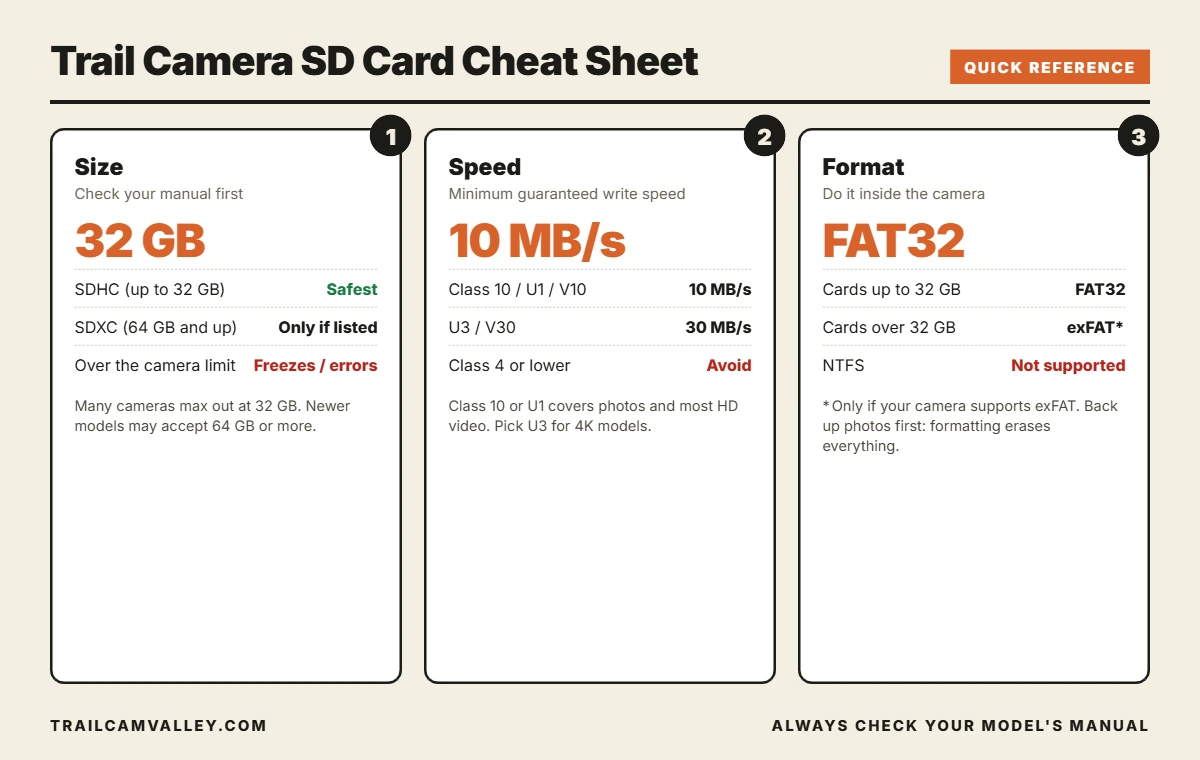
- Size: 32GB SDHC is the safest choice for most SD-slot trail cameras. Only go higher if your manual says the camera supports it.
- Speed: Class 10 or U1 (10MB/s minimum write speed) works for photos and standard HD video. Choose U3/V30 (30MB/s) for 4K-capable models.
- Format: Format the card inside the camera before every deployment. FAT32 for cards up to 32GB, exFAT only when the camera supports larger cards.
- Brand: Stick with a known brand from a trusted seller. Counterfeit cards claim capacity they do not have.
SDHC vs SDXC: What the Labels Mean
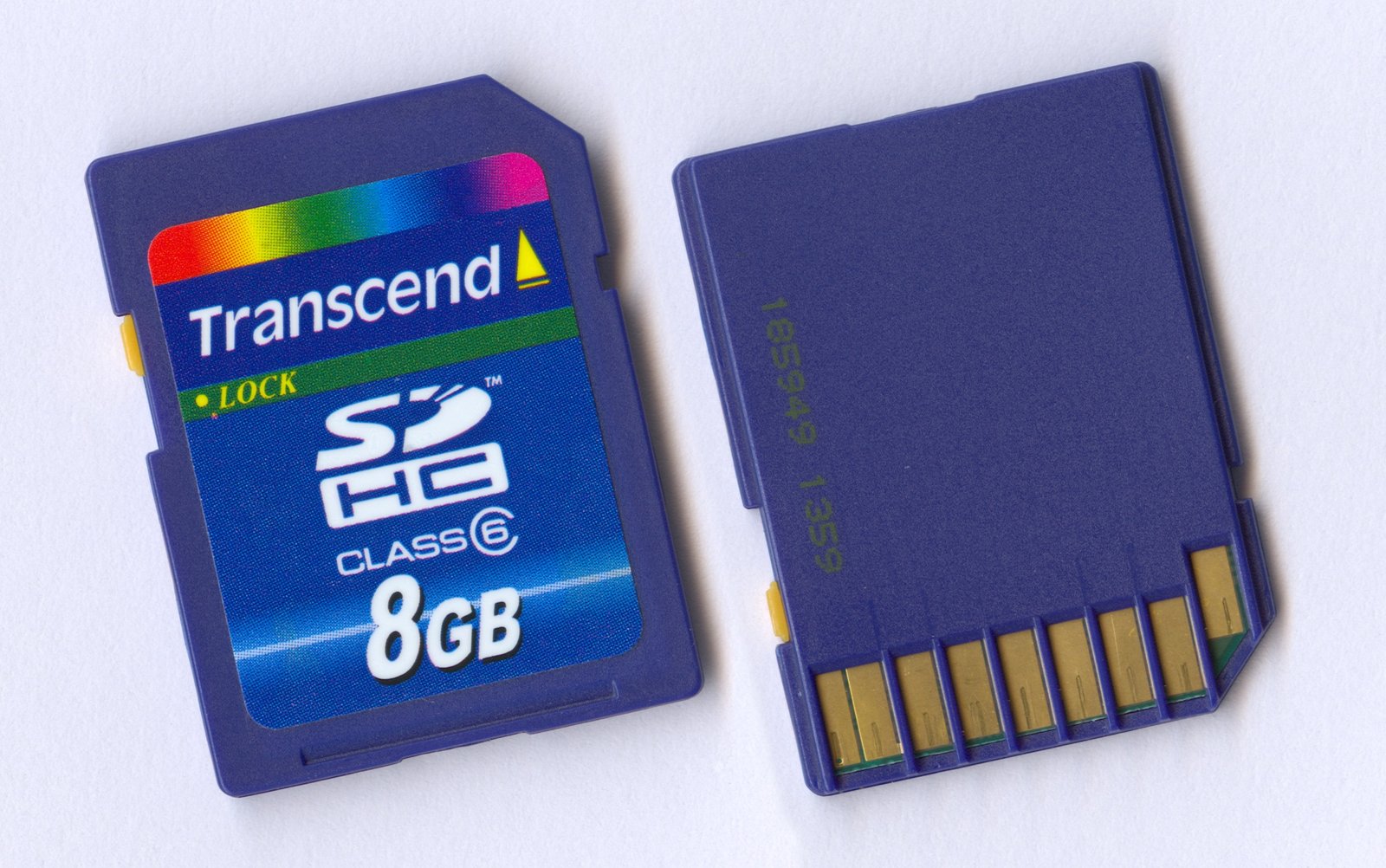
Every SD card falls into a capacity family, and the family decides whether your camera can read it. According to SanDisk’s own comparison, SDHC cards run from 2GB to 32GB and use the FAT32 file system, while SDXC cards run from 32GB up to 2TB and use exFAT. The catch for trail camera owners is compatibility: an SDXC card needs an SDXC-capable host device, while an SDHC card works in SDHC and SDXC hosts alike. A bigger card is not automatically a better card for your camera.
| Card type | Capacity | File system | Trail camera fit |
|---|---|---|---|
| SDHC | 2GB to 32GB | FAT32 | Works in nearly every SD-slot trail camera |
| SDXC | 32GB to 2TB | exFAT | Only if the manual lists support |
| microSD + adapter | Varies | Varies | Some cameras reject adapters |
What Size SD Card Does a Trail Camera Need?
For most people, 32GB is the sweet spot. It is large enough to hold weeks of photos, and it is the ceiling many cameras are built around. Retailers and guides repeat the same warning because it is true: many trail cameras cannot handle cards above 32GB, and the limit is usually printed in the manual as “up to 32GB.” If you buy 128GB hoping for more room and your camera caps at 32GB, you can get freezing, missed triggers, or a card the camera simply refuses to read.
Newer cameras are more forgiving. Some current models accept 64GB, 128GB, or even 256GB SDXC cards, and that extra space can make sense for time lapse, video, or remote spots you only visit a few times a year. The rule does not change: look up your exact model before you buy.
How Many Photos Fit on a 32GB Card?
It depends on resolution and scene. A rough rule: a typical trail camera JPEG lands between 2MB and 5MB. At those sizes, a 32GB card holds somewhere between 6,500 and 16,000 photos. Busy scenes, high megapixel settings, and night shots with lots of noise push files toward the larger end. If you are not sure what resolution to run, our guide to the best megapixel setting for a trail camera explains the trade-off between detail and storage.
One field tip from Exodus Outdoor Gear is to plan around about 75% of a card’s capacity, in case a camera sits out longer than expected. That cushion also helps if you use DVR mode, where the camera overwrites old files once the card fills.
SD Card Speed: What Class 10, U1, U3 and V30 Mean
Speed ratings look like alphabet soup, but they all answer one question: how fast can the card write data at minimum? Kingston’s speed class guide lays it out: Class 10 guarantees at least 10MB/s of write speed, U1 also guarantees 10MB/s, and U3 and V30 guarantee 30MB/s. These are minimum floors, not top speeds, which is why a card marketed with a big “100MB/s” number is quoting read speed, not what your camera needs.
| Rating | Minimum write speed | Good for |
|---|---|---|
| Class 4 / Class 6 | 4 to 6MB/s | Too slow for modern cameras. Avoid. |
| Class 10 / U1 / V10 | 10MB/s | Photos, burst mode, standard HD video |
| U3 / V30 | 30MB/s | 4K video and high-bitrate recording |
Here is the practical takeaway. Most trail cameras are photo-first devices, so Class 10 or U1 is plenty. A faster U3 card costs a little more and does not hurt anything, which makes it a reasonable pick if you also record video or want one card that works in a regular camera too. What you want to avoid is a slow older card that causes the camera to miss frames or hang while saving a burst.
File Format and How to Format Your Card
Formatting does more than erase photos. It sets up the file structure the camera expects, and it clears out small errors that build up over time. Use the camera’s own format option whenever you can. On many cameras it is labeled “Format,” while on some Browning models the equivalent menu item is “Delete All.” If you are working with a Bushnell, our step-by-step guide on how to format an SD card for a Bushnell trail camera shows the exact menu path.
If you must format on a computer, pick FAT32 for cards up to 32GB and exFAT for larger cards the camera supports. NTFS is not a trail camera format, so a card straight out of a Windows workflow may need reformatting. Back up your photos first, because formatting wipes everything.
A couple of cellular cameras let you format from the app. Moultrie’s EXO owner’s manual, for example, notes you can format the card from the Moultrie Mobile app or website, and the command runs the next time the camera checks in.
Can You Use a microSD Card With an Adapter?
Sometimes, but this is where many error messages start. NatureSpy’s SD card help article points out that some cameras, especially certain Browning and Bushnell models, do not like microSD cards inside adapters. On the flip side, some cameras, including SPYPOINT FLEX units, only take microSD cards and have no full-size slot. So the rule is simple: use whichever card type your camera was designed for, and skip the adapter trick unless the manual says it is fine. Our SPYPOINT setup guide covers the microSD side in detail.
Best SD Card Picks by Situation
Instead of crowning one “best” card, it helps to match the card to the job. These are common, widely sold options that fit the specs above. Check the listing against your camera’s maximum capacity before you order.
| Your situation | What to look for | Example options |
|---|---|---|
| Standard SD-slot camera, photos mostly | 32GB SDHC, Class 10 or U1 | SanDisk 32GB SDHC, PNY Elite 32GB |
| Several cameras, rotating cards | Multi-pack of 32GB SDHC | 5-pack SDHC cards |
| Video or 4K-capable camera | 32GB or 64GB, U3/V30 (if supported) | SanDisk Extreme U3 |
| microSD-only camera | microSD, capacity per manual | SPYPOINT 32GB microSD |
Trail Cam Valley is a participant in the Amazon Associates Program, so we may earn a small commission from qualifying purchases at no extra cost to you.
Buying a camera too? Our roundup of the best trail camera for the money and the guide on how to pick a trail camera both mention storage limits to check before checkout.
Smart Card Habits That Prevent Lost Photos
- Carry spare cards. Swap a fresh, formatted card in and take the old one home. You avoid pulling files in the field and you always know the card in the camera is clean.
- Check the lock switch. Full-size SD cards have a write-protect tab. If it is slid down, the camera cannot save anything.
- Do not remove a card while the camera is on. Power the camera off first to avoid corrupting the file table.
- Label your cards. A strip of tape with a number helps you track which card came from which location.
- Reformat on a schedule. A quick in-camera format at every swap is the easiest way to keep errors away.
- Buy from reputable sellers. Counterfeit cards report a capacity they do not actually have, and they fail when you need them most.
If you check your camera on a schedule, our guide on how often to check a trail camera helps you plan swaps around battery life and wildlife disturbance.
Do Cellular Trail Cameras Still Need an SD Card?
Yes. A cellular camera sends smaller preview images to your phone, but it typically still saves the full-resolution file to the card. That card is your backup if the signal drops or you hit a plan limit. The same sizing and speed rules apply, and the same warnings about capacity limits hold. When you collect the card, our guides on viewing photos on a computer or iPhone walk through the reader setup.
Common SD Card Errors and Quick Fixes
- “No SD card” or “Card error”: Reseat the card, then format it inside the camera. If it still fails, try a second known-good card to find out whether the card or the camera is at fault.
- Camera freezes or stops taking photos: The card may be too large, too slow, or nearly full. Drop to a 32GB Class 10 card.
- Card works in the camera but not on your computer: Try a different reader. Our picks for the best SD card reader and best SD card viewer can save a lot of frustration.
- Photos missing: Check DVR/overwrite settings and the date stamp on the files.
For problems beyond the card, the checklist in how to fix a trail camera covers power, triggers, and moisture.
Quick Facts
- SDHC cards run 2GB to 32GB with FAT32. SDXC cards run 32GB to 2TB with exFAT (SanDisk).
- An SDXC card will not work in an SDHC-only device (SanDisk).
- Class 10 and U1 guarantee 10MB/s minimum write speed. U3 and V30 guarantee 30MB/s (Kingston).
- Many trail cameras are limited to 32GB cards. Always check the manual for your exact model.
- Some cameras do not accept microSD cards inside adapters, and some accept only microSD (NatureSpy).
- Plan around about 75% of card capacity when a camera may sit out longer than expected (Exodus Outdoor Gear).
Frequently Asked Questions
What size SD card is best for a trail camera?
A 32GB SDHC card is the safest default. It is supported by nearly every SD-slot camera and holds thousands of photos. Choose a larger card only when the manual confirms support.
Is 64GB or 128GB too big for a trail camera?
It can be. Many cameras cap out at 32GB, and an oversized card can cause freezing or read errors. Newer models may handle 64GB or more, so check your manual first.
What speed class does a trail camera need?
Class 10 or U1 is enough for photos and standard HD video. Pick U3/V30 if your camera records 4K video or you want a card that also works in a regular camera.
Do I need to format a new SD card?
Yes, formatting a new card in the camera is a good habit. It sets the right file structure for that camera and reduces the chance of errors.
Can I use the same SD card in two different trail cameras?
You can, but format it in each camera before use, and do not mix up photos from different locations. Labeling cards helps.
Why does my trail camera say “SD card error”?
Common causes are an unsupported capacity, a slow or damaged card, a locked write-protect tab, or the wrong file system. Reseat the card, format it in the camera, and test with a second card.
Do cellular trail cameras need an SD card?
Yes. The card stores the full-resolution files and acts as a backup when the cellular connection is weak.
Final Thoughts
Buying an SD card for your trail camera comes down to three checks: stay within the camera’s capacity limit, choose at least Class 10 or U1 speed, and format the card in the camera. Get those right and the card disappears into the background, which is exactly where it belongs. When something does go wrong, swap in a known-good 32GB card before blaming the camera.
For more on getting the most from your setup, browse our step-by-step guide to using a trail camera, and check your camera’s manual one more time before you order.