
What Is Hybrid Mode on a Trail Camera? Photo vs Video vs Hybrid
Most trail cameras give you three main capture modes: photo, video, and something called hybrid (sometimes “photo + video” or “PIC+VIDEO”). Picking the right one decides what you see on your card, how long your batteries last, and how fast your SD card fills. Here is what trail camera hybrid mode does, how it compares with photo and video, and when it is worth using.
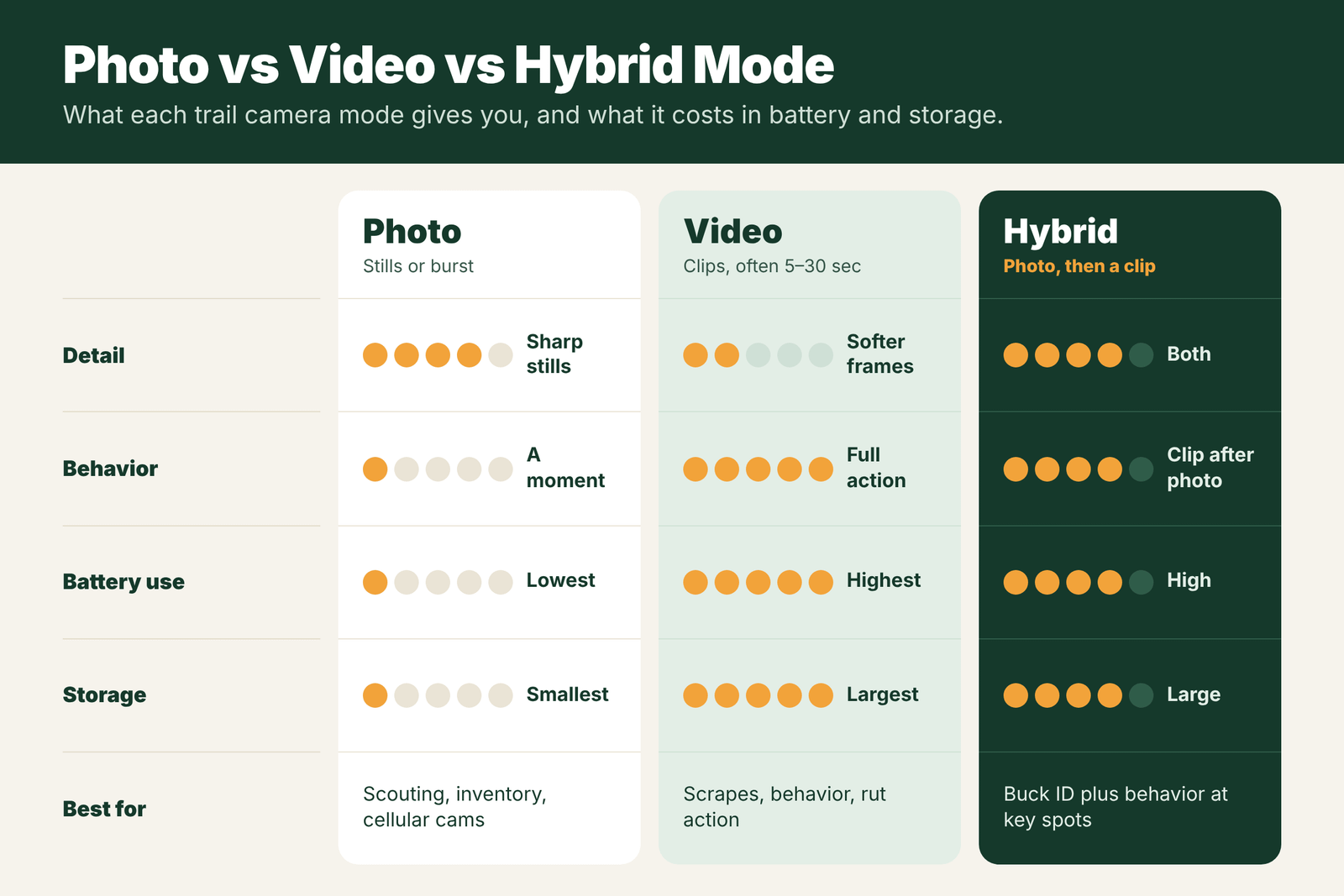
Hybrid mode makes your trail camera take a photo (or a burst of photos) and then a short video clip every time it is triggered. You get a sharp still for identifying deer plus a clip that shows behavior. It is best at scrapes, key trails and rut hotspots where you want both. The trade-off is that it uses much more battery and storage than photo mode. For general scouting and cellular cameras, photo mode is usually the better default.
- Hybrid
- Photo, then a video clip
- Photo mode
- Lowest battery and storage use
- Video mode
- Shows behavior, uses the most power
- Hybrid is best for
- Scrapes, rut, buck ID plus behavior
- Battery
- Lithium recommended
- Cellular
- Often sends only the photo
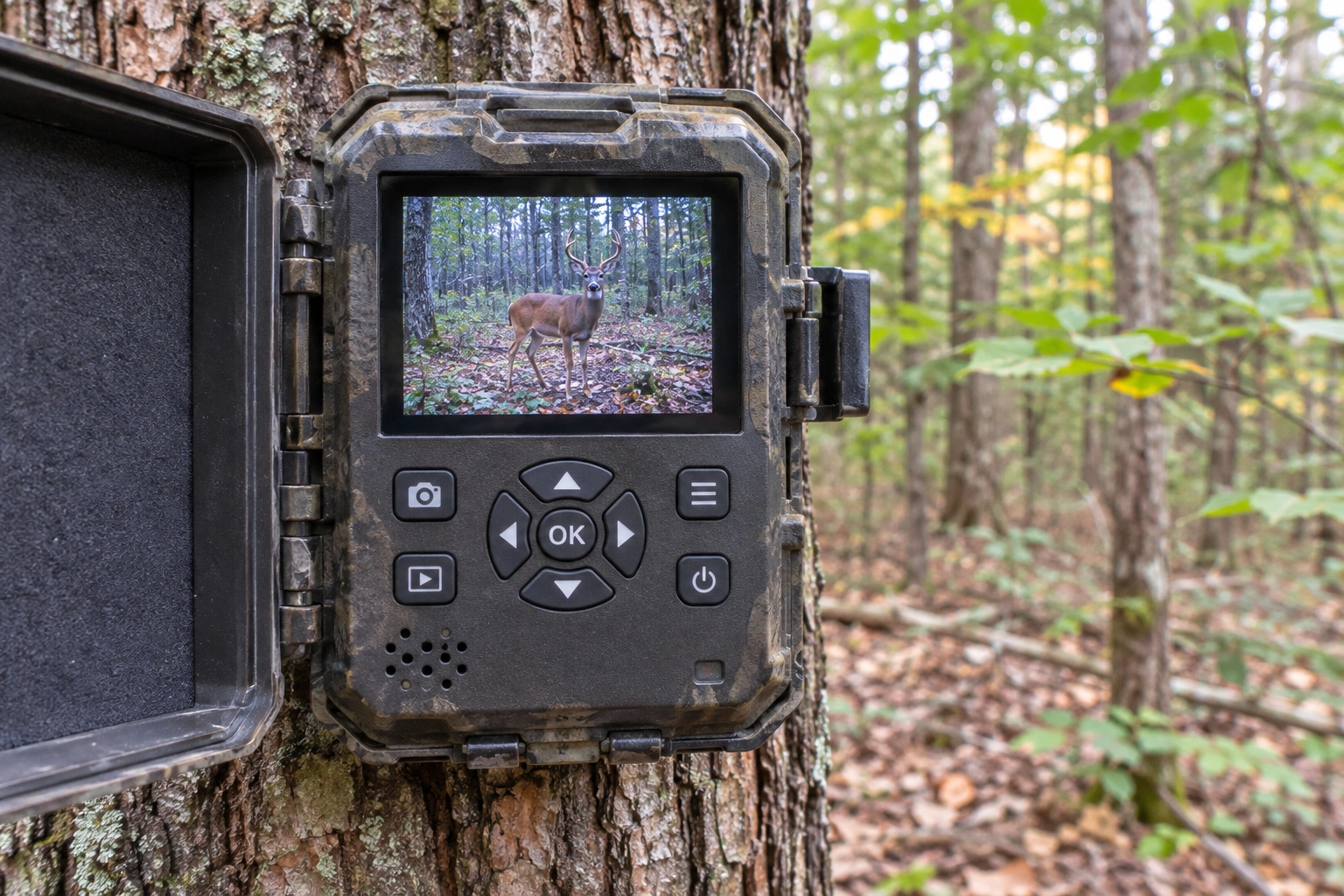
Hybrid Mode Explained
When the camera’s motion sensor is triggered in hybrid mode, it does two things in a row:
- It takes one photo or a short burst, using your photo settings (resolution and number of shots).
- It then switches to video and records a clip for the length you set, often 5 to 30 seconds.
After that, the detection delay starts, and the camera waits before it can trigger again. Because the camera has to switch from photo to video, there is usually a short gap between the photo and the start of the clip. Some animals walk out of view in that gap, so the video works best where animals stay a while.
Photo vs Video vs Hybrid
- Photo mode: single shots or bursts. Sharpest images, smallest files, longest battery life and quickest to review. Best for scouting, inventory and most cellular setups. See what is photo burst on a trail camera.
- Video mode: clips only. Shows how deer move, interact and use a spot, and often captures sound. Uses the most battery and storage, and night video can look grainy. Read more about trail cameras with video.
- Hybrid mode: both, for every trigger. You get a still for ID and a clip for behavior, at a high battery and storage cost.
Some cameras also offer time-lapse (photos at set intervals, no trigger needed) or DVR mode (continuous recording). Those are different tools. See what is time-lapse on a trail camera and what is DVR mode on a trail camera.
When Hybrid Is Best
- Scrapes during the rut: the photo helps you ID the buck, and the clip shows him working the licking branch and pawing the dirt.
- Pinch points and key trails where you want to know which way deer are heading and how relaxed they are.
- Checking a specific buck: a still for antler detail plus video to judge body size and gait.
- Feeders and mineral sites in short sessions, when you want to see how many deer come in and how they behave.
- Problem animals: when you need proof of what is raiding a garden or feeder.
Hybrid is not the best choice for wide food plots (use time-lapse), very busy sites where batteries die fast, or cellular cameras on tight data plans.
Battery and Storage Cost
- Video uses the most power. Recording, especially at night with the IR flash on, draws far more than a single photo. Hybrid adds that cost to every trigger.
- Files are big. A short HD clip can be many times the size of a photo. Use a large, fast SD card and check how much your camera can hold. See how many photos a trail camera can store.
- Use lithium batteries or an external power source for hybrid.
- Keep clips short. 10 seconds is often enough, and shorter clips save both battery and space.
- Lengthen the delay so the same deer does not set off clip after clip.
Cellular Cameras and Hybrid
Cellular cameras send files over a data plan. Video uses much more data than photos, so many cellular cameras:
- Send only the photo from a hybrid trigger and keep the video on the SD card.
- Let you request a video from the app when you see a photo you like, which may cost extra credits.
- Send only short or low-resolution clips when video sending is enabled.
Check your camera’s app and data plan before you switch to hybrid, or your data could run out fast.
Hybrid Settings: What to Choose
| Setting | Common options | Good starting point |
|---|---|---|
| Photos per trigger | 1 to 5 | 1 or 2 (the video shows the rest) |
| Video length | 5 to 60 seconds | 10 to 15 seconds |
| Video resolution | 720p, 1080p, sometimes 4K | 1080p for most scouting |
| Detection delay | 5 seconds to 60 minutes | 30 seconds on trails, 2 to 5 minutes at feeders |
| Sound recording | On or off | On for behavior; off if not needed or not allowed |
Names and options vary by brand. Some cameras call hybrid mode “Photo + Video” or “PV.”
Step-by-Step: Setting Up Hybrid Mode
- Pick the spot where you care about behavior: a scrape, a rut funnel, a water hole or a predator trail.
- Choose 1 or 2 photos for identification and a 10 to 15 second clip.
- Use a fast, roomy SD card, Class 10 / U1 at least, or U3 if you shoot high resolution video.
- Install fresh lithium batteries or connect external power. Video at night uses the IR flash for the whole clip.
- Set a sensible delay so one deer does not fill your card.
- Walk-test and check the first set of files after a few days to see how fast storage fills.
How Much Storage Hybrid Uses
Exact file sizes vary a lot by camera, but a single 1080p clip of 10 to 15 seconds is often several to tens of megabytes, while a photo may be a few megabytes or less. A busy spot can trigger dozens or even hundreds of times a week. That means a card that holds months of photos may fill in days with hybrid mode at a feeder. If storage runs out often, shorten clips, drop resolution, increase the delay, or turn on overwrite so the camera keeps recording. See SD cards for trail cameras.
Field Examples
Rut scrape: hybrid mode shows a clear photo of each buck and a clip of him working the licking branch. Over a week, you see which bucks visit in daylight, which only come at night, and how they act around each other.
Coyote trail: the photo helps identify the animal, and the video shows gait and behavior that a single photo cannot, which is useful when you are not sure if it is a coyote, a dog or a fox.
Food plot edge: hybrid mode is often overkill here. Does feed for long stretches, and every trigger records a clip. Photo mode with a 5-minute delay, or time-lapse, is a better choice.
Hybrid Mode Mistakes
- Running long clips at a busy feeder. You fill the card and drain batteries with nearly identical videos.
- Using a slow SD card. Videos may stop early, save as broken files or not save at all. See trail camera not recording.
- Expecting cellular cameras to send every video. Many send only the photo, or send videos only on certain plans.
- Leaving it on all season. Use hybrid at key spots and key times, such as the rut, then switch back to photo mode.
When to Switch Modes
A simple plan many hunters use: photo mode in summer for buck inventory at minerals and food, hybrid mode from mid-October to mid-November at scrapes and funnels, and photo or time-lapse mode in late season at food sources. That way you get the behavior footage when it matters most without wasting batteries and storage the rest of the year.
Hybrid vs Photo vs Video at a Glance
Photo mode is the most efficient. It gives you sharp images for identifying deer and counting points, uses the least power and storage, and works best with cellular cameras. Video mode shows behavior, movement and sound, but stills pulled from video are often softer than real photos, and long clips drain batteries fast. Hybrid mode gives you both on every trigger, which is perfect when you need a clear ID and want to see what the deer did, but it costs the most in power and storage.
A simple rule: if your question is “which bucks are here?”, use photo mode. If your question is “what are they doing?”, use video. If you need to answer both at one important spot, use hybrid mode there and keep the rest of your cameras on photo mode.
Battery Tips for Hybrid Mode
- Use a full set of fresh lithium batteries; never mix old and new.
- Keep night clips short, since the IR flash stays on for the whole video.
- Add a 6V or 12V external battery or a solar panel for long hybrid runs. See trail camera external power supply.
- Check battery level on each visit and swap before it drops below about 30 percent.
Frequently Asked Questions
What is hybrid mode on a trail camera?
Hybrid mode makes the camera take a photo or burst and then a short video clip each time it is triggered, so you get both a still image and video.
Is photo or video better for a trail camera?
Photo mode is better for scouting, inventory and battery life. Video is better for seeing behavior. Hybrid gives both but uses the most power and storage.
Does hybrid mode drain batteries faster?
Yes. Hybrid records video on every trigger, which uses much more power than photos alone, especially at night. Use lithium batteries and short clips.
How long should trail camera video clips be?
About 10 to 15 seconds is enough for most uses. Shorter clips save battery and storage, while longer clips suit scrapes and feeders.
Do cellular trail cameras send hybrid videos?
Many send only the photo and keep the video on the SD card, or let you request the video from the app. Check your camera and data plan.
Is hybrid mode worth it?
At scrapes, funnels and rut hotspots, yes. At feeders and food plots, photo mode or time-lapse is usually more efficient.
What SD card do I need for hybrid mode?
At least a Class 10 / U1 card for 1080p video, or U3 / V30 for 4K or high bit rate video.
Can I record sound with hybrid mode?
Many cameras record sound with the video. It helps you hear grunts and snort-wheezes, but you can turn it off if you do not need it.