
Trail Camera Trigger Speed vs Recovery Time Explained
Trail camera boxes love to brag about trigger speed: 0.1 second, 0.2 second, “lightning fast.” But there is a second number that often matters just as much and gets far less attention: trail camera recovery time. If you have ever had one photo of a doe and then nothing of the buck that was following her, recovery time may be the reason. Here is what both numbers mean and how to use them.
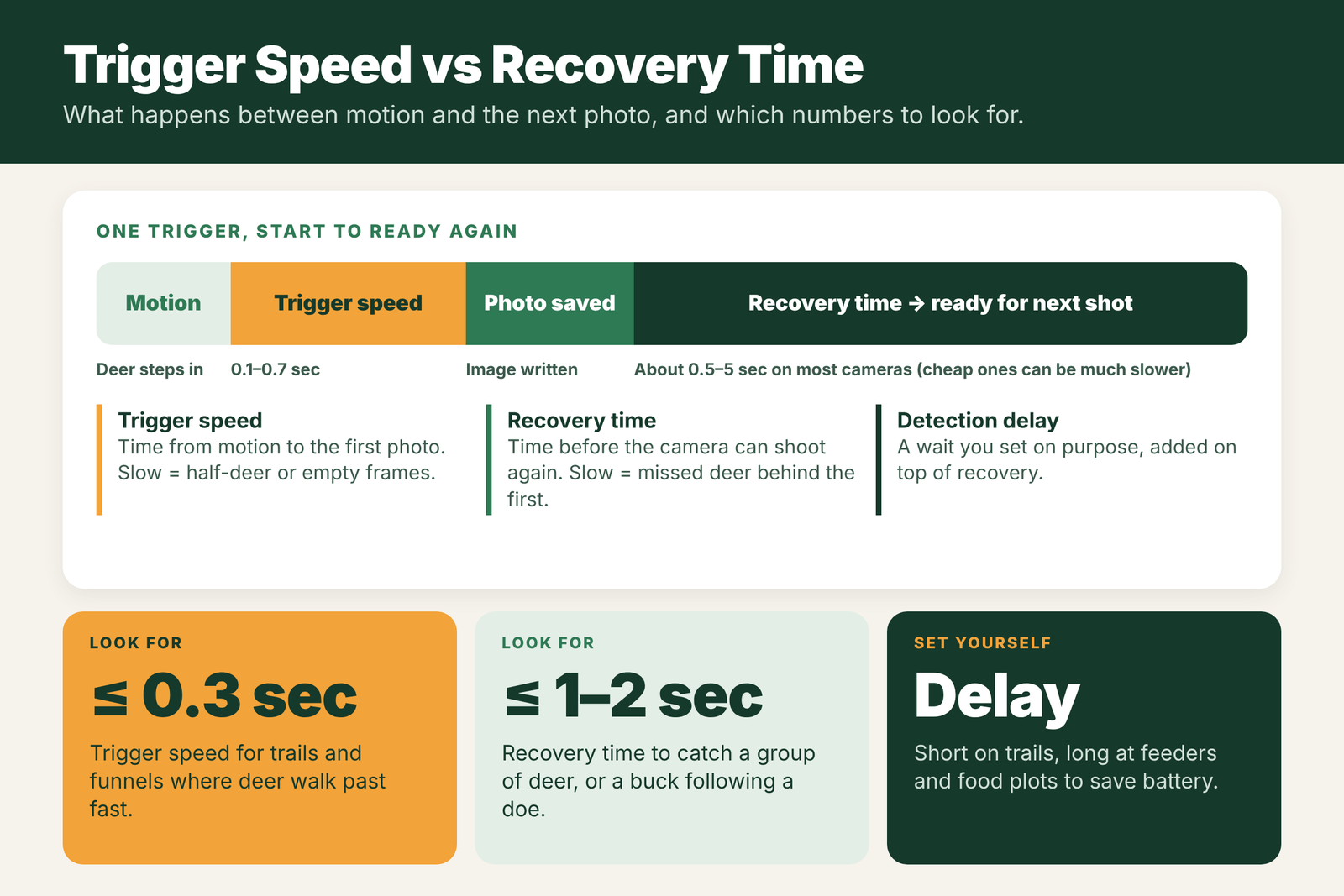
Trigger speed is how long the camera takes to snap the first photo after it senses motion. Recovery time is how long it takes to save that photo and be ready to shoot again. A slow trigger gives you half-deer or empty frames. A slow recovery makes you miss the second deer in a group, like a buck trailing a doe. Detection delay is a separate wait you set yourself. For trails, look for a trigger speed of about 0.3 seconds or faster and a recovery time of about 1 to 2 seconds or faster.
- Trigger speed
- Motion to first photo
- Recovery time
- First photo to ready again
- Detection delay
- A wait you choose
- Good trigger
- 0.3 sec or faster
- Good recovery
- About 1–2 sec or faster
- Matters most
- Trails, funnels, groups of deer
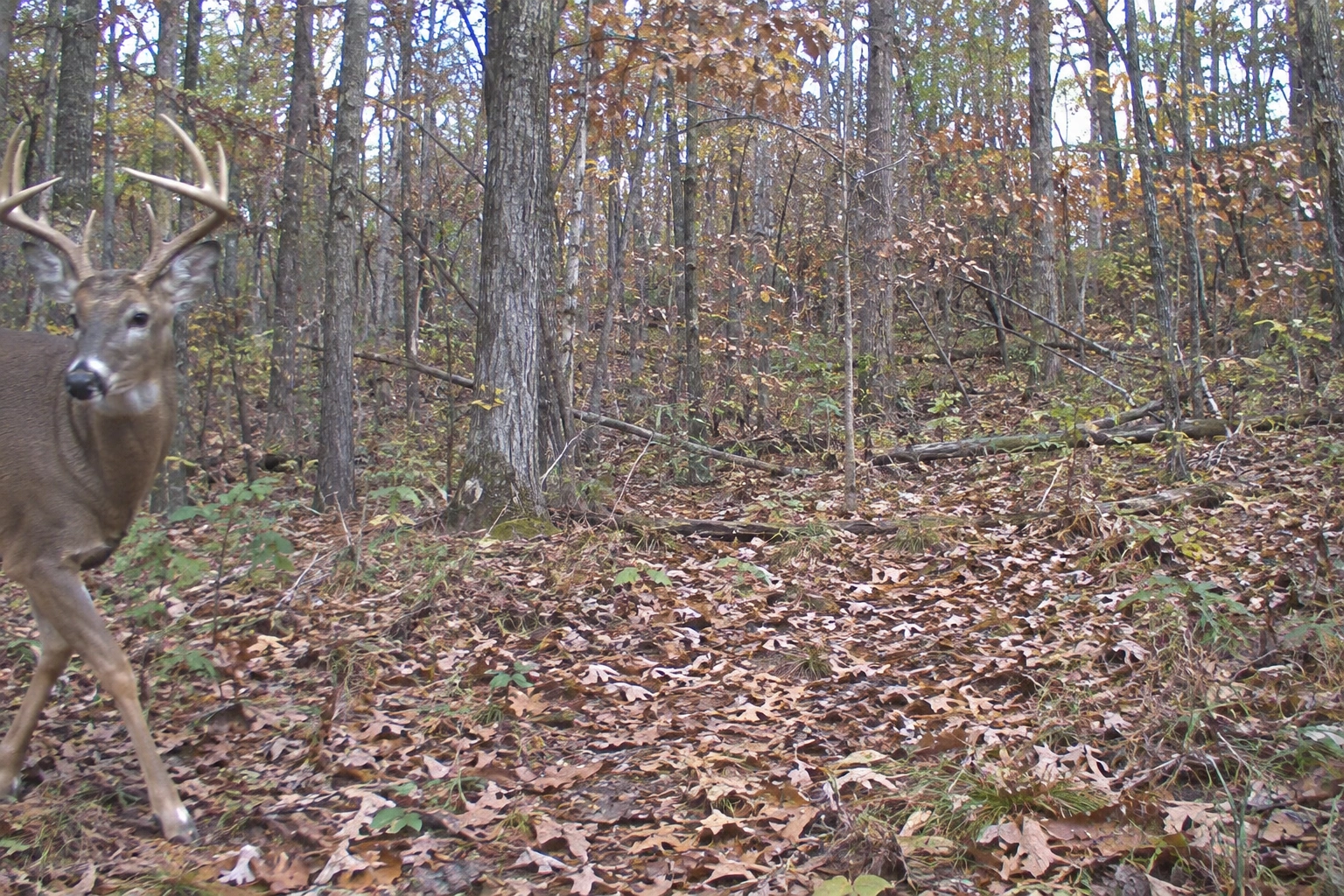
Trigger Speed Defined
Trigger speed is the time between the moment the PIR sensor detects motion and the moment the camera takes its first photo. The camera has to wake up, measure the light, focus and fire. Typical trigger speeds:
- 0.1 to 0.3 seconds: fast. Good for trails where deer walk straight through.
- 0.4 to 0.7 seconds: average. Fine for feeders, food plots and spots where animals stop.
- Over 1 second: slow. You will often get tails, rumps or empty frames on trails.
Learn how to adjust it in how to set trigger speed on a trail camera, and see what triggers a trail camera to take a picture for how the sensor works.
Recovery Time Defined
Recovery time is how long the camera needs after the first photo (or burst) before it can take the next one. During this time the camera writes the file to the SD card, resets the sensor and gets ready again. Some brands call it “recovery speed” or “shot-to-shot time.”
- Under 1 second: excellent. The camera can follow a line of deer walking past.
- 1 to 5 seconds: common on most mid-range cameras.
- Many seconds or more: found on some cheap or older cameras, and can be worse with large files, slow SD cards or weak batteries.
Recovery time matters most when animals come through in groups. A doe and fawns, a bachelor group of bucks, or a buck trailing a doe in the rut can all walk through in a few seconds.
Detection Delay vs Recovery Time
These two are easy to mix up:
- Recovery time is built into the camera. It is how fast the hardware can get ready again. You cannot change it, except by using a fast SD card and good batteries.
- Detection delay (also called trigger interval) is a setting you choose, from a few seconds to many minutes. It tells the camera to wait on purpose before it can trigger again, to save battery and card space.
The real time between shots is the recovery time plus your detection delay. If you set a 1-minute delay, a fast recovery time does not help on a busy trail. Read what is detection delay on a trail camera for the best delay settings.
Real-World Examples
- A doe walks by, then a buck 3 seconds later. With a 0.2-second trigger and 1-second recovery, you get both. With a 5-second recovery, you likely miss the buck.
- A buck trots across a narrow trail. A 0.2-second trigger catches him in the frame. A 1-second trigger may only show his back end leaving.
- Deer feeding at a food plot. They stay in view for minutes, so trigger and recovery speed matter much less. A longer delay saves battery.
- Burst mode. A camera set to 3 shots per trigger may need longer to recover after the burst. Check the time between bursts, not just between single shots. See what is photo burst on a trail camera.
Which Numbers to Look For
- For trails, funnels and scrapes: trigger speed of 0.3 seconds or faster, recovery time of about 1 to 2 seconds or faster.
- For feeders, food plots and mineral sites: trigger speed matters less. Focus on image quality, battery life and detection range.
- Read the specs closely. Some brands list trigger speed but not recovery time. Look for independent tests or reviews that measure both.
- Help your camera. Use a fast, name-brand SD card and fresh lithium batteries, since slow cards and low power can make recovery slower than the box says.
- Aim smart. Angle the camera along the trail instead of straight across it, so animals stay in view longer.
What the Numbers Mean on the Trail
A deer walking at a normal pace covers roughly 3 to 4 feet per second. A deer trotting or running covers much more. That makes trigger speed and recovery time easy to picture in real terms.
| Spec | Fast | Average | Slow | What slow looks like |
|---|---|---|---|---|
| Trigger speed | 0.1 to 0.3 s | 0.4 to 0.6 s | 0.7 s or more | Half-deer or empty photos on trails |
| Recovery time (photo) | 0.5 to 1 s | 1 to 3 s | 5 s or more | First deer only; missed buck behind the doe |
| Recovery time (video) | 1 to 2 s | 2 to 5 s | Over 5 s | Long gaps between clips |
| Detection delay (you set it) | 5 to 30 s | 1 to 5 min | 10 min or more | Fewer photos, by your choice |
At 3 feet per second, a camera with a 1-second trigger lets a walking deer move 3 feet before the first photo. On a trail crossing straight in front of the lens, that can be the difference between a full deer and just a tail.
How to Test Trigger Speed Yourself
- Set the camera on a post facing a path, at about 3 feet high, with a 1-shot setting.
- Walk across the frame at a normal pace, 10 to 15 feet away, starting from just outside the detection zone.
- Repeat a few times from both directions.
- Check where you are in each photo. If you are in the middle of the frame, trigger speed is good. If you are at the edge or gone, it is slow, or the detection zone is wider than the lens.
- For recovery time, have two people walk through a few seconds apart and see if the camera catches both.
Placement Tricks for Slower Cameras
- Angle along the trail. Aim the camera 30 to 45 degrees up or down the trail so deer walk toward or away from it and stay in view longer.
- Set back a little. A camera 15 to 20 feet off the trail sees a longer stretch than one 5 feet away.
- Use spots where deer slow down: scrapes, licking branches, fence crossings, creek crossings and the edge of a food plot.
- Use burst mode to make the most of each trigger. See what is photo burst on a trail camera.
- Turn off the preview or info screens if your camera has settings that slow down saving.
Field Examples
The trail crossing: a budget camera set at 90 degrees to a busy trail returns mostly empty photos and deer rear ends. Turning the same camera to face down the trail at a 45-degree angle gives full-body photos of nearly every deer.
The doe and buck: during the rut, a camera with slow recovery catches a doe but misses the buck trailing her by 4 seconds. Switching to a short burst and a 5-second delay, or using a camera with faster recovery, captures both.
The cellular delay: some cellular cameras pause briefly while sending. If you see gaps right after a photo, check settings that control when photos upload.
Mistakes When Comparing Specs
- Trusting the box blindly. Makers test in ideal conditions. Real-world speed can be slower, especially at night or in the cold.
- Mixing up delay and recovery. Delay is a setting you choose. Recovery is how fast the hardware can work.
- Ignoring detection range. A fast trigger does not help if the sensor only sees deer at 30 feet when your trail is 50 feet away.
- Forgetting batteries. Weak or cold batteries can slow a camera down. Use fresh lithiums.
Do You Really Need the Fastest Camera?
Not always. At feeders, mineral sites and food plots, deer stand still for long periods, and almost any camera will catch them. Fast trigger and recovery matter most on trails, funnels and rut travel routes, where deer move quickly and often in groups. If most of your cameras sit on food, spend your money on image quality, battery life or cellular features instead.
Night vs Day Performance
Many cameras trigger a little slower at night. In the dark, the camera has to switch to night mode, power up the infrared flash and use a longer exposure, which can add a fraction of a second. Recovery can also be slower, because the flash needs to recharge between shots and night files are processed differently. If most of your deer show up after dark, look for reviews and sample photos that show night trigger performance, not just daytime numbers. Fresh lithium batteries help a lot, since a weak battery recharges the flash more slowly. A slightly longer burst, such as 2 or 3 shots, also improves the odds that at least one night photo catches the deer in the frame.
Frequently Asked Questions
What is recovery time on a trail camera?
Recovery time is how long the camera takes after a photo to save it and be ready to take the next one. Shorter recovery means fewer missed animals in groups.
What is the difference between trigger speed and recovery time?
Trigger speed is the time from motion to the first photo. Recovery time is the time from that photo until the camera can shoot again.
What is a good trigger speed for a trail camera?
About 0.3 seconds or faster is good for trails and funnels. Slower trigger speeds are fine at feeders and food plots where deer stay in view.
Is detection delay the same as recovery time?
No. Recovery time is built into the camera. Detection delay is a setting you choose to make the camera wait before it can trigger again.
Why does my trail camera miss the second deer?
A slow recovery time or a long detection delay can stop the camera from firing again in time. Shorten the delay and use a fast SD card and fresh batteries.
How fast should a trail camera trigger for trails?
About 0.3 seconds or faster is a good target for busy trails, where deer pass quickly.
Does cold weather slow down trigger speed?
It can, mostly because cold weakens batteries. Lithium batteries help keep the camera responsive.
How can I catch the second deer in a group?
Use a camera with fast recovery, set a short burst and short delay, and angle the camera along the trail.