What is time lapse on a trail camera? It is a mode that takes photographs at preset time intervals, even when the camera does not detect movement. Time lapse is useful for watching food plots, open fields, wildlife habitats and changing outdoor scenes. Here’s how to use it and when to choose it over motion detection.
What Is Time Lapse on a Trail Camera?
Time lapse is a recording mode that makes a trail camera take photographs automatically at a chosen interval, even when its motion sensor has not detected an animal. Instead of waiting for a deer to cross the PIR detection zone, the camera might capture a frame every minute or every five minutes during a programmed period. Reviewing those images in sequence shows changes across the landscape. The interval and operating schedule vary by model. Some manufacturers call a similar feature field scan, time-lapse mode, or time-lapse plus. Read the camera manual because the names do not guarantee identical behavior.
How Does Trail Camera Time Lapse Work?
The camera follows a clock-based schedule. After you select a time interval, it wakes its imaging system, captures a frame and waits until the next scheduled exposure. Some models allow you to limit the schedule to daylight hours, while others provide a start time and end time. If the model supports time-lapse plus motion capture, it may also take extra pictures when the PIR sensor triggers. A time-lapse-only configuration may not respond to motion at all. Consequently, a fast-moving animal can pass between scheduled photographs without appearing in any of them. This trade-off is important when choosing a mode.
Time Lapse vs Motion Detection
Motion detection uses a passive infrared sensor to react to changes in infrared energy. It is event-based, so the camera captures a frame when an appropriate subject crosses the sensor’s detection zone. Time lapse is schedule-based, so it takes pictures whether or not an animal is visible. Motion capture can be efficient on a narrow trail, while time lapse can help document broad areas where animals may be too distant to trigger the sensor. Neither approach is universally better. A hybrid mode can be useful if your camera supports it, but it may generate many files and increase power consumption.
When Is Time Lapse Useful for Wildlife?
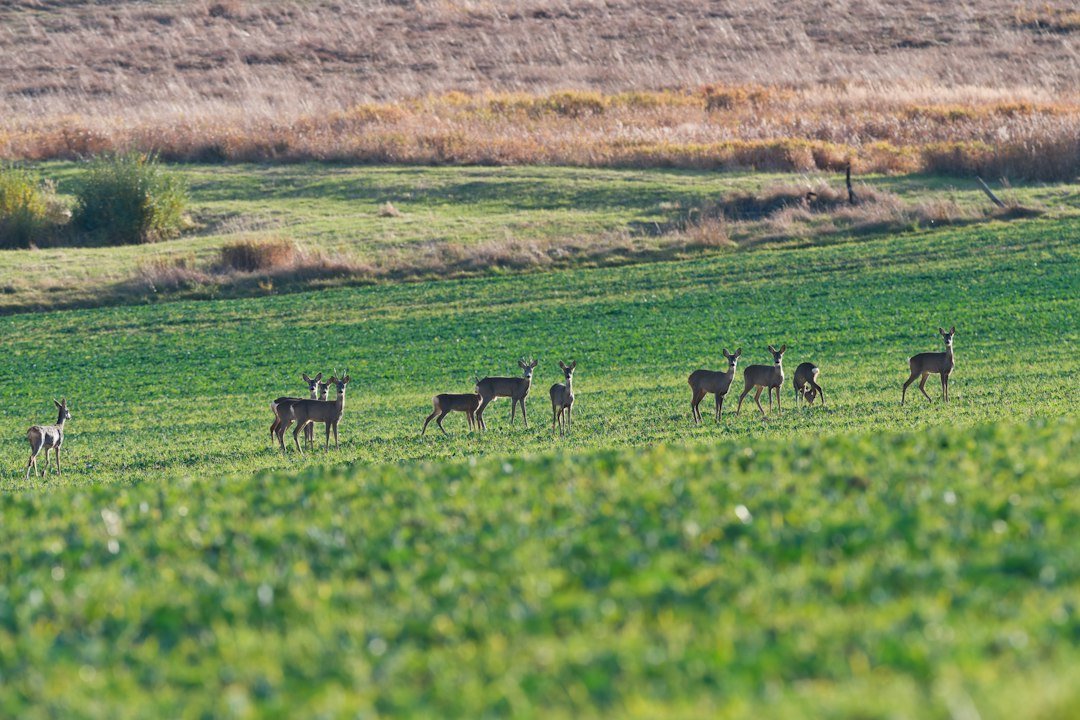
Time lapse is particularly useful for observing open fields, food plots, meadows, pond edges and other broad areas where you want to see changes throughout the day. For example, a deer at the far edge of a field may appear in a photograph even if it is outside the PIR sensor’s effective range. Scheduled images can also reveal lighting conditions, weather changes and general habitat activity. However, time lapse cannot guarantee that you will see every animal. Animals may be hidden behind vegetation or pass between exposures. Interpret the resulting pictures as observations from selected moments rather than continuous coverage.
How to Turn On Time Lapse
First, install a compatible memory card and a fully charged or fresh power supply. Open the camera’s settings menu and locate time lapse, field scan or the equivalent manufacturer term. Choose a photo interval such as one, five or ten minutes. If available, set the daily start and stop times, then save the configuration. Aim the camera across the area you want to monitor and take a few test photographs. Check the date and time carefully; an incorrect clock can shift the entire schedule. Finally, arm the camera and confirm that the first scheduled pictures are actually saved. Menu names differ among brands.
What Interval Should You Choose?
The best interval depends on how quickly the scene changes and how many photographs you are willing to review. A 30-second or one-minute interval provides a denser record but uses more storage and often more power. Five-minute intervals offer a lighter record for general field observation, while ten- or fifteen-minute intervals may be suitable for slow environmental changes. There is no interval that catches every animal. Start with a five-minute interval for broad daytime monitoring, inspect the results and shorten it if important activity is regularly missed. Always confirm that your specific model supports the interval you choose.
How Many Photos Will Time Lapse Take?
You can estimate the file count by dividing the scheduled operating minutes by the interval in minutes. For example, a camera set to take one picture every five minutes over a twelve-hour period is scheduled for about 144 images per day. Over thirty days, that is approximately 4,320 photographs, assuming the camera operates normally and does not add motion-triggered frames. At one minute per photograph, the same twelve-hour schedule produces approximately 720 images per day. File size depends on resolution and compression. Leave storage headroom and check the manufacturer’s supported memory-card capacity.
Does Time Lapse Use More Battery?
Time lapse can increase power use because the camera wakes repeatedly, including when there is no animal to photograph. The actual effect depends on the interval, image processing, temperature, flash use, battery chemistry and whether cellular uploads are enabled. A camera capturing one photograph every fifteen minutes will usually perform fewer scheduled captures than one photographing every thirty seconds. That does not mean battery life scales perfectly with photo count because standby power and other components also matter. If you plan to leave the camera unattended for weeks, begin with a moderate interval and measure battery performance at your location.
Does Time Lapse Work at Night?
Some trail cameras support time-lapse photography at night, while others restrict scheduled capture to daytime or specific modes. Night photographs may require infrared LEDs or a flash, which can increase battery demand. Infrared night images are commonly monochrome. If your model permits nighttime time lapse, avoid nearby reflective branches that can produce overexposed foregrounds. Review the manufacturer’s operating instructions rather than assuming every camera can take scheduled nighttime photographs. A daylight-only schedule may be more practical when the main goal is to study changes in an open field.
Can Time Lapse Record Video?
The term time lapse often refers to a sequence of still photographs that can be viewed or assembled into a faster-moving video. Some cameras produce a time-lapse video automatically, while others save separate photographs for later processing. Ordinary trail-camera video mode is different: it records a clip over a continuous span after a trigger. If your goal is a polished video showing hours of changes in seconds, verify whether the model exports a ready-made movie or requires editing software. Do not confuse a scheduled series of images with continuous high-frame-rate video recording.
Time Lapse for Food Plots and Open Fields
A wide food plot can be difficult for a motion sensor to cover. Time lapse helps because the camera takes scheduled images of the full scene, including distant parts of the plot. Mount the camera on a stable support with an unobstructed view, keeping the horizon and likely animal paths in the frame. Test the scene at different times of day to avoid excessive glare. An elevated vantage point may reveal more of the field, but avoid an angle so steep that animals become difficult to identify. Respect land access rules and avoid disturbing habitat while adjusting equipment.
Time Lapse for Garden and Property Observation
Time lapse can also document changes in a garden, construction area or outdoor landscape. It is useful for observing plant growth, changing light or general activity across hours and days. However, a time-lapse trail camera is not a complete security system. An incident that occurs between exposures may be missed entirely, and scheduled photographs do not provide uninterrupted footage. If you need event evidence, a motion-triggered or dedicated security camera may be more suitable. Position cameras responsibly and comply with local privacy requirements, especially where people may be photographed.
Common Time-Lapse Problems
If the camera takes no scheduled pictures, check whether time-lapse mode is enabled, the clock is accurate, the daily schedule includes the current hour and the memory card has free space. If there are fewer images than expected, verify the interval and whether the camera pauses for processing or other features. Unexpectedly large photo counts may indicate that motion-triggered captures are also enabled. Blurry images can result from poor focus, camera movement or low light. Review a small test batch before deploying the camera for a long period. A stable mount and correctly closed weather seals are essential.
How to Review Time-Lapse Photos
Copy the photographs from the memory card or access them through the manufacturer’s supported app. Keep the original files and sort them by capture time. Review a contact sheet or slideshow to spot changes quickly. For longer projects, organize images into folders by date and location so observations remain traceable. If you create a video from the images, use a consistent frame order and playback speed. A time-lapse video is a compressed visual summary, not a continuous record of everything that happened between exposures. Preserve timestamps when documenting wildlife observations.
Which Is Better: Time Lapse or PIR?
Choose time lapse when the subject may appear anywhere across a large scene and you want regular visual samples. Choose PIR motion capture when you need pictures of animals crossing a specific trail or entering a defined detection area. If your camera offers a combined mode, consider it when both broad scene monitoring and close-range motion events matter. Remember that more recording modes can mean additional storage and power demand. Our PIR sensitivity guide explains how to tune event detection, and our camera aiming guide covers placement.
Practical Setup Checklist
Before leaving the camera, confirm that the lens is clean and the housing is securely closed. Format a compatible card in the camera if the manual recommends it, set the correct clock and choose a schedule that matches your observation goal. Take test images at the actual mounting location, then inspect the framing and exposure. Estimate expected storage from the interval and daily operating hours. Use batteries recommended by the manufacturer, and keep the camera accessible for periodic maintenance. For a broader walkthrough, see how to use a trail camera and our camera check schedule.
Frequently Asked Questions
Does time lapse need motion? No. Its defining feature is taking pictures on a schedule, although hybrid modes may also react to motion. Does time lapse save storage? Not necessarily; frequent scheduled pictures can create more files than motion-only recording. Can a deer be missed? Yes, an animal may enter and leave between exposures. Is a five-minute interval best? It is a reasonable starting point for some open-area observations, not a universal setting. Can you use time lapse with cellular cameras? Some models support scheduled capture and remote delivery, but available modes, upload rules and data costs vary by manufacturer and service plan.
Final Takeaway
Time lapse on a trail camera is a clock-based photography feature that records a scene at regular intervals instead of waiting exclusively for a motion trigger. It is especially helpful for broad-area observation, such as monitoring a field where animals may be outside the sensor’s detection range. The trade-offs are potential gaps between exposures, increased image volume and additional power use. Select an interval that fits the activity you want to study, test the setup and check the manual for your exact model. The most useful results come from thoughtful placement and consistent settings rather than simply choosing the shortest possible interval.
References
For model-specific schedules and terminology, consult Bushnell and Browning Trail Cameras manuals. Feature names and options differ by model.
As an Amazon Associate, I earn from Qualifying Purchases.