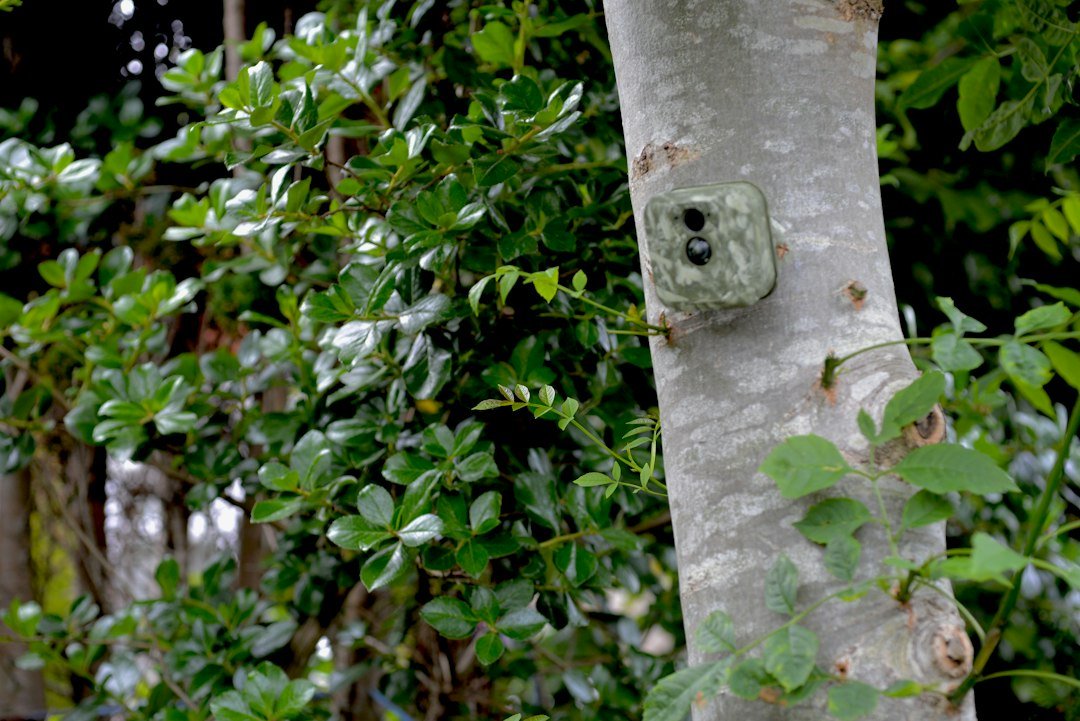
What is DVR mode on a trail camera? On documented Stealth Cam models, DVR mode allows the camera to overwrite its oldest saved files when the SD card becomes full. It does not automatically mean continuous 24-hour video recording. Here’s what the setting does, when to use it, and how to avoid losing important wildlife photos.
What Is DVR Mode on a Trail Camera?
On many Stealth Cam trail cameras, DVR mode is a storage-management setting that allows the camera to overwrite its oldest saved photographs or video clips after the memory card fills up. This is often called loop recording or overwrite mode. When DVR mode is off, the camera preserves the existing files but eventually stops saving new ones once the card has no usable space. The key distinction is that DVR mode controls what happens to stored files when space runs out. It does not, by itself, command the camera to record video continuously throughout the day.
Why the Name DVR Can Be Confusing
DVR stands for digital video recorder in conventional security equipment. A home surveillance DVR can record footage from connected cameras, so users understandably assume that a trail camera’s DVR switch activates around-the-clock filming. Yet the name is used differently on documented Stealth Cam models. Their support material describes DVR mode as permission to overwrite the oldest photographs. Different manufacturers can use labels differently, so a specific model’s manual remains the final authority. Never assume a menu item behaves like a conventional CCTV recorder simply because the abbreviation matches.
What Happens When DVR Mode Is On?
Imagine that your trail camera is taking motion-triggered wildlife pictures and its SD card becomes full. With DVR mode enabled on a compatible Stealth Cam model, the camera can remove older recorded files to free storage for incoming captures. That means the camera may continue collecting recent activity without requiring you to replace or empty the card immediately. The downside is permanent loss of older material from the card if it has not been copied elsewhere. An image that seemed unimportant yesterday may be needed later, but it may already have been overwritten by newer captures.
What Happens When DVR Mode Is Off?
With DVR mode disabled, the camera does not overwrite its earlier recordings simply to create free space. Once the memory card is full, it can no longer save new photographs or clips until storage is freed or the card is replaced. This protects existing images from automatic overwrite but creates a different risk: important new wildlife activity may go undocumented. For a short survey where every original image must be preserved, leaving the option off may be appropriate. For a long unattended deployment where recent activity matters more, the overwrite option can be useful.
DVR Mode On vs Off: A Practical Comparison
Choose DVR mode on when you are comfortable replacing old recordings with newer ones and want to reduce the chance that a full card prevents future captures. Choose DVR mode off when preserving the entire existing record is more important than continuing to capture after storage fills. Both settings still depend on a functioning card, adequate battery power and the camera’s selected capture mode. Turning on overwrite does not repair a damaged card, expand its physical capacity or guarantee that a camera will function indefinitely. Periodic maintenance remains necessary.
Does DVR Mode Record 24/7?
Not necessarily. On the Stealth Cam models described in the manufacturer’s documentation, DVR mode is about file overwrite rather than the trigger mechanism. The camera may still be configured for PIR photo, PIR video or scheduled operating hours. A motion-triggered trail camera can remain idle between animal visits even while DVR mode is enabled. The manual may separately offer a 24/7 operating-hours setting, which means the camera is available to trigger at any time, not that it records uninterrupted footage. Distinguish availability, trigger behavior and storage overwrite as three separate settings.
Does DVR Mode Work With Photos and Videos?
Manufacturer wording varies by model and generation. Stealth Cam support explicitly describes DVR mode as allowing the camera to write over its oldest photos, while several camera manuals refer more broadly to recorded files. If your camera supports both photographs and video, inspect its model-specific instructions to learn which file types can be overwritten. Do not assume that a photo-only model suddenly gains video recording by enabling DVR mode. The camera’s recording capabilities are determined by its hardware and normal photo or video settings, not the overwrite switch.
How to Enable DVR Mode
Start by checking your exact trail camera model and downloading its official instruction manual. Insert a supported SD card and ensure the battery is charged. Open the camera’s settings menu or supported mobile app and find DVR Mode, Overwrite or Loop Recording. If your model uses the Stealth Cam-style behavior, switch it to On to permit overwriting older files when storage becomes full. Save the change, arm the camera and capture a test image. If the option is absent, your model may not support it or may use a different name. Do not format the card as part of testing unless you have backed up its contents.
How to Disable DVR Mode
Open the same camera menu or app and set DVR Mode to Off, then save the setting. On the documented Stealth Cam implementation, this prevents the camera from overwriting its existing files when the card fills. Remember that turning the feature off does not recover photographs already deleted by previous overwrite cycles. It also does not automatically clear the card or improve its remaining capacity. After disabling overwrite, monitor the storage indicator and plan to transfer or replace the memory card before it fills. Test the setting after firmware changes or a factory reset.
When Should Hunters Turn It On?
For scouting a location over many days, keeping the most recent deer movement photographs can be useful. If a card fills before the next visit, an overwrite option may allow the camera to continue capturing fresh observations. However, hunters who need to compare movement patterns across several weeks should recognize that older evidence can disappear. A larger compatible memory card, a sensible photo burst setting and periodic backups may provide a better balance. DVR mode is a storage strategy, not a substitute for choosing the right camera placement or sensitivity.
When Should Researchers Leave It Off?
Wildlife researchers, property managers and anyone documenting a specific event may need to preserve the complete original record. Automatic overwrite can undermine that goal by deleting earlier observations without a separate warning. In those situations, leaving DVR mode off and using a documented card replacement schedule may be preferable. Record the camera’s location, date, time and settings, and make copies of collected media before reusing storage. For evidence-sensitive applications, establish a preservation process rather than relying on a consumer camera’s storage menu to safeguard every image.
What Happens to Deleted Files?
When DVR mode replaces older files, those images should be treated as potentially lost. Recovery is not guaranteed, especially when new data has been written to the same storage locations. Avoid promising that deleted photographs can be restored with software. If you discover missing images, stop using the card immediately if recovery is important, preserve a copy of its current state and seek qualified assistance. The safer approach is prevention: copy important pictures to a second location before storage fills, and verify that the copied files open correctly.
Does DVR Mode Save Battery Life?
DVR mode should not be treated as a battery-saving feature. It mainly determines how the camera handles a full card. Battery consumption is more directly affected by how often the sensor triggers, the number of pictures in each burst, video length, temperature, night illumination and wireless uploads. A camera that continues capturing after its card would otherwise have filled may consume additional energy because it keeps operating. If battery endurance is the priority, adjust capture frequency and power options according to the manufacturer’s guidance. See our trail camera battery life guide for more context.
Can DVR Mode Increase SD Card Capacity?
No. An SD card still has the same physical storage capacity. DVR mode simply allows older saved data to be replaced so that the card can hold newer recordings. Think of it as reusing a limited number of spaces rather than adding more spaces. A card that is too small for the chosen photo resolution and activity level may overwrite important images quickly. Select a card type and capacity supported by your camera and estimate how many photographs or video clips it can hold. Never assume a high-capacity card is compatible without checking the model’s specifications.
DVR Mode vs Time Lapse
DVR mode and time lapse solve different problems. Time lapse schedules photographs at chosen intervals, regardless of whether motion has been detected. DVR mode, in the documented Stealth Cam sense, controls whether old files can be overwritten when storage becomes full. A camera may support both functions independently. If time lapse creates hundreds of photographs each day, enabling overwrite could cause older days to disappear sooner than expected. Read our time-lapse trail camera guide to understand scheduled capture before choosing a storage policy.
DVR Mode vs PIR Motion Detection
A passive infrared sensor detects changes in infrared energy associated with movement and can trigger a photograph or clip. DVR mode does not change what the PIR sensor detects. It does not extend detection distance, speed up the trigger or correct false alarms caused by moving vegetation and shifting temperatures. If your camera takes too many unnecessary pictures, adjust placement and PIR sensitivity rather than expecting the overwrite setting to solve the trigger problem. Our PIR sensitivity settings guide explains that separate control.
What If Your Trail Camera Stops Taking Pictures?
A full memory card is one possible reason, particularly when overwrite is disabled. Check the storage indicator, card compatibility, card lock switch if present, battery status, date and time, capture schedule and whether the camera is armed. Inspect a test photograph to verify that the camera actually saves new files. If the card reports errors, follow the manufacturer’s troubleshooting steps and back up existing media before considering a format. DVR mode cannot resolve every storage problem. A failing card or exhausted batteries can stop recording regardless of the overwrite setting.
Is DVR Mode Safe to Leave Enabled?
It is suitable when automatic deletion of old captures is acceptable, but it is not suitable when every image must be retained. The main risk is not physical damage to the camera; it is the loss of earlier files as new ones replace them. Some users prefer enabling it for routine wildlife monitoring and disabling it for projects requiring complete records. Make that decision before deploying the camera, not after a rare animal or important incident has been captured. Periodically inspect saved media to confirm that the camera is recording as expected.
Frequently Asked Questions
Does DVR mode mean continuous video? On documented Stealth Cam trail cameras, no: it means older files may be overwritten when storage fills. Will DVR mode erase everything immediately? Enabling the option is not the same as formatting the card; the described overwrite behavior occurs when room is needed for new files. Is DVR mode available on every camera? No. Can I turn it off later? Yes, on models that expose an On/Off setting, although already overwritten files are not restored. Should I enable it for security evidence? Consider leaving it off and arranging reliable backups if retaining all original recordings is essential.
Final Verdict and Manufacturer References
For a trail camera with the Stealth Cam-style DVR setting, the simplest definition is automatic overwrite of older saved files when the memory card becomes full. Turn it on to favor ongoing capture of recent events; turn it off to favor preservation of the existing files. Do not confuse this storage option with continuous video, PIR triggering or time-lapse photography. Check the manual for your exact brand and model before changing the setting. Primary reference: Stealth Cam Support: cellular camera settings. Also consult the Stealth Cam official website for model documentation.
As an Amazon Associate, I earn from Qualifying Purchases.