
Free Trail Camera Software: How to Sort Thousands of Photos Fast
A few trail cameras over a season can easily produce thousands of photos, and a lot of them are empty frames, waving branches or the same doe for the hundredth time. Scrolling through all of that by hand eats your evenings. The good news: a simple folder system plus a few free trail camera software tools can cut sorting time a lot, and help you find the bucks that matter.
Start with a simple folder system: one folder per camera, sub-folders by date. Then use free tools for the heavy lifting. A free photo manager such as digiKam lets you tag, rate and search photos. Free AI tools built for camera traps, such as MegaDetector, can flag empty photos and find animals, people and vehicles. Camera-trap programs such as Timelapse and platforms such as Wildlife Insights help you review and label large batches. Finish by tagging bucks and backing up your photos.
- First step
- Folder per camera, by date
- Free photo manager
- digiKam (tags, search)
- Free AI
- MegaDetector (empty frames)
- Camera-trap tools
- Timelapse, Wildlife Insights
- Biggest time saver
- Removing empty photos
- Do not skip
- Backups
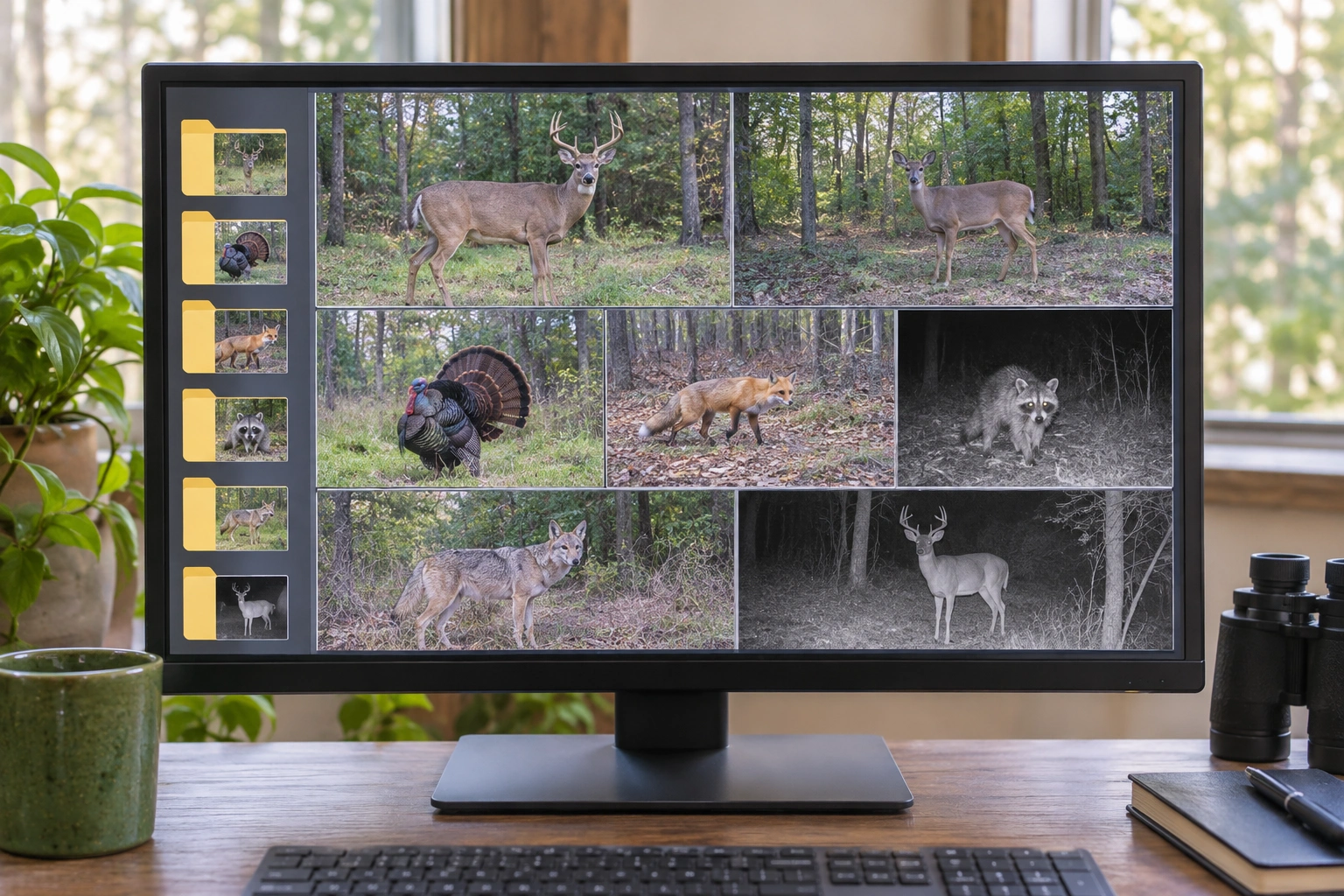
A Folder System That Works
Even without any special software, a good folder system makes photos easy to find years later:
- Top folder per year, such as “Trail Cams 2026”.
- One folder per camera spot, named by place: “North Ridge Scrape”, “Creek Crossing”.
- Sub-folders by card pull date, such as “2026-11-14”.
- A “Keepers” folder for the best photos, especially target bucks.
Copy the whole DCIM folder from the card into the right date folder each time. See how to manage your trail camera SD card.
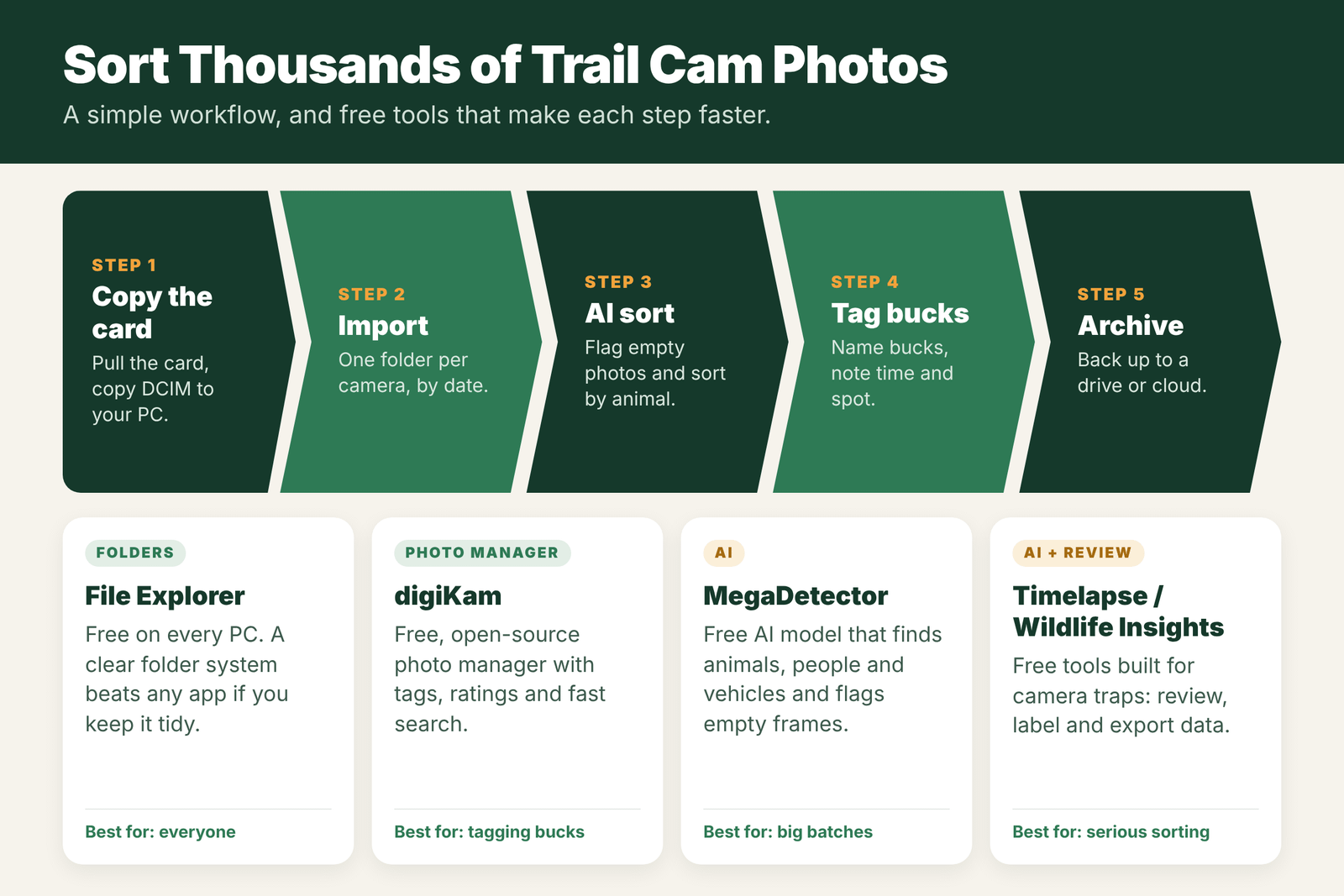
Free Software Options
- Windows Photos and File Explorer: already on your PC. Fine for small batches and quick looks.
- digiKam: a free, open-source photo manager for Windows, Mac and Linux. Add tags like “Buck – Big 8”, rate photos, and search by tag or date.
- Timelapse: a free program made for reviewing camera-trap photos. It lets you move through images quickly and record data about each one.
- Wildlife Insights: a free online platform for camera-trap data, with AI species suggestions. It is aimed at researchers but open to others.
Features and requirements change, so check each tool’s official site for the current version.
AI Sorting Tools
The biggest time saver is getting rid of empty photos. AI tools can help:
- MegaDetector is a free, open-source AI model that finds animals, people and vehicles in camera-trap images, so you can skip the empty ones. It takes some setup, but there are guides and tools that make it easier.
- Brand apps for many cellular cameras now sort photos by species or flag bucks automatically. See do AI trail cameras really identify deer and bucks.
- Check the results. AI is fast but not perfect. Skim the “empty” folder before deleting anything.
Tagging Bucks
- Give each buck a name or number based on his rack or body.
- Tag every photo of him with that name, plus the camera spot.
- Note time, wind and weather for daylight photos. Patterns start to show fast.
- Search by tag to see all his photos in one view.
Backup Tips
- Two copies at least: one on your computer, one on an external drive or cloud storage.
- Back up before you format any SD card.
- Keep the keepers in an extra cloud folder, so your best photos are safe even if a drive fails.
- Delete empty photos after review to save space. See how many photos a trail camera can store.
Free Tools Compared
| Tool type | Examples | Good for | Learning curve |
|---|---|---|---|
| Built-in photo apps | Windows Photos, Apple Photos | Quick viewing and basic albums | Easy |
| Free photo managers | digiKam | Tags, ratings, search across thousands of photos | Medium |
| Camera-trap programs | Timelapse and similar research tools | Recording species, counts and notes per photo | Medium to high |
| AI detectors | MegaDetector | Flagging empty photos; finding animals, people, vehicles | Medium to high |
| Spreadsheets | Excel, Google Sheets, LibreOffice | Simple logs of bucks, dates and conditions | Easy |
Features and availability change, so download tools only from their official sites and check current versions.
Step-by-Step: A Simple Workflow for a Season
- Copy each card into a folder: Year / Camera name / Date of pull.
- Run a quick filter: delete obvious empty frames, or use an AI tool to flag them first.
- Tag what is left: species, buck or doe, and a name for each recognizable buck.
- Rate your best photos with stars so you can find them fast.
- Log key sightings in a spreadsheet: date, time, camera, buck, wind, temperature.
- Back up to an external drive or cloud service before you format the cards.
A Simple Buck Log
| Date | Time | Camera | Buck | Wind | Temp | Notes |
|---|---|---|---|---|---|---|
| Oct 28 | 5:42 PM | Scrape 1 | Split Brow | NW 6 mph | 41 F | Worked licking branch |
| Oct 31 | 6:55 AM | Funnel | Split Brow | N 4 mph | 35 F | Heading to bedding |
| Nov 3 | 10:20 AM | Funnel | Wide 8 | S 10 mph | 52 F | Cruising, nose down |
After a few weeks, a log like this shows which bucks move in daylight, on which winds and at which spots. That is where your hunts should go. See how to pattern a buck with a trail camera.
Field Examples
The 20,000-photo summer: a hunter with five cameras returns from summer with tens of thousands of photos. Running an AI detector overnight separates empty frames, so only a few thousand photos with animals need a look.
The tagging habit: another hunter tags each buck by name in a free photo manager. In October, a quick search shows every photo of one buck across three cameras, sorted by date and time.
Mistakes When Organizing Photos
- Leaving everything on the SD cards until a card fails.
- Renaming original files in ways that lose dates. Keep the original files and add tags instead.
- Trusting AI blindly. It can miss animals or flag empty frames as animals. Spot-check its results.
- Having only one copy. Back up to a second place.
How Much Storage You Need
A busy camera can produce thousands of photos a month, and video adds up fast. A season of photos from several cameras can take many gigabytes. An inexpensive external drive is enough for most hunters, and many cloud services offer enough space for a few seasons of your best photos. Delete empty frames and duplicates before you back up to save space. See how many photos can a trail camera store.
A Tagging Scheme You Will Actually Keep Up
Most people start tagging with enthusiasm and quit by October. The fix is a short, fixed list of tags that you can apply in seconds. Keep it to three groups: species, sex or age where it matters, and behavior. For deer that might look like deer-buck, deer-doe, deer-fawn, then a named-buck tag such as buck-split-g2, then behavior tags like scrape, rub, chasing or feeding. Add predator, human and empty and you have covered almost every photo you will take.
Write the list down once and paste it into a text file inside your photo folder so you never invent a new spelling halfway through the season. Tags like “buck_8pt”, “8-point” and “8pt buck” all mean the same thing to you but split your search results into three piles. In digiKam or Adobe Bridge, saved tag lists also let you click instead of type, which is where most of the time savings come from.
Reviewing a Card Fast
A full SD card can hold several thousand files, and clicking through them one by one is where hunters burn out. A faster routine is to sort the folder by time, open the first image in a viewer that supports keyboard navigation, and use the arrow keys to move while a single key flags keepers. Most free viewers, including IrfanView, XnView MP and the Windows Photos app, let you step through images with arrow keys and delete or move files with one keystroke. Check your viewer’s shortcut list once and you can often review a few hundred photos in ten minutes.
Look at bursts as groups rather than single frames. If a camera takes three shots per trigger, you usually only need to keep the clearest one. Delete obvious blanks from wind and sun movement first, then go back for the animal photos. Doing it in two passes keeps you from second-guessing every grass-only frame.
Keeping AI Results Honest
AI sorting tools save hours, but they make confident mistakes. Spot check every run by opening a random sample of photos the tool marked empty, around 20 or 30 images, and looking for animals it missed. Night photos, animals at the edge of the frame and partly hidden deer are the most common misses. If you find more than one or two misses in your sample, lower the confidence threshold in the tool’s settings, if it has one, and run the batch again.
Never let a tool delete files automatically on the first pass. Let it move suspected empties to a separate folder, check that folder, and only then delete. That one extra step protects the rare photo of a mature buck walking through at 2 a.m. in a heavy rain, which is exactly the kind of frame an AI model is most likely to misread.
Frequently Asked Questions
Is there free software for trail camera photos?
Yes. Free photo managers like digiKam, camera-trap tools like Timelapse, and AI tools like MegaDetector can all help you sort and tag trail camera photos.
How do I sort thousands of trail camera pictures?
Use one folder per camera and date, remove empty photos with an AI tool, then tag deer and bucks in a photo manager so you can search them later.
Can AI find empty trail camera photos?
Yes. Tools like MegaDetector can flag photos with no animals, people or vehicles. Check the results before deleting, since AI is not perfect.
How should I organize trail camera photos?
Make a folder for each year, then each camera spot, then each card pull date. Keep a separate folder for your best photos.
How do I keep track of individual bucks?
Name or number each buck and tag every photo of him with that name, spot, time and weather. Search by tag to see his pattern.
What is MegaDetector?
A free AI model built for camera trap photos that finds animals, people and vehicles and helps filter out empty images.
Do I need a powerful computer for AI photo sorting?
It helps. AI tools run faster with a good processor or graphics card, but many work on regular computers, just more slowly.
How should I name trail camera photos?
Keep the original names and add tags, or rename copies with date, camera and buck name so they sort well.