
Do AI Trail Cameras Really Identify Deer and Bucks?
Cellular trail camera apps now promise to sort your photos for you: deer here, turkeys there, bucks flagged, empty photos hidden. Some even claim to recognize the same buck across cameras. It sounds like a huge time saver, and it often is, but it is not magic. Here is how trail camera AI works, what it usually gets right, where it slips, and whether it is worth paying for.
Yes, mostly. AI in trail camera apps is usually good at spotting whether there is an animal in a photo and at telling deer from other common animals in clear photos. It is less reliable at buck vs doe at night, in velvet, or when only part of the deer shows, and weakest at recognizing individual bucks. Use AI to filter and sort thousands of photos fast, then check the important ones yourself. It is most worth it if you run several cellular cameras and get a lot of photos.
- Strongest at
- Animal vs empty photo
- Usually good
- Deer vs other animals
- Mixed
- Buck vs doe, look-alikes
- Hardest
- Which buck it is
- Works best on
- Clear daylight photos
- Best use
- Sort fast, then check
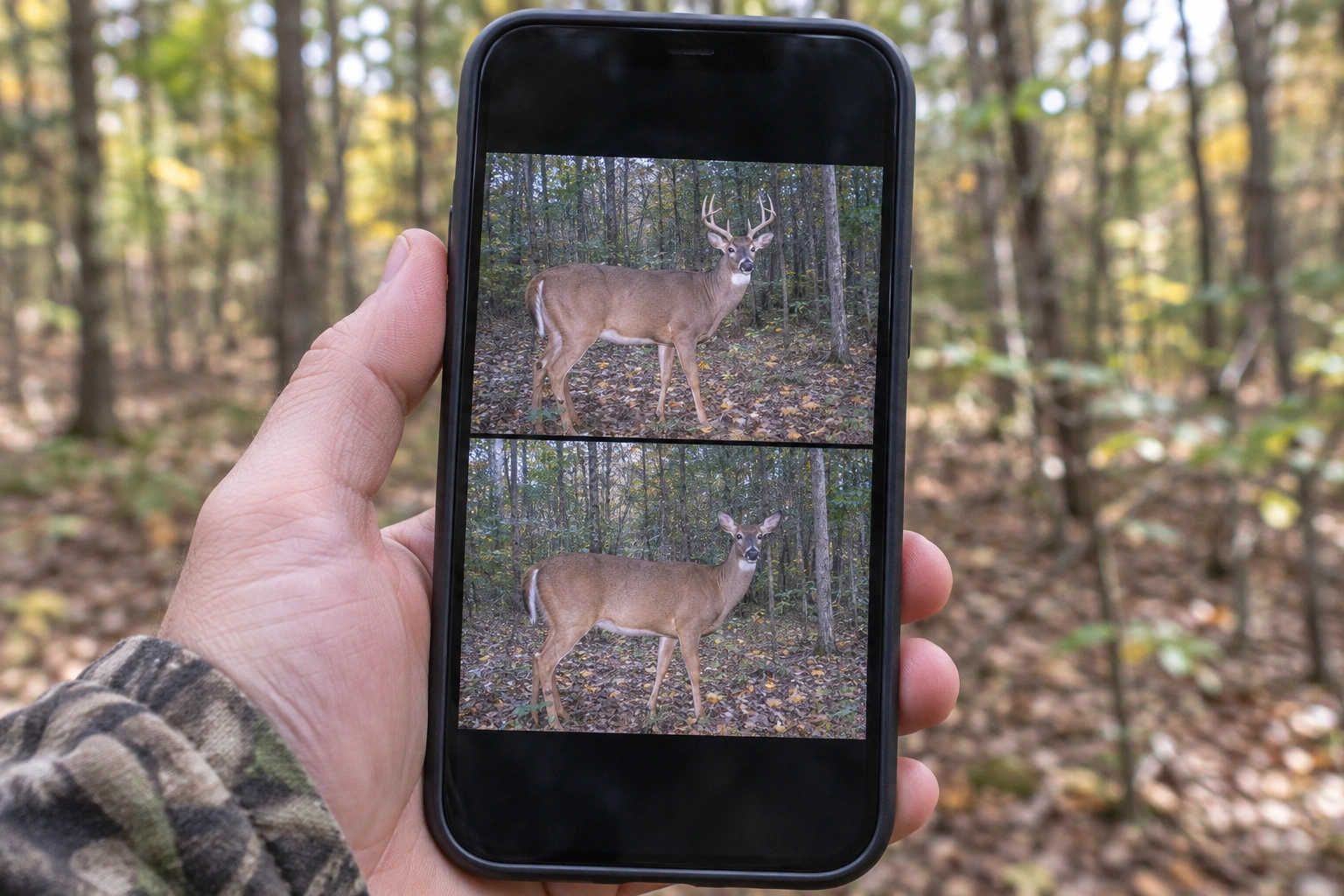
How AI Identification Works
Trail camera AI uses image recognition models trained on large sets of labeled wildlife photos. When a new photo arrives:
- The model looks for objects that match what it has learned, such as a deer body, antlers, a turkey or a person.
- It gives each match a label and a confidence score.
- The app uses those labels to tag, sort or filter the photo.
Most of this runs on the brand’s servers after the photo uploads, though some newer cameras do part of it on the camera itself. Either way, the AI only knows what it sees in the photo, so photo quality matters a lot.
Common AI Features
- Species tags: deer, turkey, hog, coyote, bear, people, vehicles and more.
- Buck and doe tags: separate antlered deer from antlerless deer.
- Filters: show only bucks, only predators, or hide empty photos.
- Notifications: alerts only for the species you choose, so your phone is not buzzing for every squirrel.
- Activity charts: when deer or bucks show up by hour, often with weather and moon data.
- Individual buck tracking: a few apps try to group photos of the same buck. This is the newest and least reliable feature.
Features vary by brand and plan. Compare apps in our list of the best trail cameras with a phone app.
Accuracy in Real Use
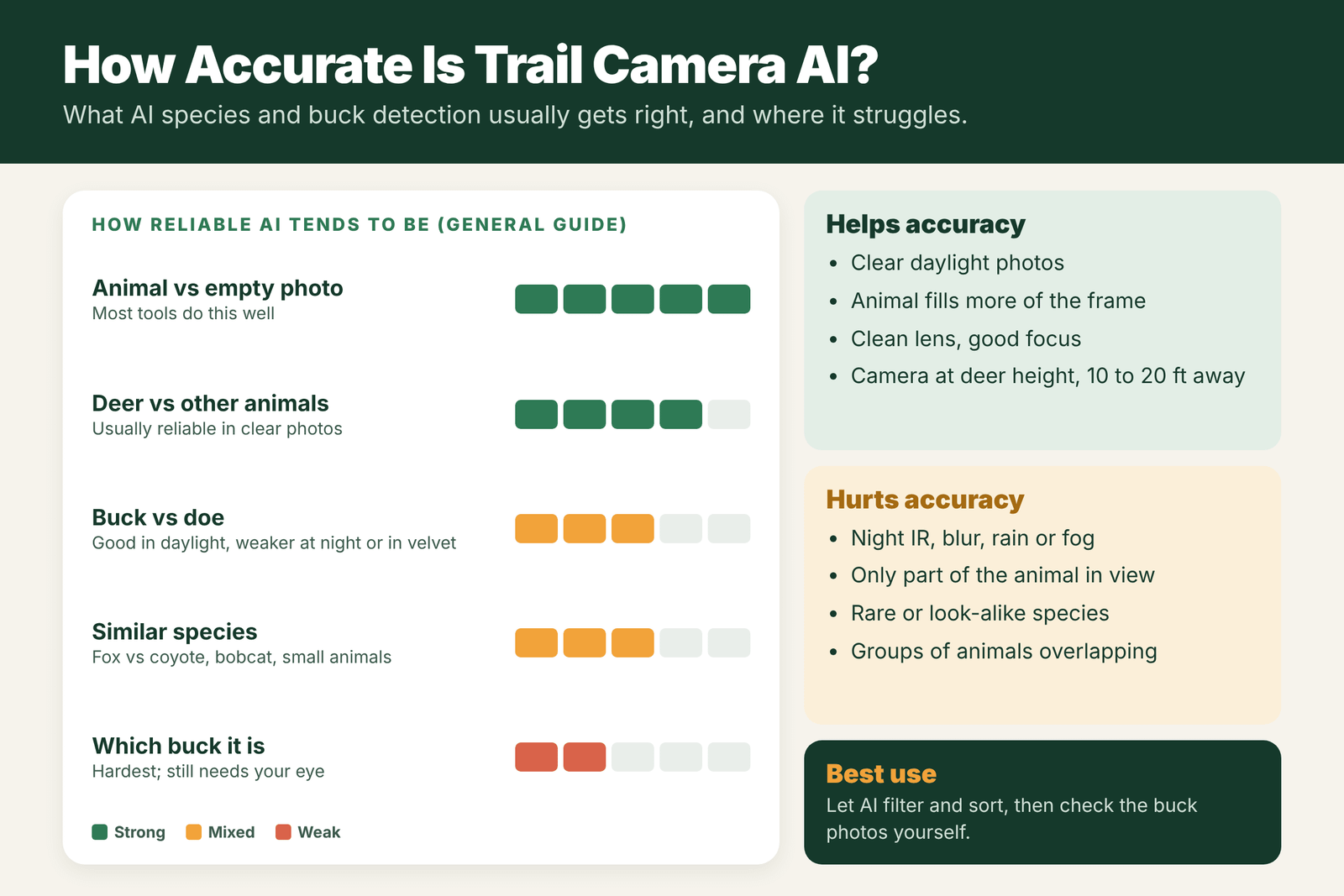
- Animal vs empty: usually very good, which alone saves a lot of time.
- Deer vs other animals: usually good in clear photos.
- Buck vs doe: good on daylight photos with a clear head, weaker at night, in early velvet, in rain or when the head is out of frame.
- Look-alike or rare animals: mixed, especially small animals and night shots.
- Which buck: hard, because racks look different from each angle and change through the year.
Help the AI by keeping the lens clean, mounting the camera so deer fill more of the frame, and cutting false triggers. Expect some mistakes, and do not delete photos based only on AI tags.
Privacy and Data
- Your photos are uploaded to the brand’s servers to be processed and stored.
- Read the privacy policy to see how photos and location data are used, and whether they help train AI models.
- Check settings for photo sharing, map features and location visibility.
- Download and back up the photos you want to keep. See free trail camera software for ways to sort photos on your own computer.
Is It Worth It?
- Worth it if you run several cellular cameras, get hundreds of photos a week, or want alerts only for bucks or predators.
- Less important with one or two cameras on quiet trails, where you can scan photos quickly yourself.
- Check the cost: some AI features come free with the plan, others need a premium tier.
Still deciding on cellular? Read are cellular trail cameras worth it.
What AI Gets Right and Wrong, by Situation
Accuracy is not one number. It changes with light, distance and how much of the animal is in the frame. The table below is a practical guide from how these systems tend to behave in the field, not a lab result, and your brand and model may do better or worse.
| Situation | Animal vs empty | Deer vs other species | Buck vs doe |
|---|---|---|---|
| Daylight, deer broadside at 10 to 20 feet | Very reliable | Very reliable | Usually reliable |
| Daylight, deer at 40+ feet | Reliable | Mostly reliable | Mixed |
| Night, deer close and clear | Reliable | Mostly reliable | Mixed |
| Night, deer at the edge of flash range | Mixed | Mixed | Often wrong |
| Head out of frame or behind brush | Reliable | Mostly reliable | Unreliable |
| Early velvet or spikes | Reliable | Reliable | Often tagged as doe |
| Rain, snow, fog or a dirty lens | Mixed | Mixed | Unreliable |
| Small animals like squirrels or birds | Mixed | Mixed | Not applicable |
The pattern is simple: the more pixels the animal takes up, and the clearer the head is, the better the AI does. That is why camera setup matters as much as which app you pick.
How to Set Up a Camera So the AI Works Better
- Shorten the distance. Aim at a spot 10 to 25 feet away, such as a trail crossing, scrape or feeder. Deer that fill a good part of the frame get tagged correctly far more often.
- Mount at about chest height on a deer, roughly 3 to 4 feet, and angle slightly down. Very high mounts show mostly backs, which makes antlers hard to read.
- Face north or south when you can. Cameras facing the rising or setting sun get glare and washed-out photos, which hurts recognition.
- Clear the frame. Trim branches and tall grass that move in the wind. Fewer blank photos means the AI has less to sort and fewer chances to make a wrong call.
- Keep the lens clean. Wipe it on every visit. Fog, pollen and spider webs blur the photo and cut night accuracy fast.
- Use the highest photo quality your plan allows for the upload size. Some apps upload a small preview by default, and AI tags are based on what gets uploaded.
Settings Worth Changing in the App
- Species alerts: turn notifications on only for bucks, or bucks and predators. Leave the rest silent and check them once a day.
- Hide empty photos: use it, but check the hidden or “empty” folder now and then, since that is where missed animals end up.
- Correct wrong tags: many apps let you re-tag a photo. It fixes your own filters and, in some apps, helps the system learn. Check your app’s help pages to see how corrections are used.
- Activity charts: filter them to bucks only, then look at the hours. A buck that only shows up after dark tells you something very different from one moving at 4 p.m.
Field Scenarios
The overloaded food plot camera. A camera over a clover plot sends 300 photos a week, mostly does, fawns and turkeys. With a buck-only alert and an empty-photo filter, the hunter gets about a dozen notifications a week instead of hundreds. Once a week they skim the “doe” folder for young bucks the AI missed, which takes a few minutes.
The nighttime scrape. A camera on a scrape gets most of its traffic at night. The AI finds every deer but tags several bucks as does because their heads are down. Moving the camera closer and a little higher, and angling it so deer walk toward it, raises the number of correct buck tags noticeably.
The predator check. A hunter wants to know if coyotes are working a fawning area. Setting alerts for predators only gives a clean count without scrolling through deer. A few foxes get tagged as coyotes, which is fine for the purpose.
Common Mistakes With AI Photo Sorting
- Deleting photos based on AI tags alone. Keep at least the buck, doe and empty folders for a few weeks before you clean up.
- Trusting buck counts. AI may count the same buck many times, or split one buck into several. Use your own eye for patterns.
- Judging the AI on bad photos. If your setup produces blurry night shots, no model will tag them well. Fix the camera first.
- Paying for features you will not use. If you only want empty-photo filtering, you may not need a premium tier.
On-Camera AI vs Cloud AI
Most AI tagging happens on the brand’s servers after upload. Some newer cameras run a smaller model on the camera itself, which can mean fewer uploads of empty photos and less data used on your plan. On-camera AI is usually simpler and may not tag as many species. Cloud AI can improve over time as the brand updates its model, without new hardware. Check the product page and the plan details for which one your camera uses.
Frequently Asked Questions
Can trail camera AI tell a buck from a doe?
Often, in clear daylight photos. It is less reliable at night, in early velvet, in bad weather or when the head is out of the frame.
How accurate is AI species identification on trail cameras?
It is usually good at finding animals and telling deer from other common animals, and mixed on look-alike species and night photos. Always check key photos yourself.
Can AI recognize individual bucks?
A few apps try, but it is the hardest task for AI. Racks look different from each angle, so you will still need your own eye.
Do I need a cellular camera for AI features?
Most AI features are in cellular camera apps. For SD card photos, free tools on your computer can sort and flag empty photos.
Is AI on trail cameras worth paying for?
It is worth it if you run several cameras and get many photos. With one or two cameras on quiet trails, it matters less.
Does trail camera AI use more data from my plan?
Usually not, since tagging normally happens after the photo is uploaded. On-camera AI can even save data by not sending empty photos. Check your plan details to be sure.
Why does AI tag my bucks as does?
Usually the antlers are hard to see: the head is down, out of frame, far away, in early velvet, or the photo is a dark night shot. Moving the camera closer and cleaning the lens helps.
Can I correct wrong AI tags?
Many apps let you change a tag on a photo. It fixes your filters, and some brands say corrections help improve their models. Check your app’s help pages.