
Trail Camera Signal Booster: Do Antenna Boosters Really Work?
Your cellular trail camera shows one bar, photos come in late or not at all, and an ad promises a booster antenna that will fix everything. Does it really work? Sometimes, yes, but not always the way people expect. Here is what a trail camera signal booster can and cannot do, which antenna types help most, and why moving the camera often beats buying anything.
Most “boosters” for trail cameras are really high-gain antennas or extension-cable antennas. They can help when you already have weak but usable signal (about 1 to 2 bars), often adding a bar or making uploads more reliable. They cannot create signal where there is none. In most cases, moving the camera higher or to a more open spot, or choosing a camera on a stronger carrier, helps more than any antenna. Always check that the antenna fits your camera’s connector and is approved by the brand.
- What a “booster” is
- Usually a better antenna
- Works best at
- 1 to 2 bars
- No signal at all
- Will not help
- Biggest gain
- Height and open sky
- Best antenna type
- Extension, mounted higher
- Check first
- Connector and brand support
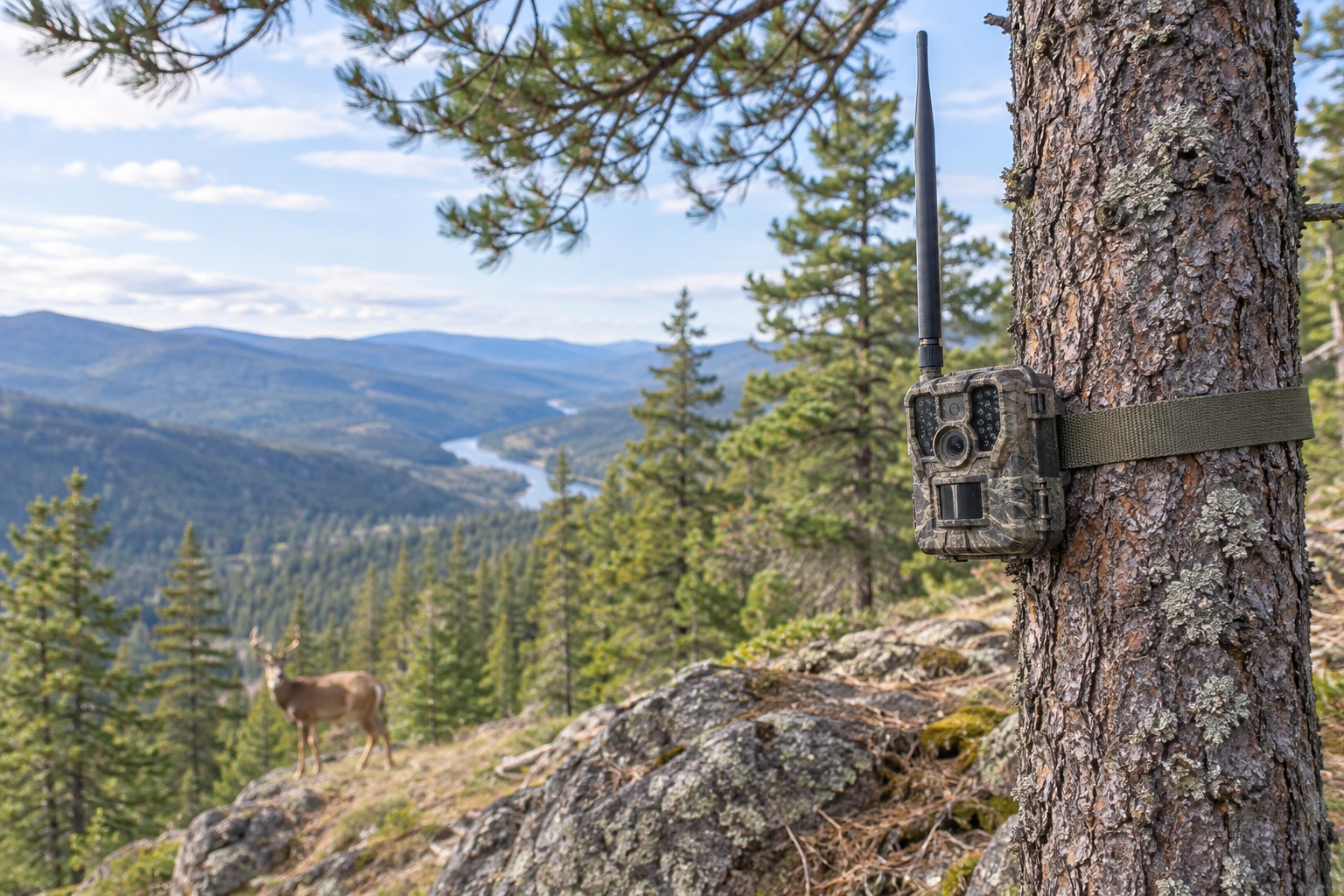
How Signal Bars Work
Signal bars are a rough summary of how strong and clean the connection to the nearest cell tower is. Each brand sets its own scale, so 2 bars on one camera is not exactly 2 bars on another. What matters:
- Distance to the tower, and whether hills or ridges are in the way.
- Trees and leaves, which absorb signal, especially when wet.
- Height: a camera at knee height in a creek bottom gets far less than the same camera on a ridge.
- Carrier: one network may be strong where another is weak.
Photos need a steady connection to upload, so a camera can show a bar and still fail to send. More on how it works in how a cellular trail camera works.
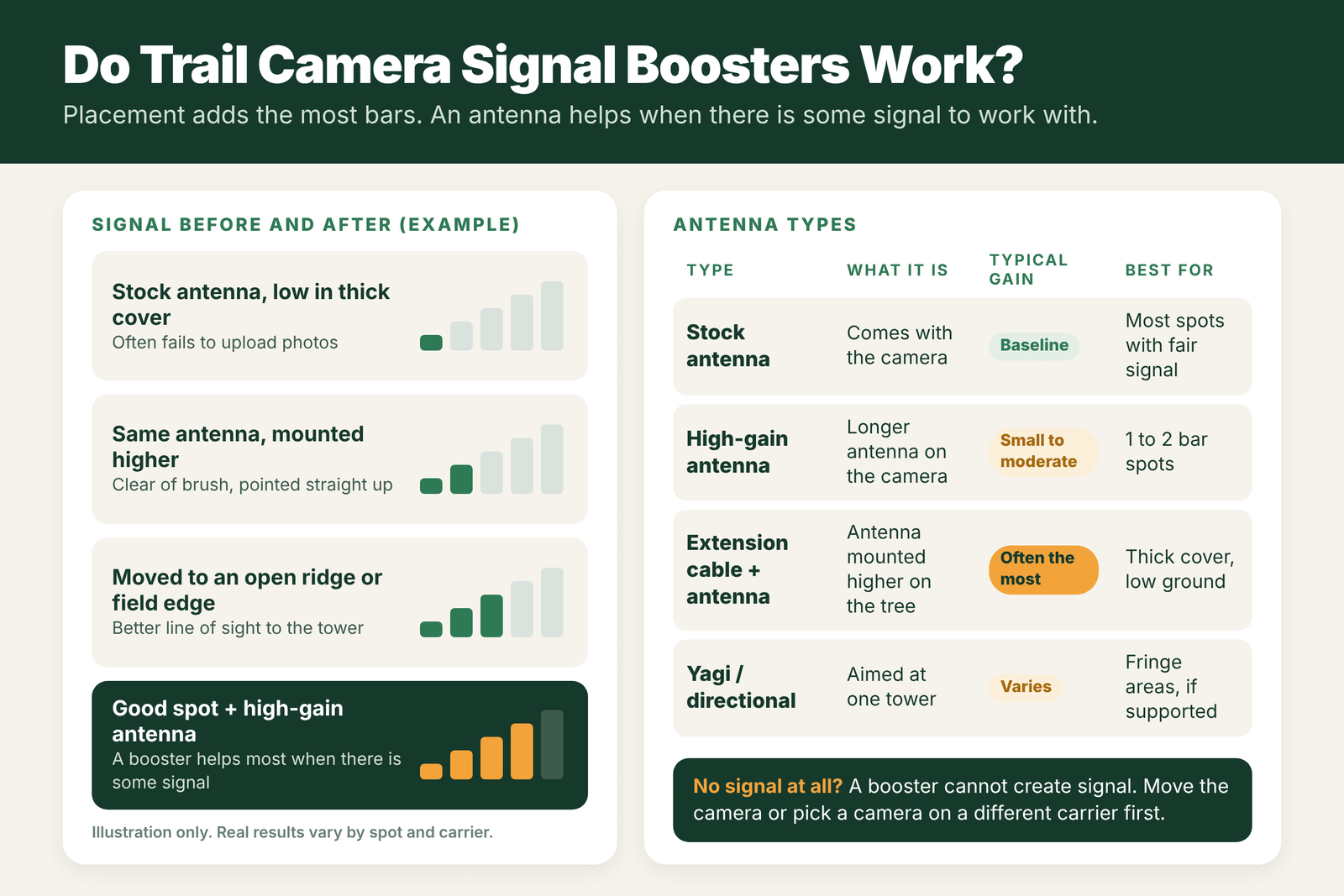
Antenna Types: Stock, High-Gain and Extension
- Stock antenna: the one that comes with the camera. Fine in most spots with fair signal.
- High-gain antenna: a longer antenna that screws on in place of the stock one. It focuses signal pickup a bit better and can help in 1 to 2 bar spots.
- Extension cable antenna: an antenna on a cable, so you can mount it several feet higher on the tree while the camera stays at the right height for photos. This often gives the biggest real-world gain, because height matters so much.
- Directional (Yagi) antenna: aimed at one tower. It can work in fringe areas but is bulky, needs aiming, and many trail cameras do not support it.
- Active cell boosters (powered amplifiers) are made for homes and vehicles. They need power and are not practical for most trail camera sites.
See our picks for the best trail camera booster antennas.
Real-World Gain
Antenna makers often list gain in dBi, but in the woods the result depends on terrain, distance and trees. In practice:
- In a 1 to 2 bar spot, a better antenna often adds about a bar or makes uploads steadier.
- In a 0 bar spot, an antenna usually does nothing useful.
- In a 3 to 4 bar spot, you do not need one.
Treat any claim of “up to 10x signal” with doubt. Test in your own spot before and after.
Placement Beats Boosters
- Go higher. Mount the camera higher and angle it down, or use an extension antenna above it.
- Get out of the bottom. Hollows and creek bottoms are signal dead zones. Even a small rise helps.
- Face the tower. Put the camera on the side of the tree toward the nearest tower, so the trunk does not block it.
- Avoid thick cover. Pines and dense brush soak up signal.
- Test before mounting. Check bars in the app at a few spots before you strap the camera down.
More tips in trail camera antenna placement and our list of the best trail cameras for low signal areas.
Compatibility by Brand
- Connector type: most cellular trail cameras use an SMA-type connector, but check yours. The wrong one will not fit or will not work.
- Brand accessories: many brands sell their own high-gain or extension antennas. These are the safest choice.
- Warranty: third-party antennas may not be covered. Read the brand’s terms.
- Network bands: an antenna must work on the bands your camera and carrier use. Brand-made antennas are matched for that.
Will a Booster Help You? A Quick Guide
| Current signal at the camera | Booster or high-gain antenna | Better first step |
|---|---|---|
| 0 bars, no service | Will not help | Change spot, carrier or use a non-cellular camera |
| 1 bar, drops in and out | Often helps a little | Raise the camera, then try a better antenna |
| 2 bars, slow uploads | May help reliability | Clear line of sight, check batteries |
| 3 or more bars | Usually not needed | Leave it; check settings if uploads fail |
What “Gain” Really Means
Antenna gain is measured in dBi. A higher number means the antenna focuses its sensitivity in certain directions rather than creating new signal. A high-gain antenna can hear a distant tower better in the direction it favors, but it may hear less in other directions. That is why a booster antenna sometimes helps a lot in one spot and does nothing in another. Every 3 dB is roughly a doubling of signal power, but one bar on a camera display can represent a fairly wide range, so a few dB of gain might or might not move the bar count. The real test is whether uploads become faster and more reliable.
Step-by-Step: Testing a Booster Antenna
- Record your starting point. Note the signal bars and how long uploads take with the stock antenna.
- Turn the camera off before swapping antennas.
- Attach the new antenna snugly, matching the connector type for your camera.
- Point it straight up unless the maker says otherwise.
- Turn the camera on and wait a few minutes for it to register.
- Compare signal and upload times over two or three days, not just one check.
- Keep the better setup. If there is no real change, put the stock antenna back.
Extension Cable Antennas
Some kits use a cable to place the antenna higher than the camera, for example 10 to 15 feet up the same tree. Height often helps more than gain, so this can work well in low spots. Keep in mind that every foot of cable loses some signal, so use the shortest cable that gets the antenna clear of cover. Route the cable tight to the tree, protect it from chewing animals, and seal the connections against water.
Field Examples
The creek bottom camera: a camera in a low draw shows 0 to 1 bar and sends a few photos a day. A high-gain antenna adds little. An extension cable that puts the antenna 12 feet up the tree, above the creek bank, brings steady 2 bars and reliable uploads.
The ridge top camera: a camera on a ridge already has 3 bars. A booster antenna changes nothing, and the real problem turns out to be weak alkaline batteries in cold weather.
The no-service spot: a camera deep in a national forest shows no network at all. No antenna can fix that. A standard SD card camera is the right tool there.
Mistakes With Boosters
- Buying before testing placement. Moving the camera 20 yards or 8 feet higher is free and often works better.
- Using the wrong connector. Check the type your camera uses before ordering.
- Over-tightening or bending the connector, which can damage the camera’s port.
- Leaving connections unsealed, which lets water in.
- Expecting miracles. A booster helps weak signal. It cannot create signal where there is none.
Other Ways to Beat Weak Signal
- Choose the stronger carrier. If you have two cameras on different networks, swap them so the one with better coverage sits in the weak spot. See Verizon vs AT&T vs T-Mobile for trail cameras.
- Try a multi-carrier camera. Some newer cameras can connect to more than one network and pick the strongest.
- Lower the upload load. Sending thumbnails instead of full-size photos, and turning off video uploads, gives each upload a better chance of finishing on a weak link.
- Keep the power strong. A modem on weak signal works harder and drains batteries faster. Lithiums or a solar panel help.
- Wait for leaf-off. Some spots that struggle in summer work much better in late fall and winter once leaves drop.
- Use a relay spot. If one corner of your property has good signal, place cellular cameras there and use standard cameras in the dead zones.
Combining two or three of these often works better than any single booster. Start with what is free, like height, line of sight and settings, before you spend money on hardware.
Frequently Asked Questions
Do trail camera signal boosters work?
They can help in weak signal spots with about 1 to 2 bars, often adding a bar or steadier uploads. They do not help where there is no signal at all.
What is the best antenna for a cellular trail camera?
An extension cable antenna mounted higher on the tree often helps the most. A high-gain antenna from the camera’s brand is a simpler upgrade.
Can I use any antenna on my trail camera?
No. The antenna must match the camera’s connector and the network bands it uses. Brand-made antennas are the safest choice.
How can I get better signal without a booster?
Mount the camera higher, move it out of low ground and thick cover, face it toward the tower, and test bars in the app before mounting.
Will a booster fix a camera with no signal?
No. A booster or antenna can only improve weak signal. With no signal, move the camera or choose a camera on a carrier that covers your spot.
What does dBi mean on a trail camera antenna?
It measures antenna gain. Higher dBi focuses sensitivity in certain directions, which can help weak signal but does not create new signal.
Is an extension cable antenna better than a high-gain antenna?
In low spots, often yes, because height matters a lot. Use the shortest cable that gets the antenna above cover.
Can a booster antenna drain my trail camera battery?
A passive antenna does not use power. Better signal can actually save battery because uploads finish faster.