
Trail Camera Thumbnails vs HD Photos: How to Save Data
Most cellular trail cameras let you choose how photos come to your phone: small thumbnails, full HD photos, or thumbnails first with HD when you ask. That one setting can decide whether your data plan lasts all month or runs out in a week. Here is how trail camera HD photo settings work, how much more data they use, and how to pick the right mix.
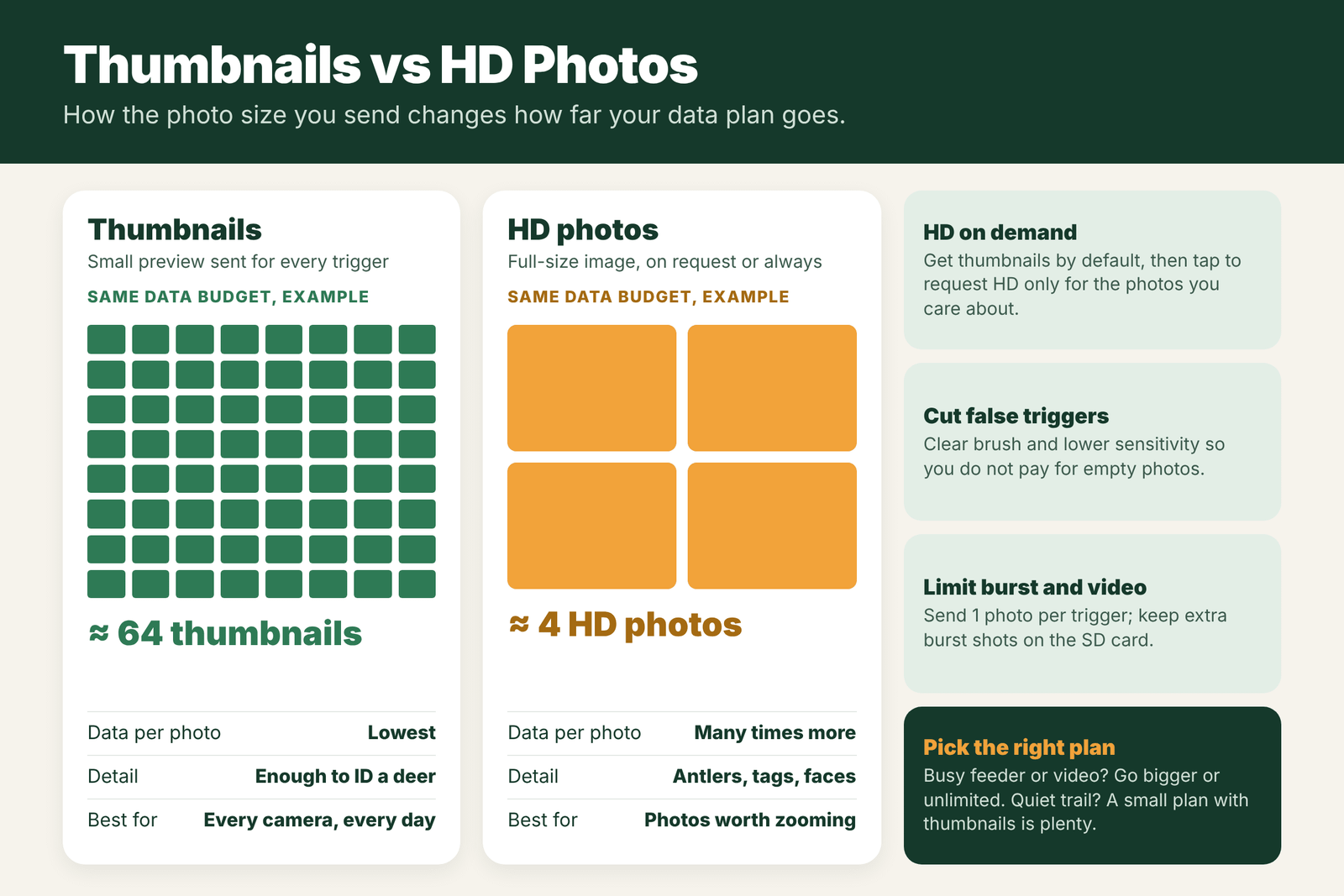
A thumbnail is a small, compressed version of the photo. It uses very little data and is usually enough to see what triggered the camera. An HD photo is the full-size image, often using many times more data per photo. For most hunters, the best setting is thumbnails for every trigger, then request HD on demand only for photos worth zooming in on, like a buck you want to age. Send HD for everything only if you have a large or unlimited plan and few triggers.
- Thumbnail
- Small, low data
- HD photo
- Full size, many times more data
- Best default
- Thumbnails + HD on demand
- Full HD always
- Large or unlimited plans
- Biggest data waste
- False triggers and video
- Full photo still saved
- On the SD card
What Thumbnails Are
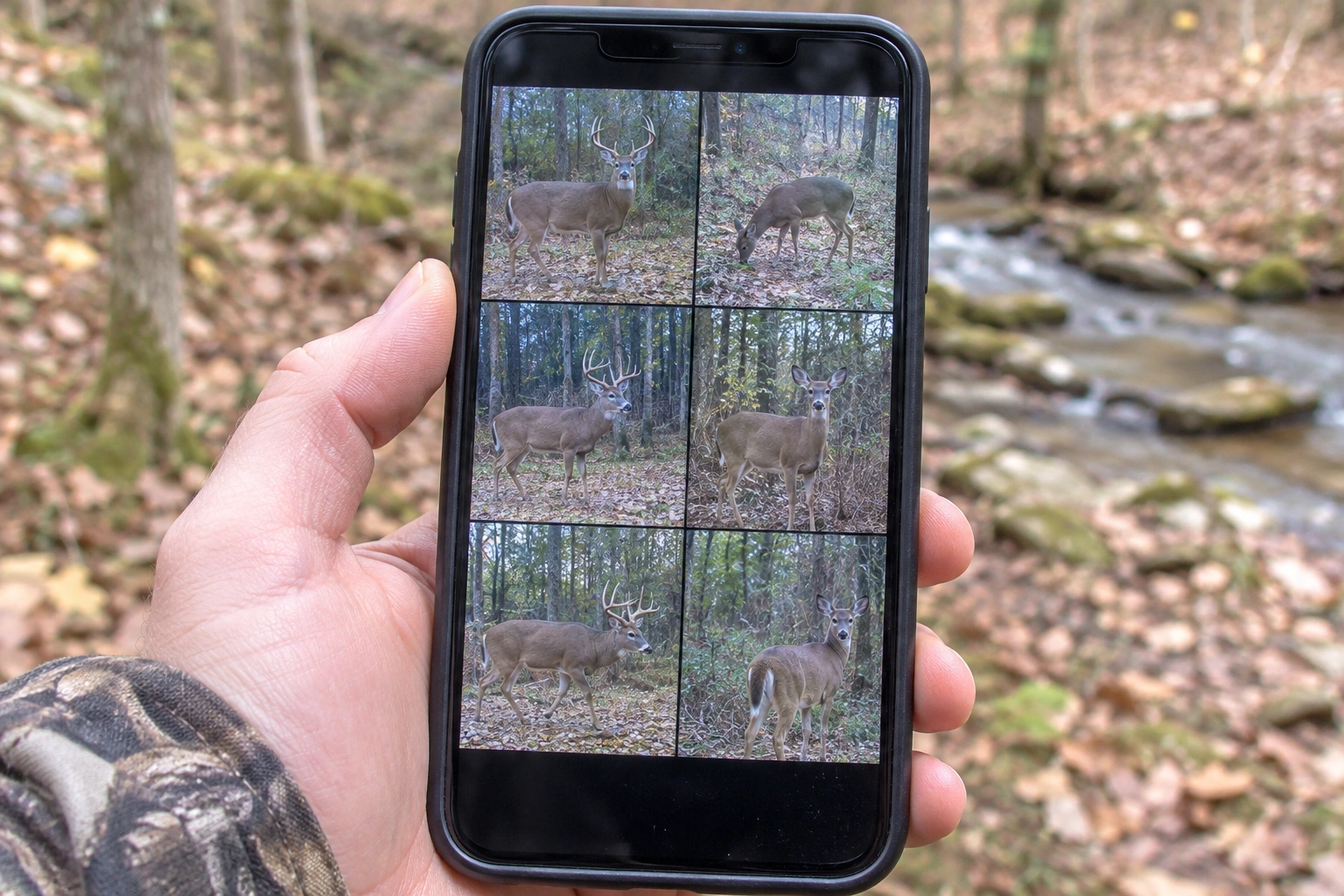
When the camera takes a photo, it saves the full-size image to the SD card. Then it makes a smaller, compressed copy and sends that to your phone. That copy is the thumbnail. It loads fast, uses little data, and is usually clear enough to tell a buck from a doe, count deer, or see that a raccoon set off the camera. It is not great for zooming in on antler points, ear tags or faces.
HD Request on Demand
Many cellular cameras let you tap a thumbnail and request the HD version. The camera then sends the full-size photo from the SD card the next time it connects.
- Pros: you only pay for HD on photos that matter.
- Cons: there may be a delay until the next check-in, and some plans count HD requests separately or limit them.
- Note: the photo must still be on the SD card, so do not format the card before requesting.
Data Per Photo
Exact sizes vary by brand, camera and resolution, but the pattern is the same:
- Thumbnail: smallest. Many thumbnails fit in the data of one HD photo.
- HD photo: many times the size of a thumbnail.
- Video clip: far more than a photo, even for a few seconds.
Some brands count photos instead of megabytes, but HD photos and video may still count as more than one photo. Check your brand’s plan details. For examples, see Spypoint data plans and how much data a cellular trail camera uses.
Which Setting to Choose
- Busy feeder or food plot: thumbnails only, HD on demand. These sites can trigger hundreds of times a week.
- Quiet trail or scrape: HD for every photo can work on a mid-size plan.
- Security use: HD helps identify people and plates, so pick a bigger plan.
- Video: send only when you need it, or keep it on the SD card and check in person.
Looking for the cheapest way to run cameras? See the cheapest trail camera plans.
Tips to Cut Data Use
- Cut false triggers. Clear moving brush, lower sensitivity, and avoid facing the sun.
- Send one photo per trigger. Keep extra burst photos on the card.
- Set a delay of 30 seconds to a few minutes at busy spots.
- Use a time window if your camera allows it, such as only dawn and dusk.
- Turn off video sending unless you really need it.
- Watch usage in the app weekly, and adjust before you hit the limit.
Thumbnail vs HD: What You See
| Question | Thumbnail | HD (full size) |
|---|---|---|
| Is there a deer? | Yes, easy to tell | Yes |
| Buck or doe? | Usually, in daylight | Yes, even at a distance |
| Count antler points? | Sometimes, if close | Usually, if in focus |
| Read an ear tag or license plate? | Rarely | Sometimes, at close range |
| Recognize an individual buck? | Hard | Much easier |
| Night photos | Rough and small | Better detail, still black and white |
Step-by-Step: Setting Up a Data-Smart Plan
- Set all cameras to send thumbnails by default.
- Turn off video uploads unless your plan includes them and you really need them.
- Use a reasonable delay, such as 1 to 5 minutes at feeders and food plots.
- Lower sensitivity one step at windy, open spots to cut empty photos.
- Request HD only for photos worth a closer look, such as a new buck or a person at a gate.
- Pull the SD card at the end of the season for full-size copies of everything, without using data.
How HD Requests Usually Work
On many cellular cameras, the camera keeps the full-size photo on the SD card and sends a smaller version to the app. When you tap a request button, the app asks the camera to send the full-size file the next time it connects. Depending on the brand and settings, that can take minutes or happen at the next scheduled check-in. If the SD card has been removed, formatted or overwritten, the full-size version may no longer be available. Some plans count HD requests against your photo limit or charge them separately. Check your brand’s plan details. See SPYPOINT data plans for one example.
Field Examples
The big buck thumbnail: a hunter sees a blurry buck in a thumbnail at a scrape. An HD request shows a clear frame of a mature 8-pointer with a split brow tine, which is enough to recognize him in later photos.
The data blowout: another hunter sets three cameras to send HD photos and video. The monthly plan runs out in a week, mostly on photos of raccoons at a feeder. Switching to thumbnails and a longer delay stretches the plan through the month.
The security alert: a gate camera thumbnail shows a truck at night. An HD request makes the truck’s shape and color clear, though the plate is still hard to read at that distance.
Mistakes With Photo Size Settings
- Sending HD by default on busy cameras.
- Waiting weeks to request HD, by which time the photo may be overwritten.
- Assuming HD fixes blur. A blurry thumbnail of a running deer will be a bigger blurry photo.
- Forgetting the SD card. Without a card, many cameras cannot keep full-size originals.
Tips to Make a Small Plan Last
Use operation hours so cameras only run when deer move, such as dawn and dusk, if your camera has that setting. Put the busiest spots, like feeders, on longer delays. Use one cellular camera at the most important spot and regular SD cameras at the rest. And check your usage in the app halfway through the month, so you can adjust before you run out. See what is the cheapest trail camera plan.
Why Photo Size Matters So Much on Cellular Plans
Every photo a cellular camera sends uses data, and every plan has a limit, whether it is counted in photos or in megabytes. A thumbnail is designed to be small, often a fraction of the size of the original, so you can receive many more of them on the same plan. A full-size photo from a modern camera can be many times larger. Video is bigger still. Multiply that by the number of triggers at a busy spot, and the difference between thumbnail and HD settings can be the difference between a plan that lasts all month and one that runs out in days. That is why most brands default to smaller uploads and let you choose when you need more detail. For a deeper look at data use, see how much data does a cellular trail camera use.
When HD Uploads Make Sense
- Low-traffic, high-value spots, like a scrape deep in the woods where a big buck shows up once in a while.
- Security cameras at gates or cabins, where detail on people and vehicles matters.
- Unlimited plans, where photo size does not count against a limit.
- Short periods, like the peak of the rut, when you want maximum detail for a few weeks.
Everywhere else, thumbnails plus on-demand HD give you most of the benefit for a fraction of the data.
Thumbnail Quality Varies by Brand
Not all thumbnails are equal. Some brands send fairly sharp, medium-size previews, while others send very small images that are hard to judge. If you are choosing a camera, look at real app screenshots or reviews to see what the default upload looks like on a phone screen. A brand with good standard uploads may save you from needing HD requests at all.
Frequently Asked Questions
What is a thumbnail on a trail camera?
It is a small, compressed copy of the photo that the camera sends to your phone. The full-size photo stays on the SD card.
How much more data does an HD photo use?
Many times more than a thumbnail. Exact sizes vary by brand and resolution, but many thumbnails fit in the data of one HD photo.
Should I send thumbnails or HD photos?
For most hunters, thumbnails for every trigger plus HD on demand is the best balance. Send HD for all photos only on large plans with few triggers.
Can I get the HD version later?
On many cameras, yes. Tap the thumbnail and request HD. The photo must still be on the camera’s SD card.
How can I make my trail camera data plan last longer?
Use thumbnails, cut false triggers, send one photo per trigger, add a trigger delay, and turn off video sending.
Why can’t I request an HD photo?
The full-size file may be gone from the SD card, the card may be missing, or your plan may not include HD requests.
Do HD photo requests use extra battery?
A little. The camera has to wake up and send a larger file, which takes more power, especially with weak signal.
Can I get full-size photos without using data?
Yes. Pull the SD card and copy the photos to a computer or phone.