
Live View Trail Cameras: How Live Streaming Works
Getting a photo on your phone a few minutes after a buck walks by is great. Watching him live, right now, is even better. A growing number of cellular trail cameras offer some kind of live view or remote viewing. But “live” can mean different things, and streaming has real costs in data and battery. Here is how trail camera live view works and when it is worth using.
Live view lets you open the app and watch a real-time video feed from a cellular trail camera. Some cameras only offer on-demand photos (take a new photo now) or on-demand video (record a short clip now), which are not a true stream. Live view needs good cell signal, uses much more data than photos, and drains battery quickly, so most hunters use it in short checks with solar power and a large or unlimited plan.
- What it is
- Real-time video to your phone
- Not the same as
- On-demand photo or clip
- Needs
- Cellular, strong signal
- Data use
- Much higher than photos
- Battery
- Drains fast, solar helps
- Best use
- Short checks, feeders, security
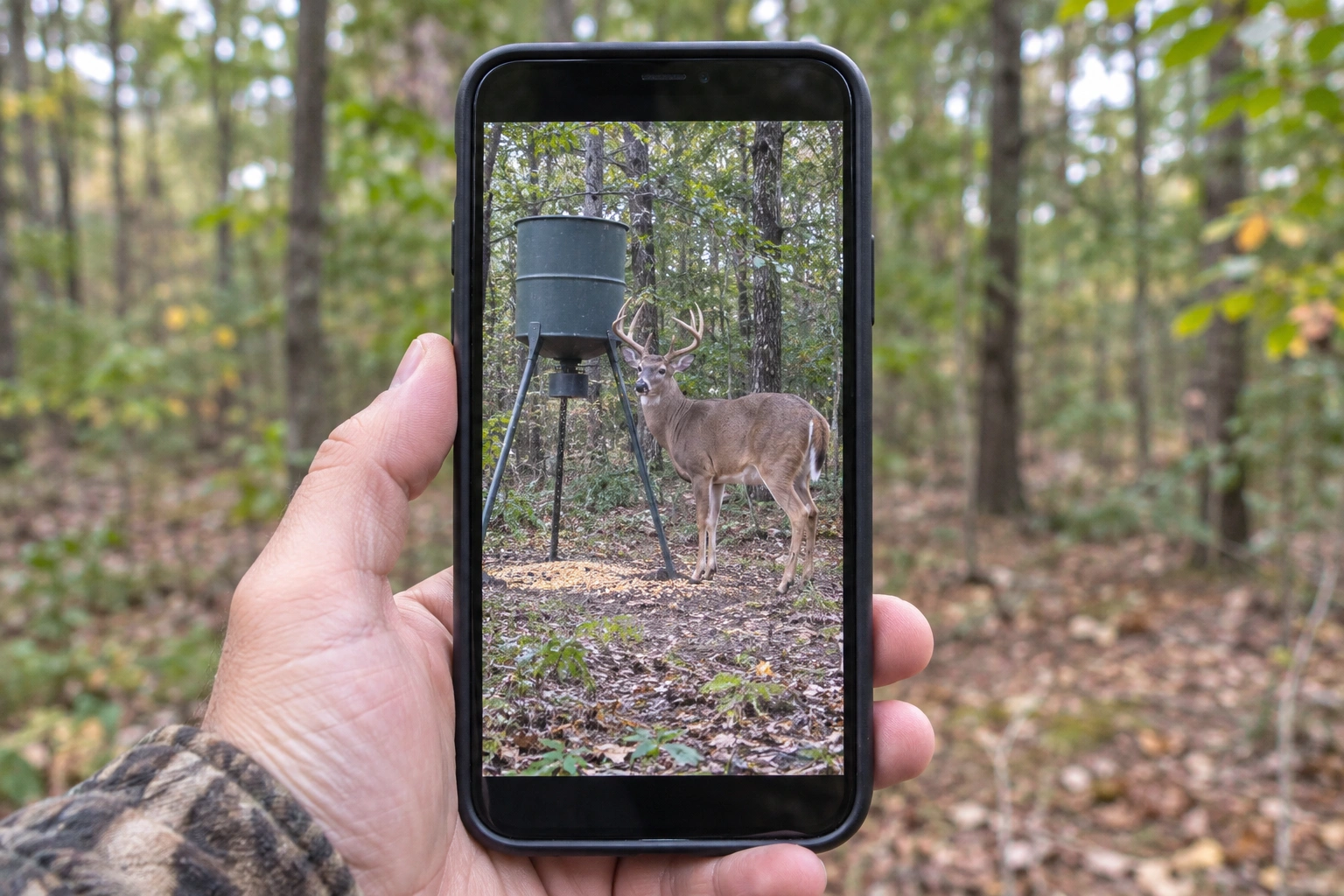
Live View vs On-Demand Photo
- Live view (live stream): continuous video from the camera while you watch in the app. You see what is happening right now.
- On-demand photo: you tap a button and the camera takes and sends one new photo. Not live, but it shows the current scene with very little data.
- On-demand video: the camera records a short clip and sends it. Closer to live, but with a delay.
- Regular motion photos: the camera sends photos only when something triggers it.
Product pages sometimes call all of these “remote view”, so read the details carefully. Our list of the best trail cameras with a live feed shows which type each model offers.
How Streaming Works on Cellular
- You open live view in the app.
- The app tells the camera to wake up. Some cameras only check for commands every few minutes to save battery, so there can be a short wait.
- The camera turns on its sensor and radio and starts sending video over the cell network.
- The video is shown in the app, often at a lower resolution than the camera’s photos, so it streams smoothly.
- When you close the stream, or after a time limit, the camera goes back to sleep.
With weak signal, the stream may lag, freeze or not start at all. Two bars or more is a good starting point.
Data and Battery Cost
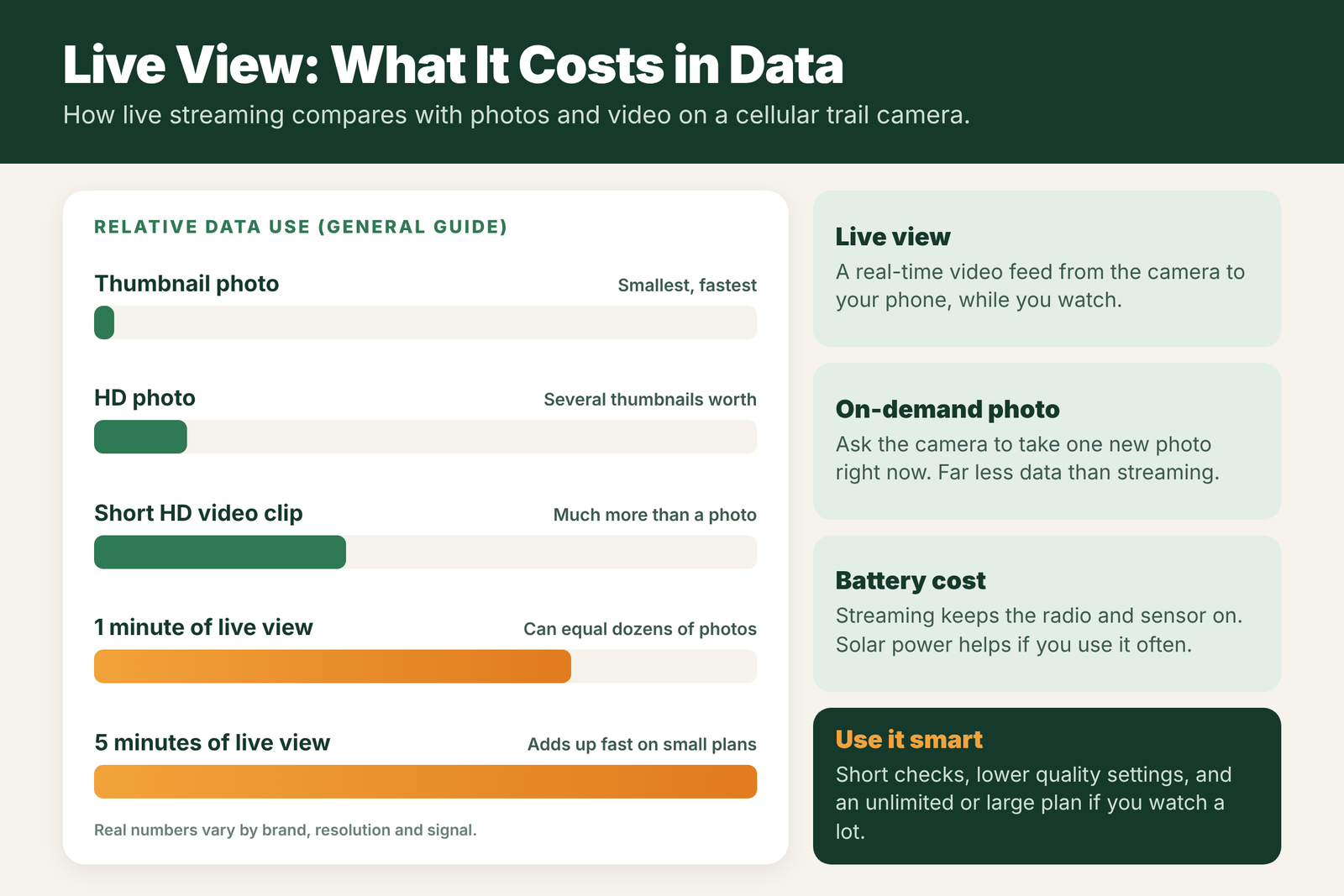
- Data: a minute of live video can use as much data as dozens of photos, depending on quality. On a small plan, a few long sessions can use up the month.
- Battery: streaming keeps the camera’s radio, processor and sensor running. Long sessions can drain AA batteries quickly.
- Plan limits: some brands limit live view minutes or need a higher plan for it.
Learn more in how much data a cellular trail camera uses.
What to Look For in a Live View Camera
- True live stream, not only on-demand photo, if you really want to watch.
- Solar panel or external power support.
- Plan options with enough data or live minutes.
- Strong signal at your site, on the camera’s carrier.
- Stream quality settings, so you can choose lower quality to save data.
Best Uses for Live View
- Feeders and food plots: see what is there right now before heading out.
- Checking a stand or field before you walk in, to avoid bumping deer.
- Security: property, gates, cabins and equipment.
- Watching wildlife for fun, in short sessions.
Most of the time, regular motion-triggered photos are enough. Use live view when timing matters. Wondering if cameras record all the time? See do trail cameras constantly record.
Live View, On-Demand and Regular Uploads Compared
| Feature | What you get | Data use | Battery use | Best for |
|---|---|---|---|---|
| Regular motion uploads | Photos sent when the camera triggers | Low to medium | Low to medium | Everyday scouting |
| On-demand photo | A new photo taken when you ask | Low per request | Low | Checking a feeder or field right now |
| On-demand video | A short clip recorded when you ask | Medium per clip | Medium | Seeing what is moving before you go in |
| Live view stream | Real-time video while you watch | High | High | Short checks at key moments |
Exact data and battery use varies a lot by camera, signal and video quality. Check your brand’s plan details before using live view often.
Step-by-Step: Using Live View Without Wasting Your Plan
- Check your plan. Some plans limit live view minutes or charge extra for them.
- Make sure the camera has strong signal, ideally 3 bars or more. Weak signal means a choppy stream and higher battery drain.
- Use external power such as a solar panel or 12V battery if you plan to use live view regularly.
- Start with an on-demand photo. If something is there, then open live view.
- Keep sessions short, a minute or two is usually enough.
- Close the stream properly in the app so the camera does not keep sending.
- Check data use in the app after the first week.
Smart Ways Hunters Use Live View
- Before walking to a stand: check whether deer are already in the field so you can choose a different route.
- Watching a trap: confirm a whole hog sounder is inside before closing a remote gate.
- Checking a feeder or food plot on a busy evening during the rut.
- Security: check a gate or cabin when an alert comes in.
- Weather checks: see snow depth or flooding at a remote property.
Field Examples
The midday decision: a hunter gets a photo alert of a buck at a scrape at 2 p.m. A 30-second live view shows the buck has moved on, so the hunter waits until later rather than rushing in and spooking him.
The drained battery: another hunter leaves live view open for 20 minutes several times a week. The camera’s batteries die in under two weeks. Adding a solar panel and keeping sessions short fixes the problem.
The weak signal stream: a camera with 1 bar shows a frozen, pixelated feed. On-demand photos work fine from the same spot, so the hunter uses those instead of live view.
Mistakes With Live View
- Expecting it on every cellular camera. Many only offer on-demand photos or short clips.
- Using it on weak signal, which wastes battery and gives poor video.
- Leaving streams open or forgetting to close the app.
- Running on AA batteries only. Frequent streaming really needs external power.
- Ignoring local rules. Some states limit using real-time cameras to help hunt. Check your state’s rules. See what states ban trail cameras.
Is Live View Worth Paying For?
For most deer hunters, regular uploads and on-demand photos cover 90 percent of what they need. Live view is a nice extra for specific uses like hog trapping, property security and checking a field before you walk in. If those uses matter to you, look for a camera with good live view support, a solar option and a plan that includes enough streaming time. If not, save the money and put it toward a better camera or more cameras.
What Affects Live View Quality
A live stream from a trail camera is only as good as the weakest link between the camera and your phone. Signal strength at the camera is the biggest factor. A camera with 3 or 4 bars can send a steady stream, while one with 1 bar may freeze, drop or never connect. Network type matters too: LTE and newer networks handle video much better than older ones. Your phone’s connection also counts, since a weak signal on your end causes buffering. Video resolution settings, if your camera has them, trade quality for smoothness. Lower resolution often gives a more usable stream on weak signal. Finally, light matters. Daytime streams are clearer than night streams, which rely on the IR flash and can look grainy or blurry when animals move.
Power Options for Frequent Live View
Streaming video keeps the camera’s modem and processor running at full power, which drains AA batteries far faster than normal photo uploads. If you plan to use live view more than a few times a week, plan your power first. A solar panel with a built-in battery made for your camera is the simplest upgrade. A 12V battery with a matching cable can run a camera much longer. In winter, short days mean less solar charging, so a bigger battery helps. See trail camera external power supply for the options and safe wiring tips.
Privacy and Security
A camera you can stream from is also a device connected to the internet. Use a strong password on your app account, turn on two-factor login if the brand offers it, and be careful about sharing access. If you share cameras with hunting partners, review who has access each season and remove anyone who no longer needs it.
Frequently Asked Questions
Can I watch my trail camera live on my phone?
Yes, if it is a cellular camera with a live view or live stream feature. Many cellular cameras offer only on-demand photos, so check the specs.
How much data does trail camera live view use?
Much more than photos. A minute of live video can use as much data as dozens of photos, depending on quality and brand.
Does live view drain trail camera batteries?
Yes. Streaming keeps the camera’s radio and sensor on, so long sessions drain batteries quickly. A solar panel helps.
What is the difference between live view and on-demand photo?
Live view is a real-time video feed. On-demand photo takes one new photo when you ask and sends it, using far less data.
Do WiFi or Bluetooth trail cameras have live view?
Some show a live preview when you are close to the camera, which helps with aiming. Watching from far away needs a cellular camera.
Do all cellular trail cameras have live view?
No. Many only offer on-demand photos or short clips. Check the features of your model.
Is live view legal for hunting?
It depends on the state. Some states restrict real-time or transmitting cameras for hunting. Check your local rules.
Can I use live view at night?
Many cameras support it with infrared, but night streams can be grainy and use the IR flash, which drains batteries faster.