
Tactacam Defend Security Camera: Cellular Security Without Wi-Fi Explained
Most home security cameras assume two things: Wi-Fi and an outlet. That works in town. It does not work at a hunting cabin, a back-forty gate, a barn half a mile from the house, or a construction site with no internet. For years, people in those places turned to trail cameras as a workaround.
Tactacam, the company behind the Reveal cellular trail cameras, built the Defend line for exactly that gap. This guide explains what the Tactacam Defend security camera is, how it differs from a trail camera, what the Defend 360 adds, what the plans cost, and where it makes sense.
Quick answer: The Tactacam Defend is a battery-powered cellular security camera that sends photos and video over 4G LTE, so it needs no Wi-Fi or wall power. It launched at $149.99 with plans from $5 per month. The Defend 360 ($199.99) adds a pan-tilt 360-degree view, live remote viewing, and an included solar panel.
What Is the Tactacam Defend?
Defend is Tactacam’s cellular security camera line. SecurityInfoWatch describes it as designed for owners of large properties, homesteads, off-grid cabins, and agricultural land, and lists the launch price at $149.99 with plans starting at $5 per month. Equipment World also highlighted it for large remote sites like construction yards.
Key points:
- Cellular, not Wi-Fi: images and video travel over LTE through a Defend subscription.
- Battery powered: Tractor Supply notes that no outlets or wall power are needed. Solar is available.
- High-resolution imaging: SecurityInfoWatch lists 4K photos and 1080p video with enhanced night vision.
- Weather-tough housing for outdoor use.
- U.S. only: retailer listings note it is not intended for international use.
Defend vs Defend 360
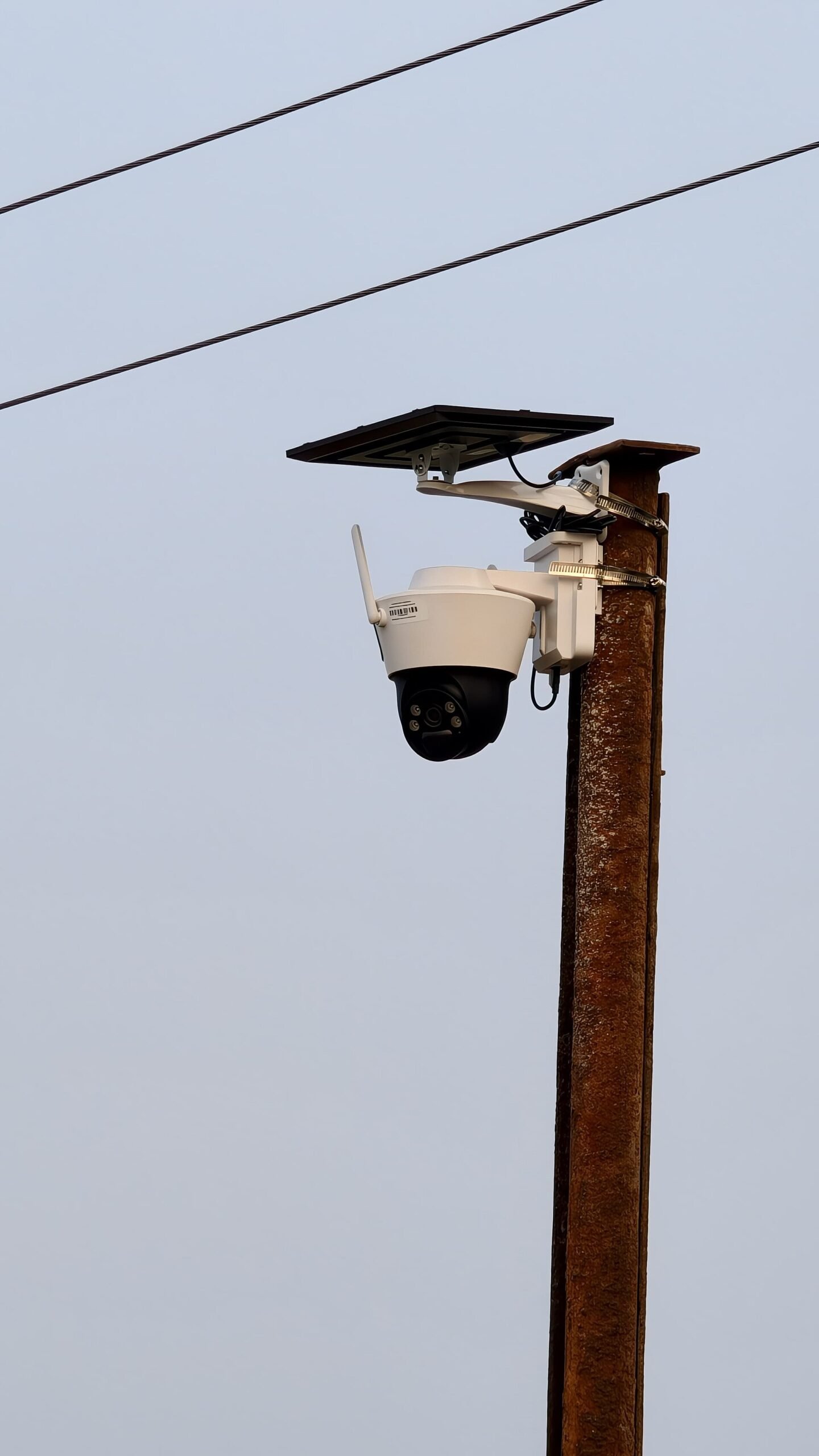
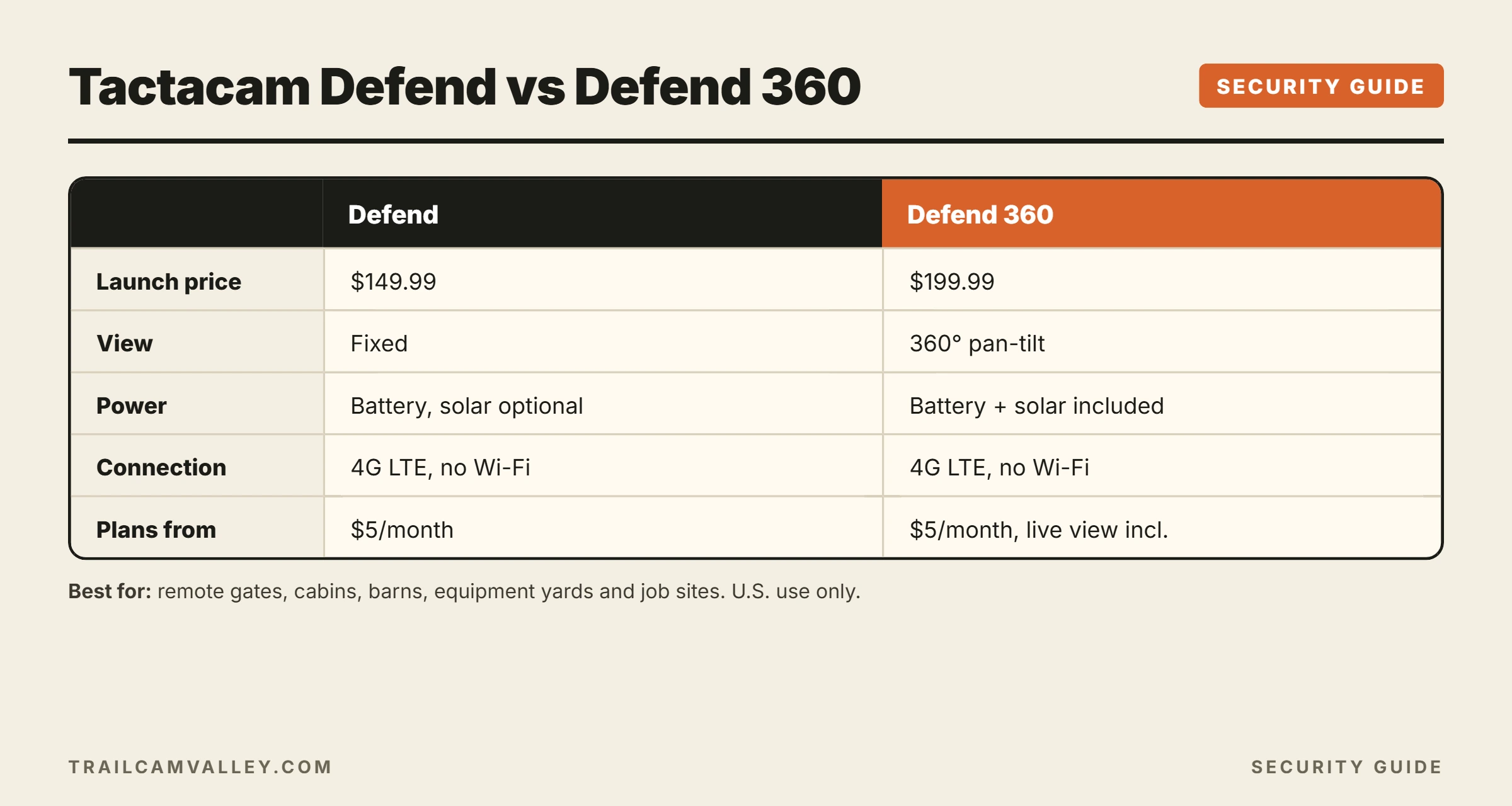
Tactacam expanded the line with the Defend 360. SecurityInfoWatch describes it as a solar-powered cellular camera with 360-degree visibility, PTZ (pan-tilt-zoom) control, and live remote viewing, priced at $199.99 with plans from $5 per month and no contracts.
| Feature | Defend | Defend 360 |
|---|---|---|
| Launch price | $149.99 | $199.99 |
| View | Fixed | 360 degrees, pan-tilt control |
| Power | Battery; solar optional | Rechargeable battery and solar panel included |
| Live view | Available through the app | Included in each data plan |
| Connectivity | 4G LTE | 4G LTE |
Defend 360 details per Rogers Sporting Goods and West Marine, which note live view is included in plans and there are no activation fees.
Defend Plans and the PLUS Add-On
When Defend launched, Pew Pew Tactical reported plans starting at $5 per month for 250 photos with 60 days of cloud storage. An early review by The Gadgeteer found that on-demand photos and video cost an extra monthly fee on top of the base plan at the time.
The app has grown since. In August 2026, Tactacam announced new standard features in the Defend app: Recording Live View, 2-Way Audio, a Security Alarm, and a Battery Center. The company said the price of the DEFEND PLUS add-on would not change, and that nearly half of Defend users already use PLUS. Check the app for the current split between base plans and PLUS features.
Defend vs a Cellular Trail Camera
Can’t you just use a trail camera for security? Often, yes. Our guide to using a trail camera for security covers how. But a dedicated security camera like Defend brings:
- A security-camera form factor that is easier to mount on buildings and poles
- Security-focused app features like alarms, live view, and 2-way audio
- On the 360 model, the ability to look around remotely
A trail camera may still win for wildlife, deep woods, and long battery life with fewer features. Compare in trail cameras vs security cameras.
Best Uses for the Tactacam Defend
- Remote gates and driveways
- Hunting cabins and camps
- Barns, sheds, and equipment yards
- Construction sites and storage lots
- Vacation properties with no internet
- Livestock pens and feeders
Setup Tips
- Check LTE signal at the exact mounting spot.
- Charge and activate at home in the Defend app.
- Mount high, about 8 to 10 feet, to reduce tampering and widen the view.
- Aim the solar panel toward the midday sun.
- Set motion zones and sensitivity to cut alerts from trees, traffic, or animals.
- Lock it down. See how to hide a camera from thieves.
Pros and Cons
Pros
- Works where Wi-Fi and power don’t
- Low starting plan price
- No contracts
- 360 model offers remote pan-tilt control
- Growing feature set in the app
Cons
- Needs LTE coverage at the site
- Ongoing subscription; some features in an add-on
- U.S. only
- Not a full replacement for wired, continuously recording systems
Defend vs Wi-Fi Security Cameras
If you have strong Wi-Fi and power where you need coverage, a regular Wi-Fi security camera can be cheaper to run, since there is no cellular plan. Wi-Fi cameras also tend to offer continuous recording and wider smart-home integration. The trade-off is reach: Wi-Fi rarely covers a gate a quarter mile down the driveway, a barn across the pasture, or a hunting cabin in the hills.
That is where a cellular camera like Defend earns its place. Because it brings its own connection and runs on battery or solar, you can put it almost anywhere there is LTE signal. Many rural property owners end up using both: Wi-Fi cameras around the house, and cellular cameras like Defend for the outbuildings, gates, and remote corners.
Privacy and Legal Basics
Before mounting any security camera, think about where it points. Aim cameras at your own property, avoid capturing neighbors’ windows or yards, and be careful with audio, since recording conversations can be restricted in some states. On job sites and shared land, let workers or other users know cameras are in use where required. Rules vary by state, so check local laws if you are unsure. Our guide to using cameras for security covers placement in more detail.
Getting the Most From Your Plan
Like a cellular trail camera, Defend sends images over your data plan, so settings affect cost and battery life. Use motion zones to ignore busy roads or trees that move in the wind, and lower sensitivity if you get alerts from small animals. Use live view when you need it rather than leaving it open, since streaming uses more power and data than motion photos. If the camera watches a gate or driveway, aim it so vehicles and people cross the frame at an angle, which gives the sensor more time to trigger and gives you a clearer image. Check the battery level in the app regularly during the first few weeks to see how your settings affect runtime.
Quick Facts
- Defend launched at $149.99 with plans from $5 per month (SecurityInfoWatch).
- Defend lists 4K photos and 1080p video, no Wi-Fi required (SecurityInfoWatch).
- Defend 360 is $199.99 with 360-degree view, PTZ, and live viewing (SecurityInfoWatch).
- Recording Live View, 2-Way Audio, Security Alarm and Battery Center were added as standard app features in August 2026 (Tactacam via GlobeNewswire).
- Defend is intended for U.S. use only (retailer listings).
Frequently Asked Questions
Does the Tactacam Defend need Wi-Fi?
No. It uses a 4G LTE cellular connection through a Defend subscription.
Does Defend record continuously?
It is motion-triggered and battery-powered, with live view options. It is not designed as a 24/7 continuous recorder.
Can I use my phone carrier?
No carrier change is needed. Service comes through Tactacam’s Defend plans, independent of your phone plan.
Is Defend the same app as Reveal?
No. Defend uses its own Defend app. For Reveal, see Tactacam Reveal plans.
Does Defend work outside the U.S.?
Retailers state it is intended for U.S. use only.
Do I need the solar panel?
Not strictly, but solar reduces battery swaps, especially with frequent live view use. The Defend 360 includes one.
Final Thoughts
The Tactacam Defend fills a real gap: security coverage for places with no Wi-Fi and no power. The standard Defend is an affordable fixed-view option, while the Defend 360 adds pan-tilt control, live view, and solar in the box. Check LTE coverage, budget for the plan, and mount it high. For remote gates, cabins, and barns, it is one of the simplest solutions available.