
Why Is My SPYPOINT Camera Not Syncing? Causes and Fixes
Your SPYPOINT app shows the last sync was yesterday, or three days ago, and no new photos are coming in. Or the camera syncs, but only some of the times you set. Syncing problems are the most common complaint with any cellular trail camera, and most of them come down to signal, power or settings. Here is why your SPYPOINT camera is not syncing and how to get it back on schedule.
A SPYPOINT camera usually stops syncing because of weak cell signal, low or cold batteries, an inactive or used-up plan, or an SD card problem. Check the signal and battery levels in the SPYPOINT app, move the camera higher or into a more open spot, put in fresh lithium batteries or a charged pack, and confirm the plan is active. Remember that new settings only apply at the next sync. If it still will not sync, update the app and firmware, power cycle or reset the camera, and contact SPYPOINT support.
- Top cause
- Weak cell signal
- Next cause
- Low or cold batteries
- Also check
- Plan and SD card
- Settings change
- Applies at next sync
- Missed syncs
- Often a signal issue
- Last resort
- Reset, then SPYPOINT support
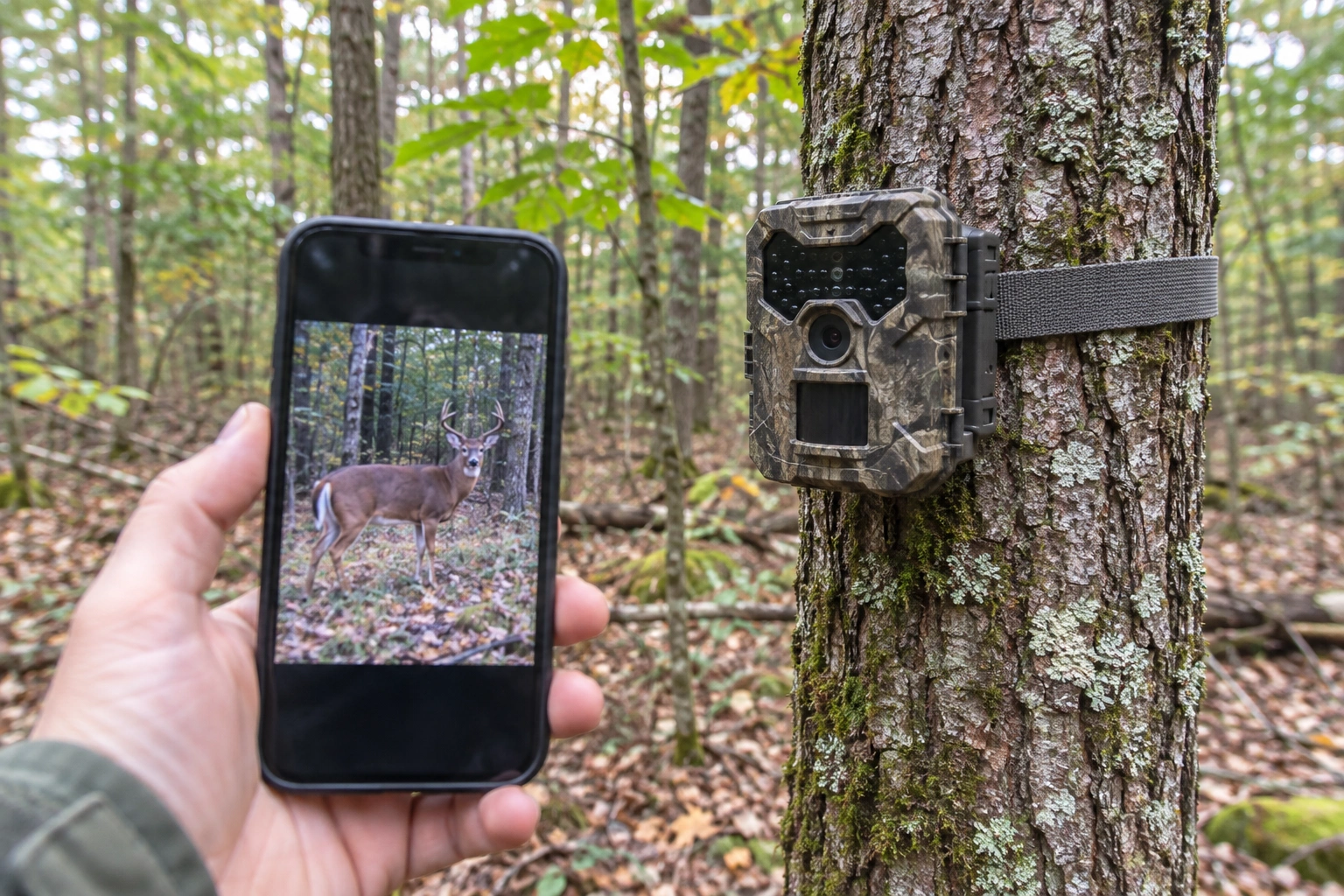
What a Sync Is
A SPYPOINT cellular camera does not stay online all day, because that would drain the batteries fast. Instead it connects at set times to sync: it uploads photos, reports battery and signal, and picks up any setting changes you made in the app. On many models you can choose how often it syncs, and on some you can set the time. See what is daily sync time on a SPYPOINT camera for how the schedule works.
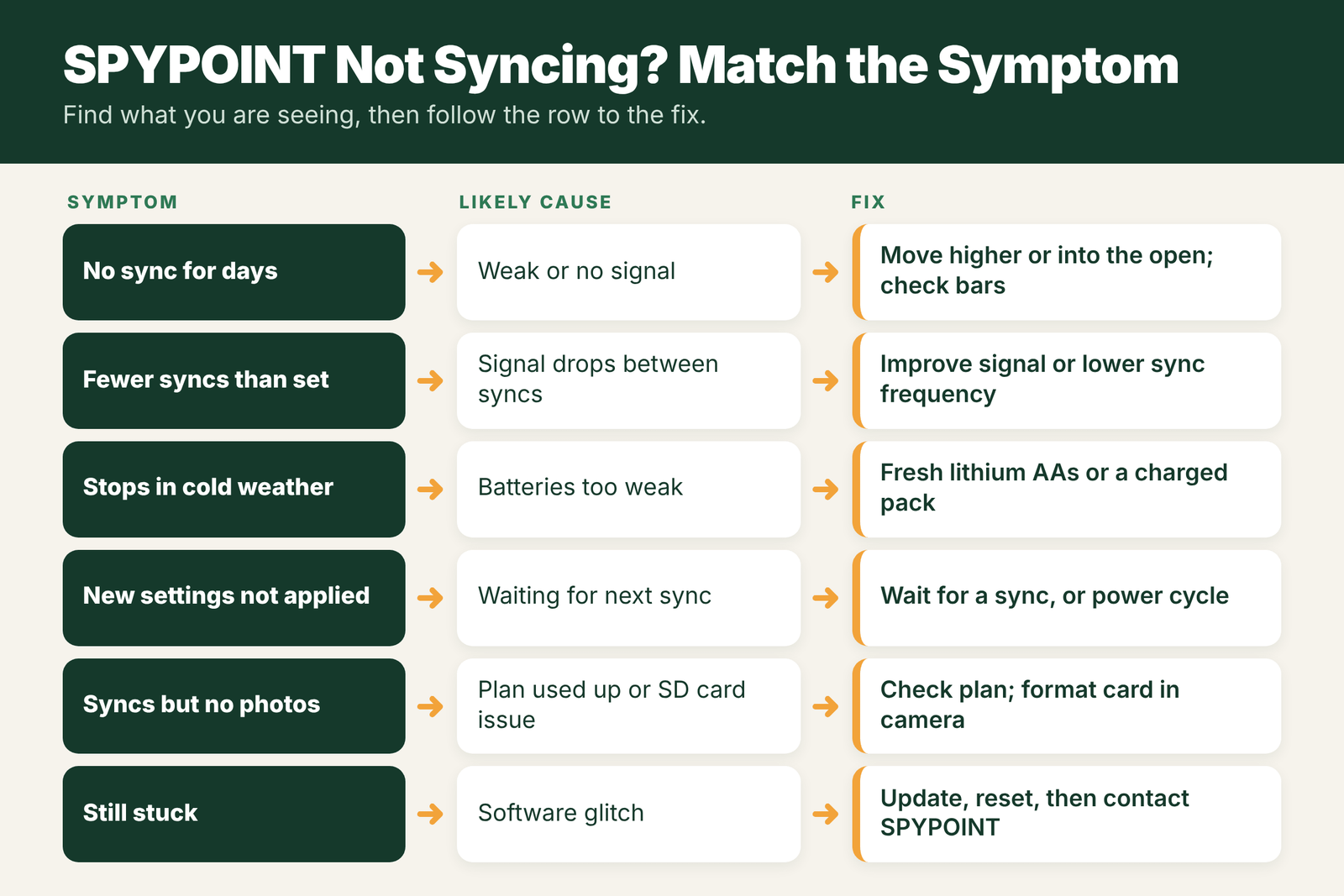
Common Causes
- Weak signal: SPYPOINT’s own support notes that a camera with poor signal can miss scheduled syncs. For example, a camera set to sync six times a day may only manage four.
- Low or cold batteries: sending data uses the most power, so weak batteries often stop syncing before they stop photos. Cold nights make this worse.
- Plan problems: an expired plan, a failed payment or a used-up monthly photo limit stops new photos from arriving.
- SD card: a missing, full, locked or badly formatted card can stop the camera from saving and sending photos.
- Settings: a long sync interval, or a change still waiting for the next sync, can look like a problem when it is not.
- Software: an out-of-date app or firmware can cause connection bugs.
Fixes Step by Step
- Check the app: look at the last sync time, signal bars and battery level for the camera.
- Improve signal: move the camera higher, away from thick cover, or toward the nearest tower. Even a few yards can help.
- Swap the power: use fresh lithium AA batteries, or a fully charged SPYPOINT battery pack if your model takes one. A solar panel helps keep it topped up.
- Check the plan: confirm it is active, paid and not over its photo limit.
- Format the SD card in the camera, after saving any photos you want.
- Review sync settings: make sure the sync frequency is what you expect. Lowering it can help in weak signal.
- Update the SPYPOINT app and the camera firmware.
- Power cycle: turn the camera off, remove the power for a minute, then turn it back on. It will try to connect when it starts.
If the camera will not connect at all, see SPYPOINT camera not connecting.
Reset and Support
If nothing above works, a reset may clear a software problem. Find out how for your model in where is the reset button on my SPYPOINT camera. Note that a reset can return settings to default, so check them afterward. Still stuck? Contact SPYPOINT support with your camera model, its last sync time and what you have tried.
Read the Clues in the App
The camera’s status screen in the SPYPOINT app is your best tool. It shows what the camera reported at its last sync, and that usually points straight to the cause.
| What the app shows | What it usually means | Next step |
|---|---|---|
| Last sync was hours ago, signal one bar | Borderline signal | Move higher or more open; lower sync frequency |
| Last sync was days ago, battery low | Power ran out or dropped in the cold | Fresh lithium AAs, charge pack, check solar |
| Last sync recent, but no new photos | No triggers, plan limit, or SD card issue | Check plan count and card status |
| SD card error or card full | Card problem | Format in camera or replace |
| Settings show pending | Change waiting for next sync | Wait or power cycle |
| Plan inactive or payment failed | Billing | Update payment, renew plan |
Remember that these readings are from the last sync, not right now. A camera that died on Tuesday will still show Tuesday’s battery level until it syncs again.
Sync Frequency and Battery Life
Each sync wakes the cell radio, connects to the network and uploads, which is the hardest thing the camera does. More syncs per day means faster photos but shorter battery life, and in weak signal each sync takes longer and uses even more power. If your camera keeps going quiet, try a lower sync frequency, at least for a while.
| Sync setting | Photo delivery | Battery use | Best for |
|---|---|---|---|
| Many times a day or instant (if offered) | Fastest | Highest | Strong signal plus solar or a battery pack |
| A few times a day | Good | Moderate | Most hunting setups |
| Once or twice a day | Slow | Lowest | Weak signal, long battery life |
Options and names vary by model and plan, so check what your camera offers in the app. You can read more in what is daily sync time on a SPYPOINT camera.
A Field Check at the Camera
- Look at the camera before touching it. Is the antenna straight and tight? Is the cover latched? Any chewing on the solar cable?
- Check signal with your phone as a rough guide. No bars on your phone usually means trouble for the camera too, though carriers differ.
- Swap the batteries for a full new set of lithium AAs, or a fully charged pack.
- Swap the SD card for a freshly formatted, supported card. Take the old card home to check.
- Power cycle and wait five to ten minutes with the app open. See if a fresh sync shows up.
- Test a nearby spot. If the camera will not sync, carry it to higher or more open ground and try again. If it syncs there, the original tree is the problem.
Improving Signal at a Weak Spot
- Height helps. Mounting the camera higher, or moving up a slope, often adds a bar.
- Avoid low spots. Creek bottoms and hollows are the worst places for signal.
- Open the line. A camera at a field edge facing the tower direction usually does better than one deep in pines.
- Keep the antenna vertical and clear of the tree trunk if you can.
- Consider a different network. If one carrier is weak in that area, a camera on another carrier, or a multi-network model, may be the real answer.
Field Example
A hunter’s SPYPOINT on a creek crossing syncs fine in September, then starts missing syncs in late October. The app shows one bar and a dropping battery. Two things changed: the leaves are wet and the nights are colder. Moving the camera 40 yards up the bank onto a trail that leads to the crossing adds a bar, switching from alkaline to lithium batteries steadies the power, and lowering the sync frequency from several times a day to twice a day stretches the batteries through the rut. Photos arrive a little later, but they arrive every day.
Mistakes to Avoid
- Changing many settings at once while the camera is not syncing. They stack up and you cannot tell which change helped.
- Resetting first. A reset can wipe settings and rarely fixes signal or power problems.
- Running alkaline batteries in the cold.
- Setting the most frequent sync on a camera with weak signal and no solar.
- Ignoring the photo count on your plan. A used-up plan looks just like a camera that is not syncing.
Frequently Asked Questions
Why is my SPYPOINT camera not syncing?
The most common causes are weak cell signal, low or cold batteries, an inactive or used-up plan, an SD card problem, or out-of-date software.
Why does my SPYPOINT miss some syncs?
Usually because of weak or unstable signal. The camera may manage fewer syncs than you set. Improve signal or lower the sync frequency.
How do I force my SPYPOINT camera to sync?
Power cycle it by turning it off, removing the power briefly and turning it back on. It tries to connect when it starts.
Why are my SPYPOINT settings not changing?
New settings are applied at the camera’s next sync. Wait for the next sync, or power cycle the camera.
Can cold weather stop a SPYPOINT from syncing?
Yes. Cold lowers battery voltage, which can stop uploads. Lithium batteries or a solar panel help.
How often should my SPYPOINT camera sync?
A few times a day suits most setups. In weak signal or on batteries without solar, once or twice a day saves power and gives more reliable syncs.
Why does my SPYPOINT show old battery levels?
The app shows readings from the last sync. If the camera has not synced since you changed batteries, power cycle it and wait for a new sync.
Will a solar panel fix SPYPOINT sync problems?
It helps if power is the cause, as long as the panel gets sun and the cable is connected. It will not fix weak signal.