
Can a Trail Camera Connect to Home WiFi? (Range and Options)
If your trail camera is watching the backyard, a garden or a feeder near the house, it makes sense to ask whether it can just use your home internet. No data plan, no SIM, photos straight to your phone. Some cameras can do that, but most “WiFi trail cameras” work in a different way. Here is how to tell, how far home WiFi really reaches, and what to use when it does not. In short: can a trail camera connect to home WiFi?
A few can, but most cannot. Most trail cameras sold as “WiFi” use WiFi Direct: the camera makes its own small hotspot, and your phone connects to it up close to view and download photos. It does not join your home network. A smaller number of models (and many WiFi security cameras) join your home router and send photos to an app. Those need a strong WiFi signal at the camera, which usually means a spot near the house. For anything farther, a cellular trail camera is the better choice.
- Most “WiFi” trail cams
- WiFi Direct, up close
- Home WiFi models
- Fewer, check the specs
- Band used
- Usually 2.4 GHz
- Works best
- Yard near the house
- Range extenders
- Outdoor AP or mesh node
- Out in the woods
- Use cellular instead
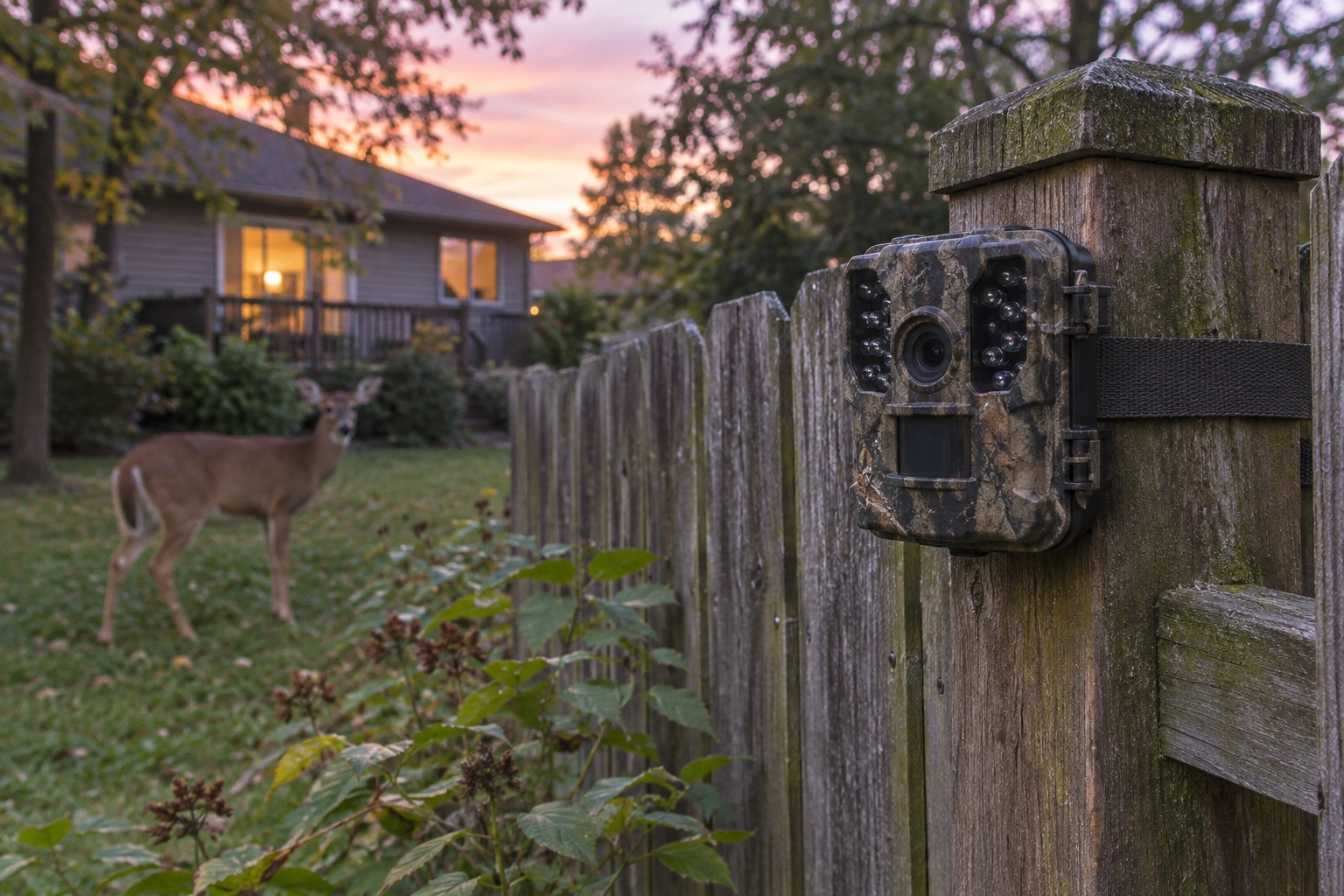
WiFi Direct vs Home WiFi
- WiFi Direct (camera hotspot): the camera broadcasts its own WiFi network. You walk up, connect your phone to it in the brand’s app, and view or download photos. It works anywhere, even far from internet, but you still have to go to the camera. See how a WiFi trail camera works.
- Home WiFi (station mode): the camera joins your router like a phone or laptop does, then uploads photos to an app or cloud. You can see photos from anywhere, but only while the camera is in range of your WiFi.
Read the specs carefully. “WiFi” on the box often means WiFi Direct only. Look for words like “connects to home WiFi”, “2.4 GHz network” or “remote viewing over WiFi”.
Range Limits
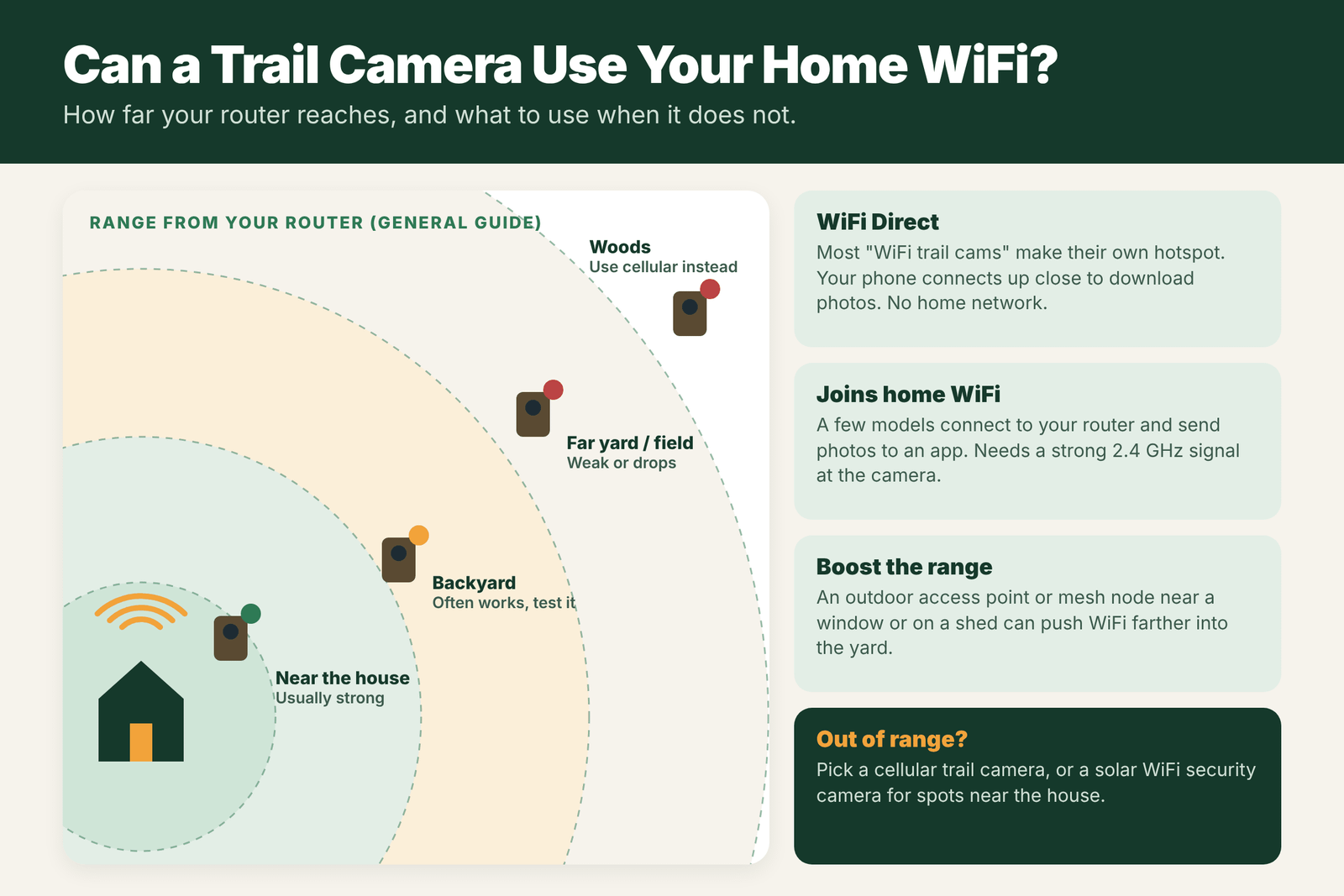
Home WiFi is built to cover a house, not a field. Outdoor range depends on your router, walls, windows and trees. As a general guide:
- Near the house: usually a strong, steady connection.
- Backyard: often works, but test signal at the exact spot.
- Far yard or field edge: signal gets weak or drops, especially through walls and trees.
- Woods: home WiFi will not reach in most cases.
Most of these cameras use the 2.4 GHz band, which reaches farther than 5 GHz. Make sure your router has 2.4 GHz turned on.
Cameras That Join Home Networks
When shopping, look for:
- Clear wording that the camera connects to your home WiFi, not just “WiFi app download”.
- Battery or solar power that can handle a constant connection, since staying on WiFi uses more power.
- An app with remote viewing and notifications.
- Weatherproofing rated for outdoor use.
For yard and home use, many solar-powered WiFi security cameras with motion detection do the same job well.
Extending WiFi Outdoors
- Move the router or a mesh node closer to the window facing the yard.
- Add an outdoor access point or weatherproof mesh node on a porch, garage or shed.
- Use a point-to-point bridge for a barn or outbuilding far from the house.
- Test signal at the camera spot with your phone before mounting.
Alternatives: Cellular and Security Cameras
- Cellular trail camera: works anywhere with cell signal, sends photos to your phone, needs a data plan. See WiFi vs cellular trail cameras.
- WiFi security camera: good for spots near the house where WiFi is strong.
- Standard or WiFi Direct trail camera: cheapest; check photos in person.
Not sure you need WiFi at all? Read do trail cameras need WiFi.
WiFi Options Compared
| Option | How it works | Typical range | Best for |
|---|---|---|---|
| WiFi Direct trail camera | Camera makes its own hotspot; phone connects up close | Short, often under 100 feet in the woods | Downloading photos without opening the camera |
| Camera on home WiFi | Joins your router and uploads to an app | Depends on router and signal at the camera | Backyards and yards near the house |
| Outdoor WiFi security camera | Joins home WiFi, often with live view and power | Within strong WiFi coverage | Driveways, porches, yards |
| Cellular trail camera | Sends over cell network | Anywhere with signal | Remote land |
Step-by-Step: Checking WiFi Signal Where You Want the Camera
- Walk to the exact spot with your phone connected to your home WiFi.
- Open a WiFi analyzer app or your phone’s WiFi details to see signal strength.
- Run a speed test at that spot. Uploads need a stable connection, not just one bar.
- Note what is in the way: walls, metal siding, windows with coatings, trees and hills all weaken WiFi.
- If it is weak, consider an outdoor access point, a mesh node near a window, or a point-to-point WiFi bridge.
- Test again after any change before you buy a camera that depends on home WiFi.
Extending WiFi Outdoors: What Works
- Mesh system node near a window facing the yard: easy and often enough for a backyard camera.
- Outdoor access point mounted on the house or a barn: stronger and weatherproof.
- Point-to-point bridge: two directional antennas can send WiFi hundreds of feet or more to a barn or gate with clear line of sight.
- Power over Ethernet: lets you run one cable for both power and data to an outdoor access point.
Most of these need some setup, and all need power at the far end. For remote land, cellular is usually simpler.
Field Examples
The backyard feeder: a WiFi camera 40 feet from the house struggles with uploads because of brick walls. A mesh node in a back window fixes it.
The barn camera: a farm owner wants to watch a barn 400 feet away. A point-to-point WiFi bridge with clear line of sight brings strong WiFi to the barn, where a security camera and a trail camera both connect.
The woodlot: a hunter hopes to reach a camera half a mile away in the woods with home WiFi. It is not practical. A cellular trail camera is the right tool.
Mistakes With WiFi Trail Cameras
- Assuming “WiFi” means home WiFi. Most WiFi trail cameras use WiFi Direct and only connect up close.
- Testing signal indoors. Check the real spot outside.
- Forgetting power. WiFi uses battery quickly; cameras that stay connected need external power or solar.
- Leaving default passwords. Change the camera’s WiFi password so strangers cannot connect.
Security Tips for WiFi Cameras
Any camera that joins your home network should be treated like any other connected device. Use a strong, unique password, keep the camera’s firmware and app up to date, and consider putting cameras on a guest network separate from your computers. For WiFi Direct cameras, change the default hotspot password if the camera allows it, and turn WiFi off when you are not downloading, which also saves battery.
How WiFi Direct Works, Step by Step
With a WiFi Direct trail camera, the process at the tree usually looks like this. You walk up to the camera and open the brand’s app. You turn on the camera’s WiFi with a button, a menu setting or through Bluetooth in the app. Your phone joins the camera’s own network, which has a name like the camera model and a password from the manual or the label. The app then shows thumbnails of the photos on the SD card, and you choose which ones to download in full. When you are done, you turn WiFi off and the camera goes back to normal. The whole process takes a few minutes and avoids opening the case in rain or snow, which protects the seal and the card. It is a real convenience, but it is not remote access. You still need to walk to the camera, so it does not reduce the scent and pressure you leave the way a cellular camera does.
Which Should You Buy?
- Backyard, within strong home WiFi: a camera that joins home WiFi, or an outdoor security camera with power.
- Remote land, want photos from home: a cellular trail camera.
- Remote land, no monthly plan: a WiFi Direct or Bluetooth camera, or a standard camera and a phone card reader.
- Mixed property: cellular cameras near bedding, standard cameras on easy-to-reach food sources.
For a full comparison of the ways to get photos onto your phone, see how to connect a trail camera to a phone.
Range in the Real World
Box claims for WiFi range are usually measured in open air with nothing in the way. In the woods, trees, leaves, hills and even the camera’s own case cut that range sharply. Many WiFi Direct cameras work reliably only within a short distance, sometimes just a few dozen feet. Home WiFi is similar: a router inside the house may reach the porch well but fade quickly past the yard, especially through brick, stone or metal siding. Always test the real spot before you rely on it.
Frequently Asked Questions
Can a trail camera connect to home WiFi?
Some can, but most cannot. Most WiFi trail cameras use WiFi Direct, where your phone connects to the camera up close instead of through your router.
How far can a WiFi trail camera be from the router?
It depends on your router, walls and trees. Usually it works best in the yard near the house. Test the signal at the exact spot before mounting.
What is WiFi Direct on a trail camera?
The camera makes its own hotspot. You connect your phone to it at close range to view and download photos, without using the internet.
Can I extend WiFi to my trail camera?
Yes, with an outdoor access point, a mesh node near a window or on an outbuilding, or a point-to-point bridge for far buildings.
Is a cellular trail camera better than WiFi?
For spots away from the house, yes. Cellular works anywhere with cell signal. WiFi only works where your home network is strong.
Do WiFi trail cameras use a lot of battery?
Yes. WiFi uses more power than photos alone. Turn WiFi off when not in use, or add external power.
Can I watch a WiFi trail camera live?
Most WiFi Direct trail cameras do not offer live view from home. Some security cameras on home WiFi do.
How do I get WiFi to a barn or far corner of my yard?
Use a mesh node, an outdoor access point or a point-to-point WiFi bridge with clear line of sight.