
Can You Put Any SIM Card in a Cellular Trail Camera?
You already pay for a phone plan, so why pay a camera company for another one? It is a fair question, and the answer depends on how your camera was built. Some cellular trail cameras accept almost any data SIM, but most popular models only work with the SIM and plan that come from the brand. Here is how to tell which kind you have, and what it takes to run a trail camera that can use a SIM card of your choice.
Not usually. Most big-brand cellular trail cameras are locked to the SIM and data plan sold through the brand’s app, so a regular phone SIM will not work. Some cameras are unlocked (sold as “any SIM” or “bring your own SIM”) and accept a data SIM from a carrier or a data-plan provider, often after you enter APN settings. Newer multi-carrier and eSIM cameras switch between networks but are usually tied to the brand plan. Check the manual or specs before you buy a SIM.
- Most popular cams
- Locked to the brand plan
- Unlocked cams
- Accept your own data SIM
- Setup step
- APN settings, often
- SIM type
- Data plan, sized for photos
- eSIM / multi-carrier
- Usually brand plan only
- Before buying
- Check the manual
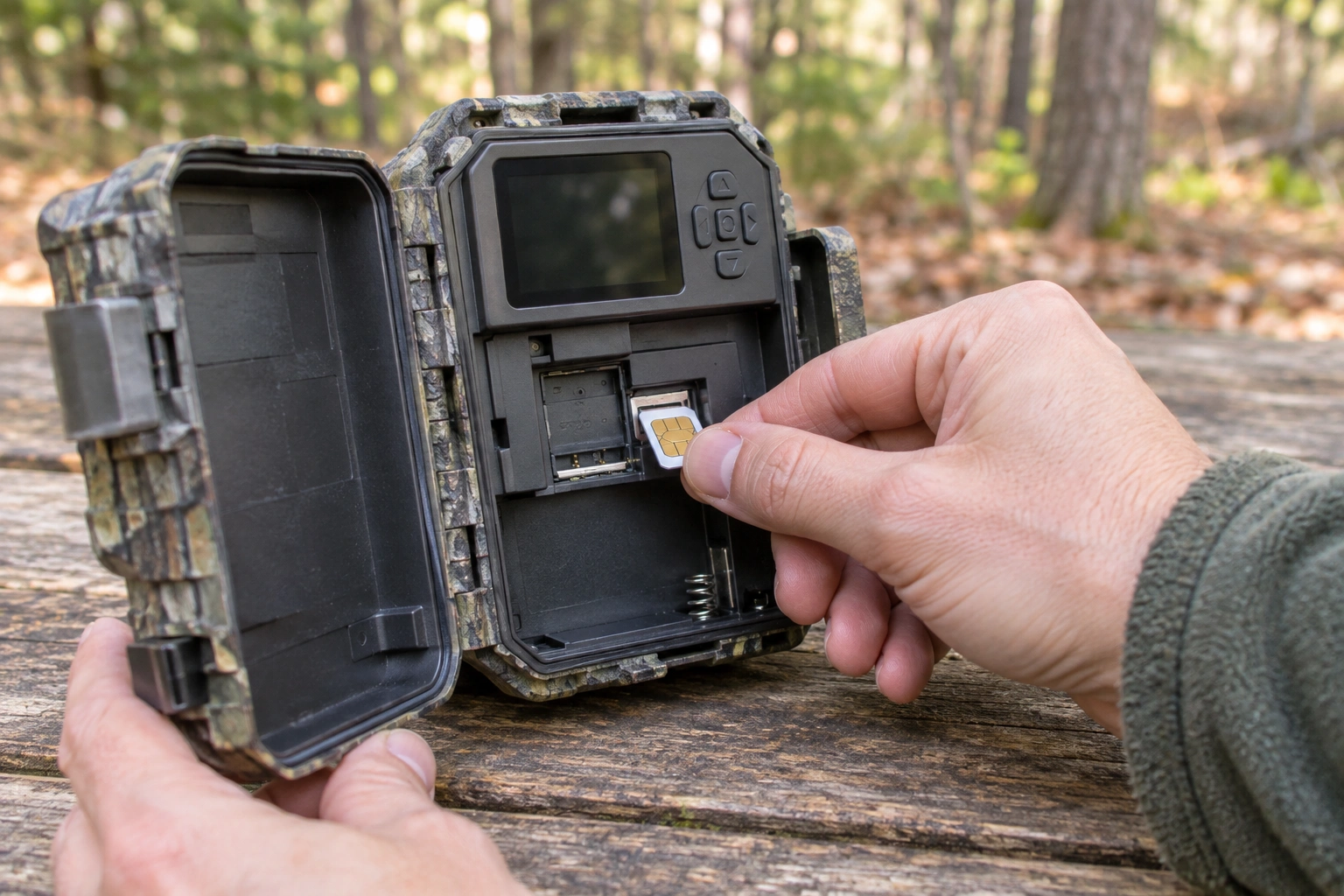
Locked vs Unlocked Cameras
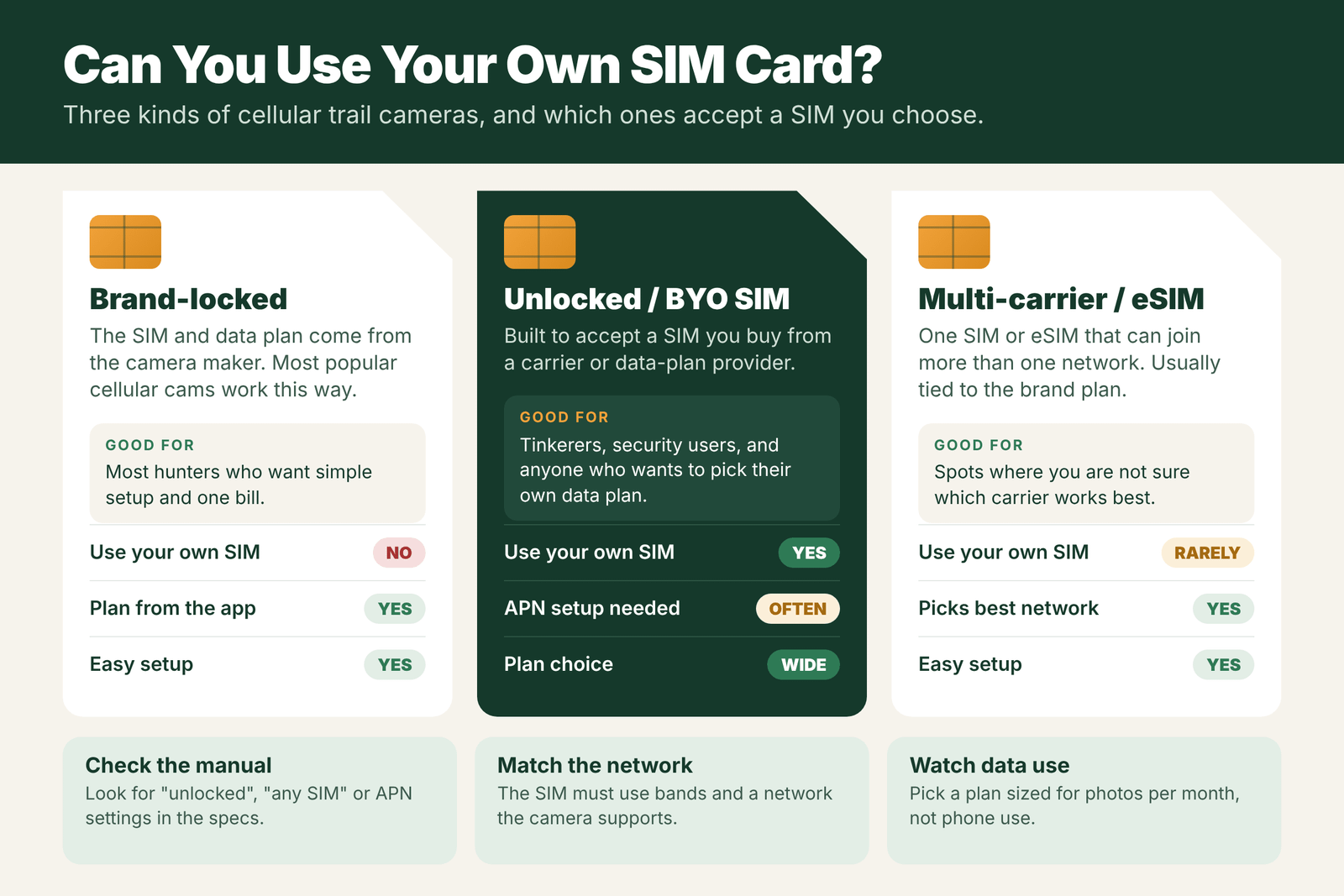
- Locked (brand plan) cameras: the SIM comes in the camera or in the box, and you buy a plan in the brand’s app. The camera, SIM and app are built to work together. You cannot swap in your own SIM.
- Unlocked (bring your own SIM) cameras: sold to accept a SIM you choose. Photos may be sent by email, through an app, or both. You manage the data plan yourself.
- Multi-carrier and eSIM cameras: one SIM or built-in eSIM that can join more than one network. They are easy to use but are usually tied to the brand’s plans.
Read more about SIM-based models in trail cameras with a SIM card.
How to Tell Which Kind You Have
- Read the box and specs for words like “unlocked”, “any SIM”, “universal SIM” or “bring your own SIM”.
- Look in the manual for an APN settings section. If it has one, the camera can probably use other SIMs.
- Check how you activate it. If activation is only through the brand’s app with a camera ID, it is almost always locked.
- Ask the brand before buying a SIM if you are not sure.
Data Plans That Work
For an unlocked camera, you need a data plan, not a phone plan. Things to check:
- Network and bands: the SIM must use a network and LTE bands the camera supports.
- Data, not just calls and texts: the camera sends photos over data. Some setups also use MMS or email.
- Size the plan to your photos: thumbnails use far less data than full HD photos or video. See how much data a cellular trail camera uses.
- Cost: compare with the brand plans. See how much cellular trail camera plans cost.
- SIM size: nano, micro or standard. Many SIMs come in a punch-out holder that fits all three.
APN Setup Basics
The APN (Access Point Name) tells the camera how to connect to the carrier’s data network. On unlocked cameras you may need to enter it:
- Get the APN details from the SIM provider (name, and sometimes a username and password).
- Enter them in the camera’s menu, or in a setup file or app the brand provides.
- Set where photos should go, such as an email address or app account.
- Save, restart the camera, and send a test photo.
Some cameras set the APN automatically for common carriers. If photos do not send, a wrong APN is one of the first things to check.
Pros and Cons of Using Your Own SIM
Pros:
- Choose the carrier with the best signal at your spot.
- Pick a data plan that fits your use and budget.
- Not tied to one brand’s plan prices.
Cons:
- More setup, including APN settings.
- Apps and photo features are often simpler than big-brand apps.
- Support is split between the camera maker and the SIM provider.
- Fewer popular models support it.
For most hunters, a brand-plan camera is simpler. An unlocked camera makes sense if you like to tinker, want a certain carrier, or already have a data plan you trust.
Camera Types and SIM Options
| Camera type | SIM setup | Can you use your own SIM? | Plan comes from |
|---|---|---|---|
| Big-brand locked camera | SIM built in or supplied by the brand | No | The brand app |
| Multi-carrier / eSIM camera | Built-in SIM or eSIM that roams between networks | Usually no | The brand app |
| Unlocked “any SIM” camera | Empty SIM slot | Yes, a data SIM from a supported carrier | The carrier or a data provider |
| Older 3G camera | Old SIM type | No longer useful in most of the US | Networks shut down |
Step-by-Step: Using a Data SIM in an Unlocked Camera
- Check the camera’s supported networks and bands in the manual. Not every SIM works in every camera.
- Buy a data-only SIM or plan from a carrier that covers your camera spot. Some carriers sell data plans for devices like hotspots or tablets.
- Check the SIM size (nano, micro or standard) and get an adapter if needed.
- Activate the SIM with the carrier, often using the SIM’s ID number.
- Insert the SIM with the camera turned off.
- Enter the APN settings from the carrier in the camera menu or setup file, if the camera does not detect them automatically.
- Set where photos go: some cameras send to an app, others by email or MMS.
- Send a test photo and confirm it arrives.
Costs: Brand Plan vs Your Own SIM
Brand plans are usually priced by photo count, such as a few hundred photos a month on a basic plan and unlimited on higher tiers. They are simple, work with the app, and often include cloud storage and features like remote settings. Your own data SIM may cost less per gigabyte, especially if you already have a shared data plan, but you lose app features on many cameras, and setup takes more work. Photo size matters: if a camera sends full-size photos, a data plan can run out faster than you expect. For typical costs, see how much are cellular trail camera plans.
Field Examples
The phone SIM test: a hunter puts a spare phone SIM into a big-brand camera, hoping to skip the brand plan. The camera does not recognize it. Big-brand cameras are usually locked to their own SIM and service.
The unlocked success: another hunter buys an unlocked camera and a small data plan from a carrier with strong signal at the farm. After entering the APN settings, photos arrive by email. It works, but there is no app, no remote settings and no cloud gallery.
The 3G leftover: an old cellular camera with a 3G SIM stops sending. The network was retired, and no SIM change will bring it back. The camera can still be used as a regular SD card camera.
Mistakes With SIM Cards
- Assuming any SIM fits any camera. Most big brands lock their cameras.
- Buying a SIM before checking bands. A camera that does not support the carrier’s bands will not connect.
- Skipping APN setup. Without the correct APN, an unlocked camera may show signal but never send.
- Using a phone plan that does not allow data on other devices, or blocks MMS.
- Forgetting to check carrier rules on using SIMs in non-phone devices.
Which Option Should You Choose?
For most hunters, a big-brand camera with the brand’s plan is the easiest choice. The app, remote settings and support are worth the cost for many people. An unlocked camera with your own SIM can make sense if you are comfortable with setup, want to control your data costs, or run cameras in places where the brand’s carrier has no coverage. Either way, signal at the camera spot is the most important factor. See trail camera with SIM card.
How eSIM and Multi-Carrier Cameras Change Things
Newer cellular trail cameras often use an embedded SIM, called an eSIM, or a special multi-network SIM. Instead of being tied to one carrier, the camera can connect to more than one supported network and pick the strongest one at your spot. For you, that means less guessing about which carrier version to buy, and better odds in patchy areas. The trade-off is that you still cannot swap in your own SIM, because the network access is part of the brand’s plan. If you move cameras between properties in different regions, a multi-network camera can be a smart choice. Always check which networks it supports in your country, and whether it charges the same plan price on all of them.
Whatever kind of SIM your camera uses, keep the account in good standing. A lapsed plan, an expired card on file or a camera removed from your account in the app can stop uploads just as surely as a bad SIM.
Frequently Asked Questions
Can I put my own SIM card in a cellular trail camera?
Only if the camera is unlocked. Most big-brand cellular cameras are locked to their own SIM and plan, so a regular SIM will not work.
Can I use a phone SIM card in a trail camera?
In an unlocked camera, a SIM with a data plan on a supported network can work. In a locked camera, it will not, even if the SIM fits.
What is an unlocked trail camera?
It is a cellular trail camera built to accept a SIM card you choose, usually with APN settings you enter, instead of a SIM and plan from the brand.
Do eSIM trail cameras let me choose my carrier?
Usually not directly. eSIM and multi-carrier cameras pick between networks on their own but are normally tied to the brand’s data plans.
What is APN on a trail camera?
APN is the setting that tells the camera how to connect to the carrier’s data network. Unlocked cameras often need it entered before photos will send.
Can I use a prepaid SIM in a trail camera?
Only in an unlocked camera that supports that carrier’s network. Big-brand cameras usually require their own plan.
Do I need a data plan for every cellular trail camera?
Yes. Each cellular camera needs its own plan or SIM, whether through the brand or a carrier.
What happens if my trail camera SIM stops working?
Check the plan and account first, then the signal and batteries. If the SIM is damaged, contact the brand or carrier for a replacement.