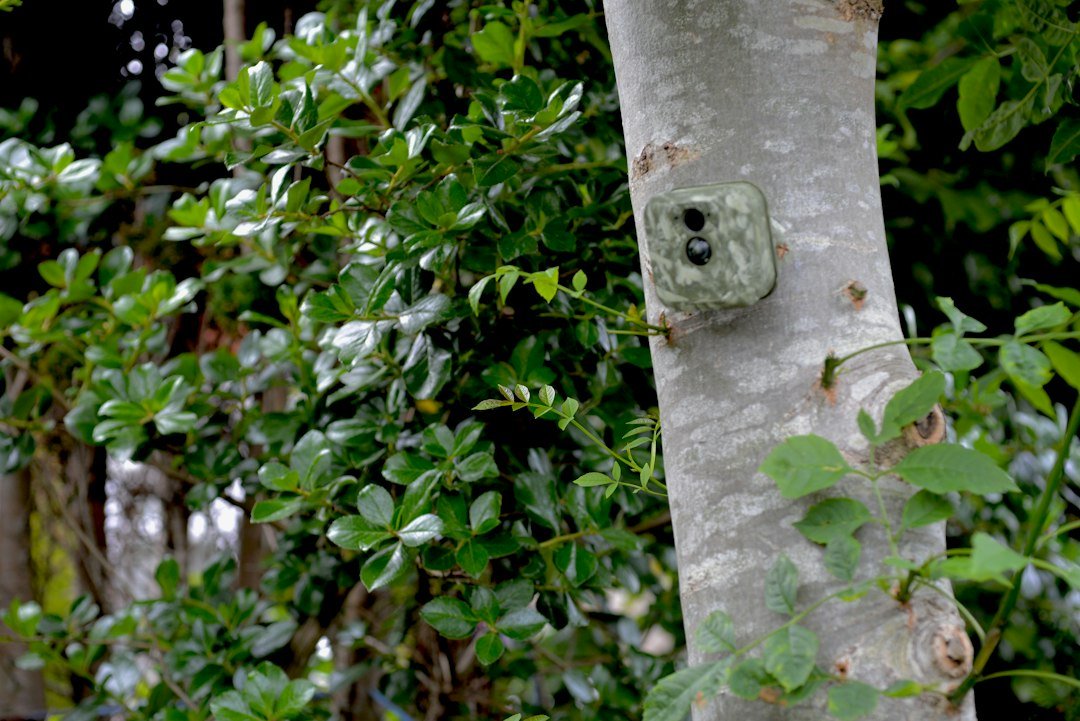
What is a non-cellular trail camera? It is a motion-activated wildlife camera that saves photos and videos locally rather than sending them over a mobile cellular network. You normally collect the memory card to see your recordings. Here is how these cameras work, how they compare with cellular models, and when to choose one.
What Is a Non-Cellular Trail Camera?
A non-cellular trail camera is a battery-powered or externally powered camera that captures wildlife activity without using a mobile cellular network to send photos to your phone. Most models record photos and video onto an SD or microSD card installed inside the camera. When you want to see the results, you normally visit the location, remove the card, and view the files on a compatible computer or reader. Some models have built-in screens, and certain non-cellular models support local Wi-Fi or Bluetooth access from nearby. That local wireless capability does not make them cellular cameras. The defining distinction is that they do not use a mobile data connection for remote transmission. These cameras can be practical in remote areas without cellular coverage.
How Does a Non-Cellular Trail Camera Work?
Most trail cameras wait in a low-power state until their passive infrared sensor detects a change in heat patterns across the detection zone. The electronics then activate the camera to capture one or more photographs or a video clip according to its settings. Some models also support time-lapse recording at scheduled intervals. During daylight, the camera records using available light. At night, many models use infrared illumination to capture black-and-white images, although specific designs vary. The files are saved locally on a compatible memory card. Unlike a cellular trail camera, a conventional non-cellular model does not require a subscription or carrier signal simply to record and store its images. It still needs suitable power, working storage, and correct settings.
Non-Cellular vs Cellular Trail Camera
The most important difference is how you access captured images. A non-cellular camera generally keeps files on its memory card until you collect them. A cellular camera uses a mobile network to transmit selected files to an app or service, usually with an active data plan. Cellular transmission can save travel time but introduces coverage requirements, recurring charges, and additional power demands. A non-cellular model is simpler for users who can visit the camera regularly. Neither type guarantees better image quality: lens design, sensor, flash, processing, and placement matter much more. Some cellular cameras also retain local copies on an SD card, so cellular and local recording are not mutually exclusive. Choose based on your monitoring routine rather than a single feature.
Do Non-Cellular Trail Cameras Need Wi-Fi?
No. A standard non-cellular trail camera can take pictures and store them without Wi-Fi, internet access, or a phone connection. That independence is one of its main advantages. A few non-cellular models offer short-range Wi-Fi or Bluetooth so you can preview images or adjust settings while standing nearby. Those features are not the same as internet connectivity, and their range depends on the model and surroundings. A Wi-Fi-enabled non-cellular camera will not automatically send images to you from miles away unless it has some separate supported network solution. Read the manufacturer’s documentation carefully because product listings sometimes use the word wireless to describe very different capabilities. For basic recording, the essential items are compatible storage and an approved power source.
Do You Need a Subscription?
Most ordinary non-cellular trail cameras do not require a monthly subscription for basic photo and video recording. The camera saves files to its local memory card, which you purchase separately if one is not included. There may still be optional costs for batteries, external power, accessories, or specialized software, but cellular photo-transmission fees are not necessary for a device that does not transmit over a carrier network. Always check the exact product description rather than assuming every camera advertised as wireless has no recurring costs. If a seller promotes cloud backup, remote app access, or live streaming, verify how those functions connect and whether a subscription is required. A conventional SD-card camera is generally the simplest option for avoiding data-plan charges.
Main Advantages of Non-Cellular Trail Cameras
The first advantage is independence from mobile signal. A camera can record in wooded areas, valleys, and remote properties even when a phone has no service. Second, there is usually no cellular data-plan fee for basic operation. Third, setup can be straightforward because you do not need to register a SIM or activate a remote account. Fourth, the absence of cellular transmissions may reduce power demand compared with an otherwise similar connected camera, although actual runtime depends on many factors. Fifth, locally stored files can be reviewed without uploading them to a cloud service. These benefits make non-cellular cameras appealing to wildlife enthusiasts, landowners, and beginners who prefer hands-on maintenance and direct access to their files.
Main Disadvantages to Consider
The biggest drawback is that you usually need to visit the camera to retrieve images. That can be inconvenient if the device is far away, located in difficult terrain, or used to monitor a place you rarely visit. Repeated visits can also disturb wildlife activity near a trail. Without cellular connectivity, you generally cannot receive immediate remote notifications when something triggers the camera. A stolen or damaged camera may take its locally stored images with it unless you previously collected them. Memory cards can fill, fail, or become corrupted, so occasional maintenance is essential. A non-cellular camera is therefore less suitable when you need timely security alerts or frequent remote updates. These limitations are about connectivity, not necessarily capture quality.
Best Uses for a Non-Cellular Trail Camera
Non-cellular trail cameras work well for wildlife photography, checking animal movement on familiar trails, observing backyard visitors, and monitoring remote areas where mobile coverage is unreliable. They can also document activity at a shed, fence, or farm entrance when the owner can collect recordings regularly. For wildlife monitoring, place the camera where animals naturally pass and check it without disturbing habitat. For property use, comply with applicable privacy and recording laws and avoid aiming into neighboring private spaces. A non-cellular camera should not be treated as a substitute for a monitored security alarm when immediate action is essential. The best use is one where you value reliable local capture more than instant delivery of images.
How to Set Up a Non-Cellular Trail Camera
Start by reading the manual and checking which batteries, memory cards, and formatting methods the model supports. Insert a complete set of approved batteries or a compatible power pack. Install the memory card and format it as directed after backing up any existing files. Set the date and time, photo or video mode, image quality, capture interval, and PIR sensitivity. Mount the camera securely on a stable tree or post, keeping grass and branches away from the lens and detection window. Arm the device, then walk across the intended detection zone to create a test capture. Finally, inspect the actual file to confirm that the camera is aimed correctly. See our trail camera aiming guide for positioning advice.
How Do You View the Pictures?
For most models, switch off the camera according to its instructions, remove the SD or microSD card, and insert it into a compatible computer or card reader. Open the image or video folder and copy the files to a safe location before deleting or formatting anything. Some cameras include a built-in display that lets you review photos without removing the card. Others support short-range app connections, but only when you are close enough and the camera has the necessary hardware. Always follow the manufacturer’s safe card-removal procedure because pulling a card during writing can corrupt files. If the card appears empty, check the correct folder, camera date settings, and capture mode before concluding that nothing was recorded.
What Type of SD Card Should You Use?
Memory card requirements vary considerably among trail camera models. Check the supported capacity, card type, and formatting standard in the user manual. A larger card is not automatically better if the camera cannot recognize it. Some older cameras support smaller SDHC cards, while newer devices may accept higher-capacity SDXC cards. Use a reputable card that meets the camera’s stated speed requirements, especially for video recording. Before reformatting, back up any images you need to keep. If the camera reports a card error, test a known-good compatible card rather than assuming the device itself is broken. Our trail camera SD card guide explains common storage issues.
How Long Do Batteries Last?
Battery life can vary from a short deployment to many months depending on the model, temperature, trigger frequency, nighttime infrared use, and recording settings. A non-cellular camera avoids the power used for mobile network transmissions, but it can still drain batteries quickly when recording frequent long night videos. Choose only the battery chemistry approved by the manufacturer. Primary lithium AA batteries may offer advantages in cold conditions where supported, while rechargeable packs require exact compatibility. If the camera takes hundreds of empty photos because of moving vegetation, correcting the placement may improve battery life more than changing a menu setting. For additional guidance, see our battery life guide.
Can a Non-Cellular Camera Record at Night?
Yes, many non-cellular trail cameras can record nighttime photos and videos using infrared illumination. Night recording does not require a cellular signal or Wi-Fi connection. The camera detects activity, activates its infrared LEDs if needed, and saves the resulting file to local storage. Image quality depends on the illumination system, distance to the subject, exposure, movement, and available battery power. Some models use low-glow infrared, while others use no-glow designs that are less conspicuous. Do not assume a high advertised megapixel number guarantees clear nighttime detail. Test the camera at the actual location after dark, and keep reflective branches away from the flash. If night photos are missing, see our night photo troubleshooting guide.
Can You Turn a Non-Cellular Camera Into a Cellular One?
Usually, a conventional non-cellular trail camera cannot simply become a cellular model by inserting a SIM card. Cellular transmission requires compatible modem hardware, firmware, antenna design, and service activation. Some manufacturers offer external accessories for selected models, but compatibility must be confirmed rather than assumed. A local Wi-Fi or Bluetooth connection is not equivalent to mobile cellular service. If remote delivery is important, it may be simpler to buy a purpose-built cellular camera rather than attempt an unsupported conversion. Before buying any adapter, check whether it explicitly supports the camera’s model number and whether a service plan is required. Our cellular conversion guide explains the limitations.
How Often Should You Check It?
There is no universal checking interval. A camera on a quiet trail with a large compatible memory card and healthy batteries may need less frequent visits than a camera recording heavy traffic or long videos. Initially, inspect the camera soon after installation to make sure it is working correctly. Review how many files it creates, how quickly the battery level changes, and whether vegetation is causing false triggers. Adjust your maintenance schedule based on those observations and the importance of the location. If you are monitoring wildlife, avoid unnecessary visits that disturb animals or habitat. For property monitoring, remember that delayed retrieval means you may not learn about an event until your next visit. See our camera checking schedule guide.
Common Problems and Easy Fixes
If the camera does not take pictures, confirm that it is armed, the batteries are fresh, the card is compatible, and the PIR sensor is not obstructed. If pictures are blurry, inspect the lens and check whether the subject is moving too quickly for the exposure. If night photos are black, investigate infrared illumination and battery power. If the memory card appears empty, verify the date, file folder, and recording schedule. A camera that shuts down unexpectedly may have weak batteries, moisture damage, or a power connection problem. Change one variable at a time and repeat a controlled test. For a systematic checklist, consult our trail camera troubleshooting guide.
How to Choose the Right Non-Cellular Model
Begin with the environment where the camera will be installed. For a distant woodland trail, prioritize weather resistance, battery life, reliable detection, and a secure mounting system. For bird or backyard wildlife photography, close-range image detail and a suitable field of view may matter more. Check whether the camera supports the video resolution, night illumination, memory card capacity, and power source you need. Look at real sample images from the exact model instead of relying only on advertised megapixels or detection range. If you want to view files without removing the card, choose a model with a built-in screen or supported local wireless access. Compare total cost, including batteries, cards, locks, and accessories.
Frequently Asked Questions
What does non-cellular mean on a trail camera? It means the camera does not use a mobile cellular connection to send its recordings remotely. Will it work without internet? Yes, conventional models save files locally without internet access. Does it need an SD card? Most do, although storage arrangements vary by model. Can it send pictures to my phone? Usually not from a distance; some models offer local Wi-Fi or Bluetooth access nearby. Is it cheaper than cellular? It generally avoids cellular transmission plan charges, but purchase and maintenance costs vary. Can it take pictures at night? Yes, many models use infrared flash. Is it good for security? It can document activity, but it does not normally provide instant remote alerts.
Final Verdict and Useful Sources
A non-cellular trail camera is an excellent option when you want straightforward wildlife recording without relying on mobile coverage or paying a cellular data subscription. Its main tradeoff is that you generally must visit the camera to review files. If you can manage periodic visits and do not need instant alerts, this simpler design may suit you better than a connected model. Check the exact specifications and user manual before buying. Manufacturer resources include Browning Trail Cameras, Tactacam, and SPYPOINT. Product features vary, so the model manual is the best source for supported storage, batteries, flash, and local wireless options.
As an Amazon Associate, I earn from Qualifying Purchases.