
How to Turn Off a Tactacam Reveal Camera (and Store It)
A lot of Reveal owners go looking for a big power button on the outside of the camera and do not find one. That leads to a common question: how do you actually shut it off when you pull it for the season, move it, or need to restart it? The answer depends a little on your model, but it is simple. Here is how to turn off a Tactacam Reveal, and how to store it so it starts right up next season.
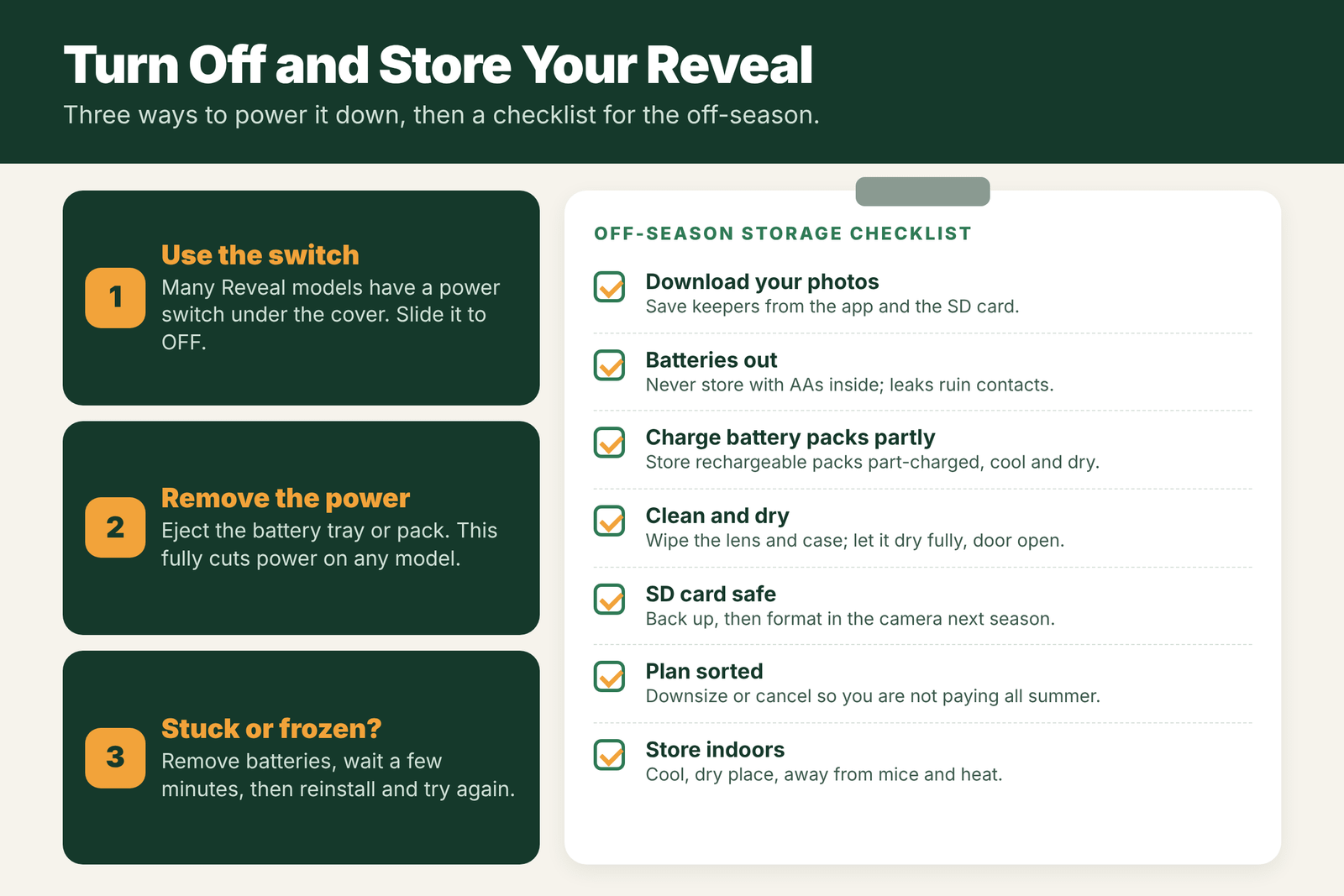
Open the camera’s cover. Many Reveal models have a power switch inside (often marked ON / SETUP / OFF): slide it to OFF. To cut power completely on any model, remove the battery tray or battery pack, using the eject button if your model has one. For storage, take the batteries out, download your photos, clean and dry the camera, and keep it somewhere cool and dry. Next season, put in fresh batteries and the SD card, switch it on, and let it check in with the app.
- Power switch
- Inside the cover on many models
- Full power off
- Remove batteries or pack
- Frozen camera
- Batteries out a few minutes
- Storage
- Batteries out, cool and dry
- Before storing
- Download photos, sort the plan
- Next season
- Fresh batteries, check in
Why There Is No Outside Power Button
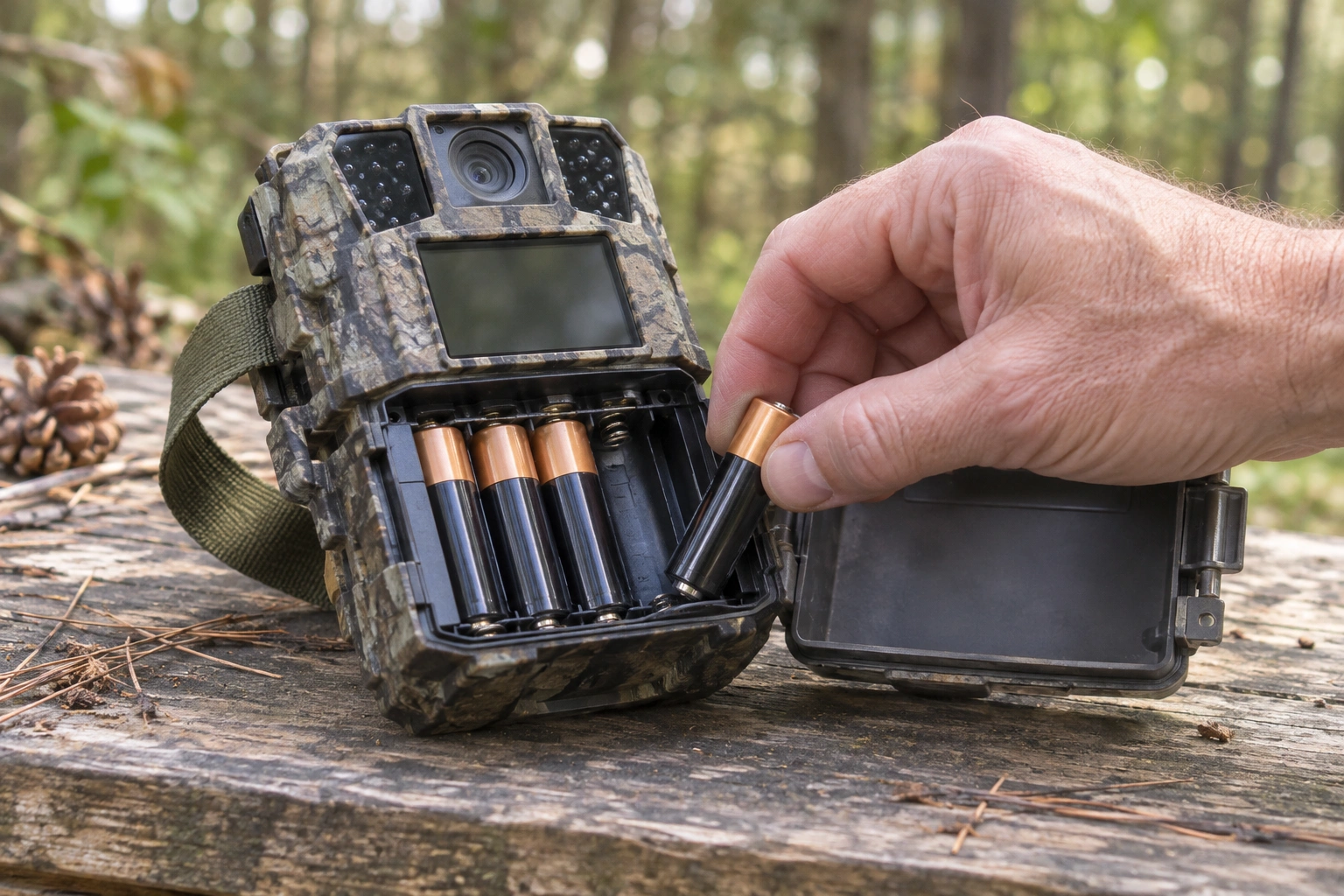
Trail cameras live outside in rain, snow and dust. Putting the controls inside the sealed cover keeps water out and stops branches, animals or curious people from turning the camera off. On many Reveal models you will find a small power switch behind the cover, often with ON, SETUP and OFF positions, along with a battery eject button and sometimes a reset button. Check your manual, since layouts differ between models.
Turning It Off
- Open the cover or door of the camera.
- Find the power switch and slide it to OFF. The status light should go dark.
- If your model has no switch, or the switch is stuck, remove the power instead (below).
Removing Batteries Safely
- Use the eject button if your model has one, to release the battery tray or pack.
- Do not pry the tray with a knife or screwdriver.
- Note the direction of the batteries (+ and −) for when you put them back.
- Frozen camera? Remove the batteries and any external power, wait a few minutes, then reinstall and turn it on.
Battery storage tips: how to store trail camera batteries.
Off-Season Storage
- Download your photos from the app and the SD card.
- Take the AA batteries out. Batteries left inside can leak and ruin the contacts.
- Rechargeable packs: store partly charged, in a cool, dry place, and top them up before next season.
- Clean and dry the lens and case. Leave the door open for a day so moisture escapes.
- Sort the plan: downsize or cancel so you do not pay all summer. See how to cancel a Tactacam Reveal subscription.
- Store indoors, away from heat, mice and damp basements.
Turning Back On and Re-Syncing
- Insert fresh lithium batteries or a charged pack, and the SD card.
- Make sure the camera has an active plan in the REVEAL app.
- Switch it on near good signal and wait a few minutes for it to check in.
- Update the app and firmware if asked. See how to update a Tactacam Reveal.
- Format the SD card in the camera and send a test photo.
If it does not start normally, see how to reset a Tactacam Reveal X or our main Tactacam Reveal guide.
What Each Switch Position Does
On Reveal models that have a three-way switch, the positions usually work like this. Labels and behavior differ between models and firmware, so check the manual for yours.
| Position | What the camera does | When to use it |
|---|---|---|
| OFF | No power to the camera. No photos, no check-ins | Moving the camera, swapping cards, storage |
| SETUP (or TEST) | Camera powers on for pairing, aiming or menu changes, often without arming | First setup, checking aim, sending a test photo |
| ON | Camera is armed. Takes photos and checks in on schedule | Normal use in the field |
A common mistake is leaving the switch in SETUP when you walk away. Depending on the model, the camera may not take photos in that mode, or it may run the screen and use extra power. Always look at the switch one last time before you close the cover.
When to Turn It Off, and When Not To
| Situation | Turn off? | Why |
|---|---|---|
| Swapping the SD card | Yes | Removing a card while the camera writes a file can corrupt it |
| Changing batteries | Yes | Avoids power spikes and a messy restart |
| Moving the camera to a new tree | Yes | Prevents dozens of photos of your truck seat |
| Driving home with it | Yes | Saves batteries and data |
| Off-season storage | Yes, and remove batteries | Prevents leaks and corrosion |
| Changing a setting in the app | No | The camera applies it at the next check-in |
| Stopping photos for a few days on the same tree | Usually no | A power cycle on return uses more effort than leaving it running |
Turning Off in the Field Without Spooking Deer
Every visit leaves scent and noise, so make it quick:
- Plan the visit for midday, when deer are usually bedded, and approach from downwind if you can.
- Bring everything you need in one trip: spare batteries, a formatted SD card, a small towel and a plastic bag for the camera.
- Open the cover, switch to OFF, wait a couple of seconds for the light to go out, then remove the card or batteries.
- Wear gloves to cut down on scent on the camera and strap.
- Leave the strap and mount on the tree if you will be back, so you can rehang the camera at the same angle.
Battery Removal by Power Type
- AA battery tray: slide or eject the tray, then remove cells one at a time. If one cell looks swollen, leaking or rusty, replace the whole set and clean the contacts.
- Rechargeable battery pack: press the release, lift the pack out and charge it indoors with the charger made for it. Do not charge a cold or wet pack until it is at room temperature and dry.
- External power or solar: unplug the cable before you remove the internal batteries, so the camera does not keep running from the panel. Cap or cover the port if your model has a cover.
A Full Off-Season Shutdown Routine
- Send one last test photo so the app shows the camera’s final status.
- Download photos from the app and copy the SD card to your computer.
- Decide on the plan: cancel, downsize or keep, and note the renewal date.
- Switch to OFF and take the camera down.
- At home, remove the batteries and SD card.
- Wipe the lens and IR panel with a soft cloth, brush dust and spider webs off the seal, and let the case dry open for a day.
- Store the camera, card and mount together in a labeled bag or box.
- Put a reminder in your phone for late summer to restart and test the camera before you hang it.
Mistakes to Avoid
- Leaving batteries in over summer. This is the most common way cameras get ruined between seasons.
- Pulling the SD card with the camera on. It can corrupt the card and lose photos.
- Turning off during a firmware update. This can leave the camera unable to start. Let updates finish first.
- Forgetting the plan. A camera that is off still costs money if its plan keeps renewing.
- Storing in a hot vehicle or attic. Heat is hard on batteries, seals and plastic.
Field Example
A hunter moves a Reveal from a summer food plot to a fall scrape line. At the plot they open the cover, slide the switch to OFF, wait for the light to go out and pull the SD card. They leave the batteries in because the move takes ten minutes. At the new tree they strap the camera up, put in a freshly formatted card, slide the switch to SETUP to check the aim with a test photo, then slide it to ON before closing the cover. Back at the truck, they open the app and confirm the test photo arrived and the camera shows its new name. Turning it off during the move kept the card free of dozens of photos of the truck floor and saved a little battery for the busy weeks ahead.
Frequently Asked Questions
How do I turn off my Tactacam Reveal?
Open the cover and slide the power switch to OFF if your model has one. To cut power completely, remove the battery tray or battery pack.
Does the Tactacam Reveal have a power button?
There is no big outside button. Many models have a power switch inside the cover, often marked ON, SETUP and OFF.
Should I take the batteries out of my Reveal for storage?
Yes. Batteries left in a stored camera can leak and damage the contacts. Store rechargeable packs partly charged in a cool, dry place.
How do I restart a frozen Tactacam Reveal?
Remove the batteries and any external power, wait a few minutes, then reinstall the power and turn the camera on.
Do I need to re-sync my Reveal after storage?
Yes. Make sure the plan is active, then turn the camera on near good signal and let it check in with the app.
What is the SETUP position on a Tactacam Reveal switch?
On models that have it, SETUP powers the camera on for pairing, aiming or test photos. It may not take normal photos in that mode, so switch to ON before you leave.
Should I turn off my Reveal before removing the SD card?
Yes. Removing the card while the camera is writing a file can corrupt it and lose photos.
Does turning off a Tactacam Reveal cancel the plan?
No. The plan keeps renewing even when the camera is off. Downsize or cancel the plan separately in the app or where you pay.