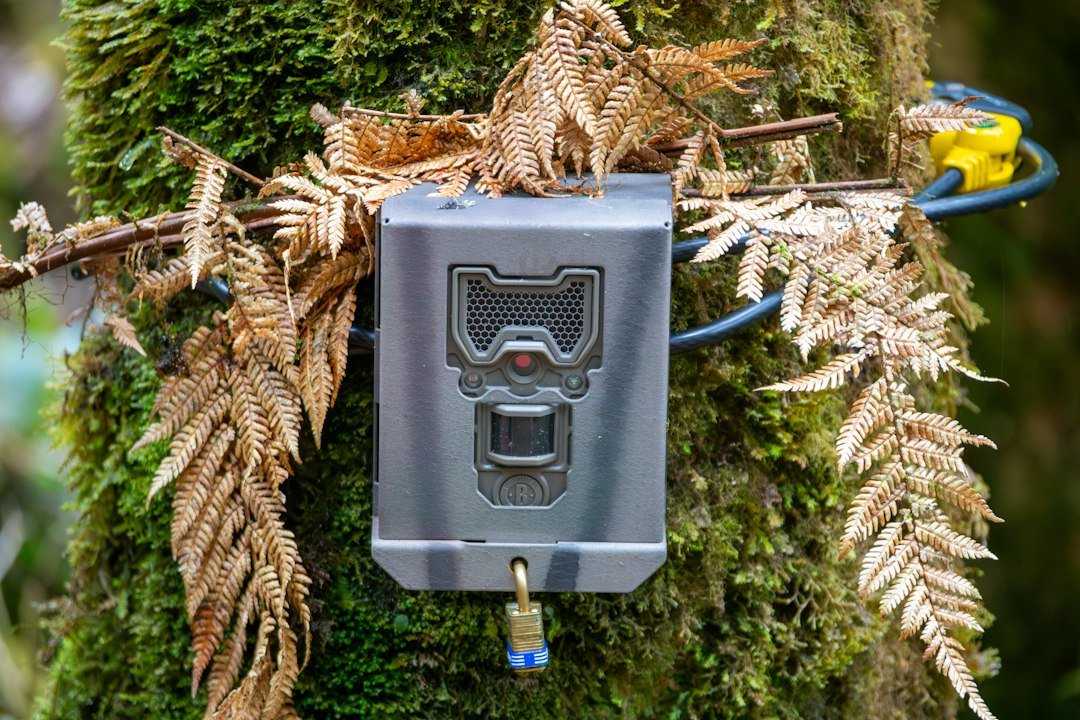
How to aim a trail camera: position it to capture animals moving through the center of the detection zone, avoid direct sun and reflective foreground objects, and test the angle before leaving it unattended. The following field guide explains how to choose height, direction, distance and tilt for deer trails, wildlife monitoring and security.
Quick Answer: Where Should a Trail Camera Point?
Aim a trail camera across the area animals are most likely to cross, with the lens directed toward the center of the expected movement zone. A slightly diagonal view along a trail often keeps an animal in the frame longer than a strict side-on view. Avoid pointing directly into sunrise or sunset, and keep branches, grass, and other close objects away from the infrared illumination path. The ideal direction is determined by the camera’s field of view, detection zone, expected animal height, terrain, and lighting. There is no single compass direction that works in every location.
Start With a Specific Subject and Distance
Before attaching the camera, decide whether you want full-body deer images, small-animal activity, a feeder overview, or a record of movement along a narrow crossing. These jobs call for different framing. Walk to the spot where the animal will probably be and look back toward the intended mounting tree. If the camera would photograph mostly empty ground or sky, move the mount. A subject at the far edge of the manufacturer’s detection range may trigger inconsistently and look too small to identify. Begin with a moderate distance and test actual images instead of trusting a maximum range printed on the packaging.
Aim Across the Trail or Along It?
Pointing across a trail gives a useful side profile and can show which direction an animal is traveling. However, a fast-moving deer may cross the detection zone before a slower camera captures a clear image. A diagonal angle down the trail gives the animal more time in view, often improving the chance of a complete photograph. Looking directly down a trail can also work, but an approaching animal may obscure the scene or be detected at a different distance than expected. Try both angles with a walk test and choose the one that produces consistently framed images.
Choose the Right Mounting Height
For deer-sized wildlife, a starting height around knee to waist level on an adult may work for many level trails, but the correct height depends on distance, terrain and the angle of the camera. A low mount may be blocked by grass or snow, while a high mount may show mostly backs and ground. Some people mount cameras above eye level and tilt downward to reduce casual interference or make the camera less conspicuous. If you do this, use a secure adjustable bracket or wedge and verify that the detection sensor still covers the animal’s path. Never assume that the lens and motion sensor point at precisely the same area.
Tilt the Lens to Center the Animal
Once the camera is mounted, look at its preview screen or take a test photograph. Place the expected subject area near the middle of the image, leaving some room above the head and in front of the direction of travel. On a downhill trail, the camera may need a downward tilt even if the mount looks level against the tree. On an uphill trail, the opposite may be true. A small wedge behind the camera can correct a poor angle, but it must not loosen the strap or compromise the weather seal. Adjust in small increments and repeat the test.
Avoid Sunrise, Sunset and Harsh Backlight
Direct sun can cause glare, washed-out images and repeated false triggers when moving branches create changing heat and light patterns. In many Northern Hemisphere locations, facing generally north can help avoid direct low-angle sun, but this is only a rule of thumb. In the Southern Hemisphere, a generally south-facing direction may be more useful for the same reason. Local trees, terrain, season and the actual path matter more than a compass rule. If the trail forces you toward bright sun, reposition the camera under shade or change the angle until the test photos are usable.
Check the Motion Sensor, Not Just the Picture
Most trail cameras rely on a passive infrared sensor that detects changes in thermal radiation as subjects move through its coverage area. The detection pattern is not necessarily identical to the visible picture. A deer can be within the frame but outside the sensor’s most responsive zone, or trigger before entering the center. Walk across the path at different distances while the camera is in test mode. Note where the indicator light responds, then compare the saved images. Adjust mounting position and sensitivity if animals repeatedly appear at the extreme edge or are missed.
Set Distance for Clear Night Photographs
Nighttime images depend on the infrared LEDs or flash as well as the lens. Subjects too far away may look dark, while branches close to the camera can reflect infrared light and make the background appear black. Aim into an open section of trail rather than through leaves, grass or a fence. If your camera offers adjustable infrared intensity, test it at the actual distance. Avoid reflective surfaces close to the lens. The best night distance is the one your specific model can illuminate clearly, not necessarily its advertised maximum illumination range.
Use a Walk Test Before Leaving
After installing batteries and a compatible memory card, set the date and time and select a basic photo mode. Stand at the expected animal crossing, then walk slowly through the area from both directions. Check whether the camera triggers and whether your whole body appears in the image. Repeat from the near and far edges of the intended detection zone. Try a faster walk to simulate movement. Review the files before leaving, because a camera can appear properly mounted while aiming above or below the action. After testing, switch it into its actual armed mode.
Aim a Trail Camera for Deer
For deer monitoring, identify the most reliable route rather than the most attractive-looking tree. Tracks, worn paths and repeated sightings can help identify a crossing. Place the camera so a deer is likely to travel diagonally through the center of the frame. Avoid mounting directly at nose height where animals may investigate the housing. Check that tall vegetation will not obscure legs or the lower body. If nighttime activity is important, keep the subject within the camera’s useful infrared range. Minimize repeated visits, especially around sensitive bedding areas, and obey local rules for camera placement.
Aim a Camera at a Feeder or Mineral Site
Where feeding or mineral sites are lawful, use a wider framing approach because animals may approach from multiple directions and spend time standing still. Position the camera far enough away to capture the full activity area without sacrificing useful detail. A slight downward angle can reduce empty sky and keep the feeding zone in view. Avoid placing the camera so close that animals fill the frame or trigger only when they are already leaving. Check whether any nearby post, roof or reflective feeder component creates infrared glare at night. Follow wildlife regulations and do not assume baiting is permitted.
Aim a Camera on a Slope, Ridge or Creek Crossing
Sloped terrain changes the apparent height of the animal relative to the lens. A camera mounted on the uphill side may need a different tilt from one on the downhill side. At creek crossings, avoid aiming across bright reflective water if it dominates the image or produces nighttime reflections. Choose a stable mounting point above likely flood levels and keep the housing clear of splash and debris. On a ridge, consider whether strong wind will move nearby branches and create false triggers. Test the actual route from the animal’s likely approach rather than relying on a level-looking camera body.
Prevent False Triggers From Poor Aiming
An empty photo does not always mean the camera is defective. Sun-warmed vegetation, moving branches, temperature shifts and subjects crossing just outside the picture can cause confusing results. Move the camera away from foreground grass, reduce unnecessary sensitivity if your model allows it, and check whether the detection zone extends beyond the desired area. Avoid pointing at a busy road or other irrelevant movement. Adjust one setting at a time so you know which change helped. For more detail, read our guide to PIR sensitivity settings.
Aiming a Trail Camera for Security
For a driveway, gate or remote property, aim at a defined approach route rather than trying to cover an enormous area with one sensor. Consider whether a person or vehicle will cross the detection zone quickly and whether the camera can capture identifying detail at the intended distance. Mount securely, keep it out of direct glare, and test during day and night. Do not record neighboring property or private spaces without permission. Trail cameras can supplement property monitoring, but they do not replace a purpose-built security system when real-time alerts, continuous recording or reliable identification are essential.
Common Aiming Mistakes
The most common errors are mounting too high without tilting down, pointing at open sky, choosing a distance beyond useful nighttime illumination, allowing nearby branches to reflect infrared light, and failing to test the motion sensor. Another mistake is changing sensitivity, mounting angle and trigger interval simultaneously; if performance improves, you will not know why. Avoid judging an entire location from one empty night. Wildlife movement varies with weather, season and human activity. Make a small, repeatable adjustment and compare several nights of results.
Frequently Asked Questions
Should a trail camera face north? In many Northern Hemisphere locations, north-facing placement can reduce direct sun glare, but terrain and animal movement matter more. How high should I mount a trail camera? Start at a height suited to the target animal and expected distance, then adjust based on test images. Should I point directly down a deer trail? A diagonal angle often gives the subject more time in the frame, but test both directions. Why are my night photos white? Nearby reflective objects or excessive infrared illumination can cause washout. Can a trail camera detect motion outside the picture? Yes, the motion sensor coverage and camera field of view can differ. Should I aim above an animal? Aim to keep the animal centered, allowing enough room for its full body and direction of travel.
Final Setup Checklist
Before leaving the camera, confirm the mounting strap is secure, the lens is clean, the date and time are correct, and the memory card and batteries are compatible. Check the angle with an actual photograph, then walk through the near and far parts of the detection zone. Verify a nighttime test when practical. Remove close vegetation from the frame only where permitted, ensure the camera is armed, and record its location for future visits. For more help, see our trail camera buying guide, nighttime IR glare fixes, and complete setup tutorial.
As an Amazon Associate, I earn from Qualifying Purchases.