Check batteries, sensor angle, trigger speed, and settings — most fixes are simple adjustments.
I’ve spent years testing trail cameras in cold mornings, wet woods, and open fields. I know the frustration when a camera refuses to trigger. This guide on how to fix trail camera not triggering walks you through causes, step-by-step fixes, and real-world tips that work. Read on and you’ll get clear, practical fixes you can try today.

Why a trail camera may not trigger
Trail cameras rely on motion sensors, power, and proper setup. Faults in any of these parts stop the camera from firing. Common reasons include dead batteries, poor sensor alignment, wrong settings, or environmental issues. Knowing the common causes makes how to fix trail camera not triggering easier and faster.

Quick checklist to fix trail camera not triggering
Follow this checklist before deeper troubleshooting. It saves time and fixes many problems fast.
- Check batteries and power. Use fresh or fully charged batteries and confirm proper seating.
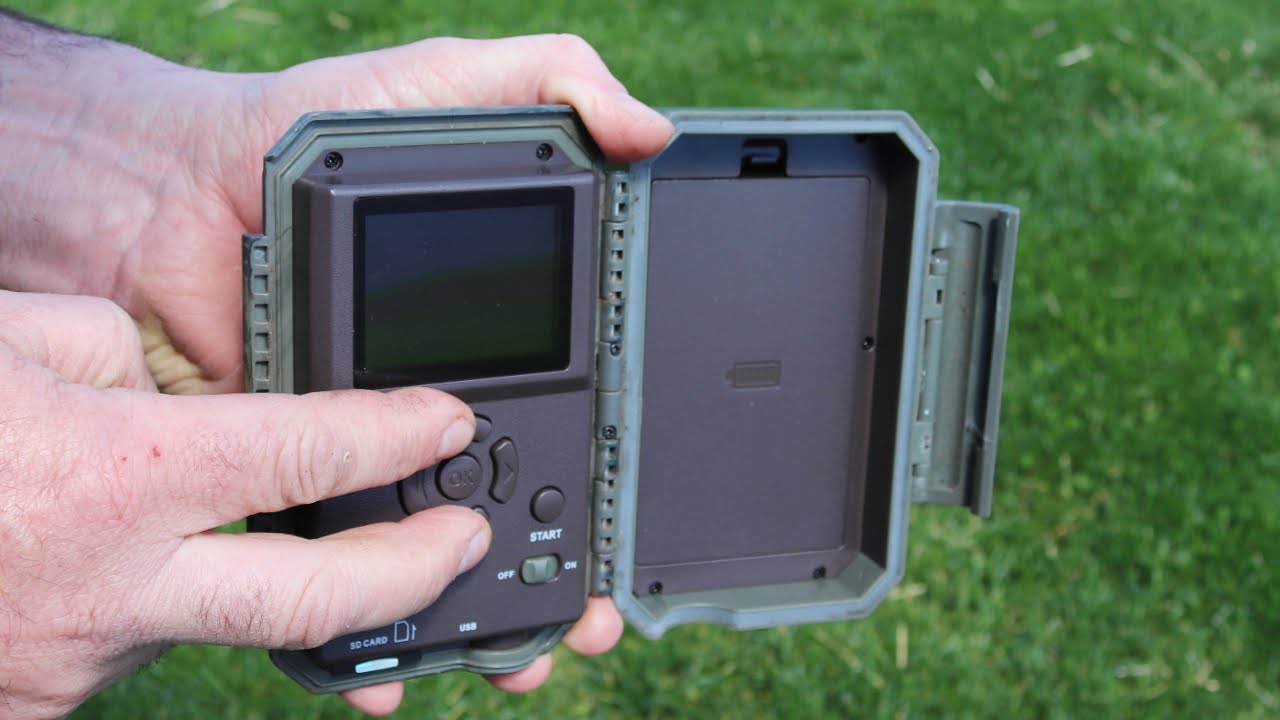
- Inspect SD card. Ensure it is inserted correctly and formatted in the camera.
- Review camera settings. Confirm motion mode, sensitivity, and trigger interval.
- Clean the lens and sensor. Remove dirt, spider webs, and condensation.
- Confirm position and angle. Aim the sensor at likely animal paths, not at sky or thick brush.
These steps cover most cases of how to fix trail camera not triggering. Try each one before moving on.
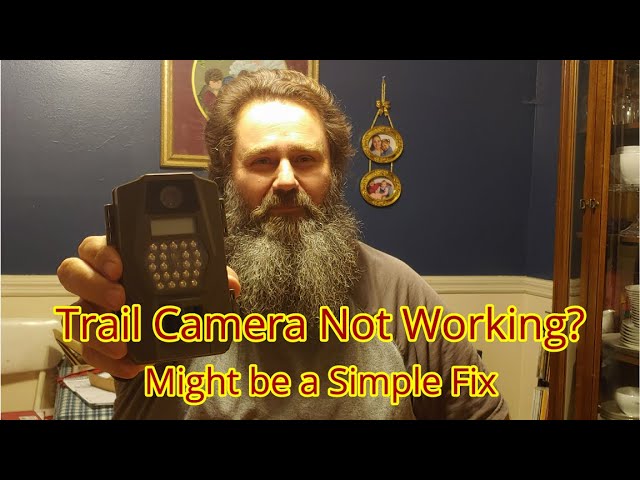
Step-by-step fixes for how to fix trail camera not triggering
Work through these steps in order. Each fix is short and clear.
- Power and battery
- Replace batteries with fresh alkalines or a charged rechargeable pack.
- Test the camera with a known-good power source when possible.
- Check battery contacts for corrosion and clean with a cotton swab and alcohol.
- SD card and storage
- Format the SD card in the camera. This removes incompatible file systems.
- Try a different card. Some cameras are picky about speed class.
- Make sure the card is not locked.
- Settings and modes
- Set the camera to motion or photo mode. Timelapse or off modes will stop triggering.
- Lower the trigger interval or recovery time to capture repeated motion.
- Increase sensitivity if small animals are missing shots.
- Sensor and lens care
- Gently clean the PIR (passive infrared) window and the lens.
- Remove spider webs and debris that block the sensor.
- Avoid using oily cleaners; a mild alcohol wipe is best.
- Placement and angle
- Mount the camera 2–4 feet off the ground for deer or medium game.
- Point the sensor across the trail, not straight along it.
- Avoid direct sunlight or heat sources in the sensor field.
- Environmental checks
- Check for heat sources like sunlit rocks or vents that trigger false negatives.
- Note wind patterns. Moving brush can cause false triggers or mask animal motion.
- In cold weather, use lithium batteries and check for condensation issues.
Practicing these steps will help you resolve most issues with how to fix trail camera not triggering.

Testing methods and verification
Testing helps confirm the fix. Use simple, repeatable tests.
Walk test
Walk across the field of view at a normal animal pace. Check the camera for response.
Repeat the test from different angles and speeds.
Soft object test
Wave a warm hand or a piece of cloth across the sensor. This can simulate animal heat movement.
Use small controlled movements to check sensitivity.
Log checks
Review timestamps on saved files to verify trigger timing.
Note gaps and patterns to identify consistent failures.
I once left a camera for a night and found only one photo at 3 a.m. A quick walk test showed it needed a sensitivity boost. Testing saved me a weekend of missed data.

Placement, sensor angle, and environmental tips
Good placement fixes many trigger issues. Small changes often make big differences.
Best height and angle
Mount at the animal’s shoulder height for best PIR detection.
Angle the camera slightly down so the sensor faces the expected approach.
Vegetation and background
Clear brush from the detection zone to reduce false triggers.
Avoid a background of moving leaves or warm rock surfaces.
Weather and seasons
In winter, cold bodies emit less heat, so increase sensitivity.
In summer, heat radiating from rocks or ground can confuse the PIR sensor.
These placement tips will help you understand how to fix trail camera not triggering in different environments.

Advanced fixes and firmware
If basic fixes fail, try advanced steps. These often resolve stubborn issues.
Firmware updates
Check the manufacturer for firmware. Install updates to fix bugs.
Backup settings before updating.
Reset to factory defaults
Resetting clears bad settings that block motion detection.
Re-enter settings carefully after the reset.
Replace parts
A failing PIR sensor or a damaged lens may need repair or replacement.
Consider professional repair if the camera has water damage.
I updated firmware on an older camera and regained reliable triggering. Firmware often fixes detection bugs and timing errors.
Maintenance and long-term care
Routine care keeps your camera reliable. A small habit avoids future headaches.
Monthly checks
Inspect seals, lenses, and mounts monthly. Replace worn straps and cases.
Swap batteries seasonally and test with a walk.
Use protective housing
A weatherproof case reduces water and insect intrusion.
Add a small desiccant pack to cut moisture buildup.
Record keeping
Keep a log of settings and location for each camera.
Note successful placements and failures for future setups.
Good maintenance reduces time spent troubleshooting how to fix trail camera not triggering later on.
When to contact support or replace the camera
Sometimes the problem is beyond home fixes. Know when to get help.
- Persistent failures after testing and resets mean hardware issues.
- If the camera was submerged or heavily damaged by animals, professional repair or replacement is needed.
- Contact manufacturer support with your model, firmware version, and a clear description of steps you tried.
If you feel stuck, a short call to support saves time and points you to warranty options.

Common PAA-style questions
Why does my trail camera not trigger at night?
Night failures often stem from low battery power, a faulty IR flash, or wrong night mode settings. Try fresh batteries and test with a walk in the dark.
Can cold weather stop my camera from triggering?
Yes. Cold reduces battery output and can affect the PIR sensor. Use lithium batteries and keep the camera dry to improve night performance.
How close should animals be to trigger the camera?
Most cameras trigger within 10–60 feet depending on sensor range and sensitivity. Place the camera where animals pass within that range for best results.
Frequently Asked Questions of how to fix trail camera not triggering
Why isn't my trail camera triggering at all?
Check power, SD card, and motion mode first. Many cameras are simply set to the wrong mode or have dead batteries.
How can I test if the PIR sensor works?
Do a walk test across the field of view and wave your hand in front of the sensor. If there is no response, try a reset or new batteries.
Could my SD card prevent triggering?
A locked or corrupted SD card can stop image saving and may affect behavior. Format the card in-camera or try a different card.
How do I stop false triggers but still capture animals?
Clear vegetation, lower sensitivity slightly, and angle the camera across the trail. This reduces false alarms while keeping animal triggers.
When should I replace the camera?
Replace the camera when hardware is damaged, sensors fail, firmware is unavailable, or repair costs exceed replacement. Persistent trigger failures after all fixes often mean replacement.
Conclusion
You can fix most trigger problems by checking power, settings, placement, and cleaning the sensor. Test with simple walk checks and keep a maintenance habit. If basic and advanced steps do not work, contact support or replace the unit. Try these fixes today, log what you change, and you’ll see better capture rates soon. Share your results or ask questions below and subscribe for more field-tested tips on trail camera care.
As an Amazon Associate, I earn from Qualifying Purchases.