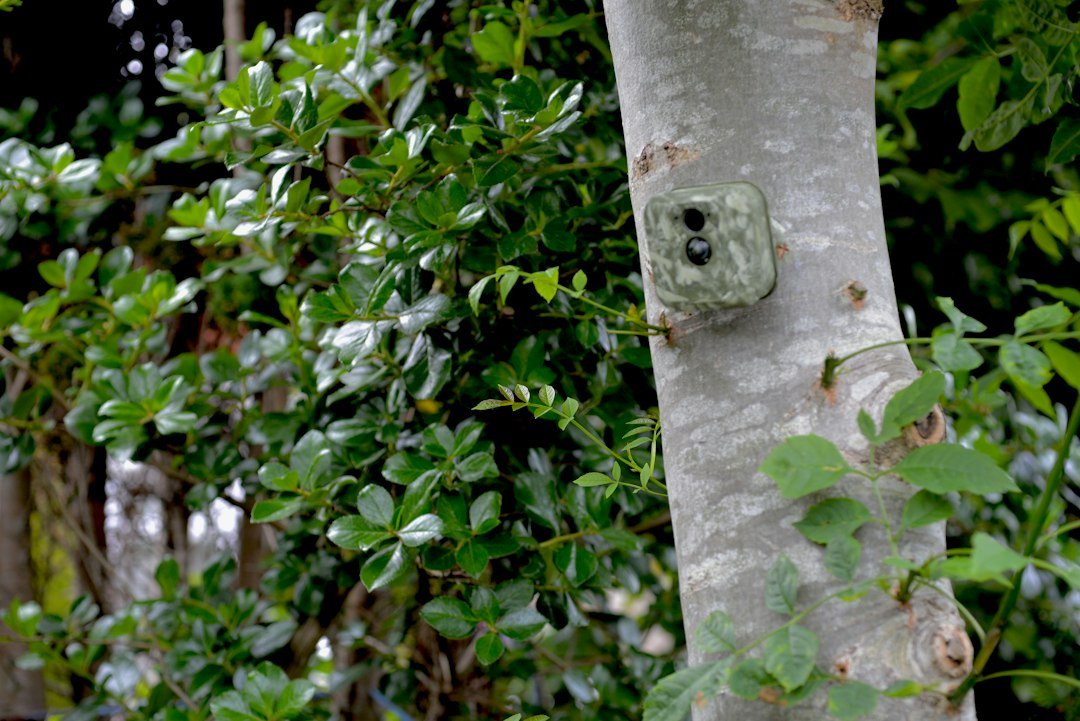
How to lock a trail camera: Use a model-compatible steel security box, an adjustable cable lock, or a built-in padlock point. Secure the unit to a sturdy tree or post, avoid blocking the lens and motion sensor, and test the camera after locking it.
Quick Answer: How to Lock a Trail Camera
To lock a trail camera, choose a compatible lockable security box or cable lock, attach it to a sturdy tree or post where mounting is permitted, and secure the camera without blocking its lens, infrared flash, or motion sensor. Some models also have a built-in padlock opening or support a password/PIN that prevents unauthorized menu changes. For higher theft risk, combine a steel security enclosure with a quality cable or chain and careful placement. No lock guarantees that a camera cannot be stolen or damaged. Before buying accessories, check the exact camera model and mounting points, because cases and locks are not universally compatible.
Why Trail Cameras Need Security
Trail cameras are often left unattended for days or weeks on remote properties, hunting leases, or wildlife trails. That makes them vulnerable to opportunistic theft, vandalism, and accidental disturbance. A visible camera may attract attention even when it is monitoring wildlife rather than people. A lock can make removal more difficult and discourage casual tampering, while a protective box can also shield the housing from some impacts. Security measures have trade-offs: large metal cases may be more visible, difficult to service, or incompatible with certain antennas. The goal is to reduce risk while preserving reliable detection and image quality. Always respect privacy and local mounting rules.
Option 1: Use a Lockable Steel Security Box
A steel security box is one of the most practical ways to protect a trail camera. These enclosures are designed for specific camera shapes and usually provide openings for the lens, motion sensor, infrared LEDs, and sometimes a cellular antenna. Insert the camera according to the enclosure manufacturer’s instructions, attach the box to a tree or post, and close its lockable door. Add a padlock or compatible cable where the design permits. Check that the case does not press on buttons or damage the housing seal. A poorly fitted enclosure can obstruct the field of view or interfere with cellular reception. Select a case specifically listed for your model.
Option 2: Use a Python-Style Adjustable Cable Lock
An adjustable cable lock can secure a camera or protective enclosure to a tree or post. Many trail camera accessories use a flexible steel cable that passes through a lock channel, bracket, or security box and tightens around the support. The Master Lock Python cable system is a familiar example, but verify the cable diameter and lock compatibility with your particular camera. Follow the lock manufacturer’s installation instructions. Route the cable so it does not cross the lens, flash, or sensor. Avoid excessive tension that could deform plastic mounting points. A cable lock is a deterrent, not a guarantee against cutting tools or determined theft.
Option 3: Use a Built-In Padlock Hole
Some trail cameras include a small hole or latch that accepts a padlock, often to keep the housing closed or prevent access to the SD card and batteries. This feature is useful for deterring casual opening but may not secure the entire camera to a tree. Inspect the manual to see whether the padlock opening is intended for housing security, mounting security, or both. Choose a lock that fits without forcing the latch or interfering with the weather seal. Do not drill holes into the camera body unless the manufacturer explicitly supports the modification, because it can compromise water resistance and void warranty coverage.
Option 4: Add a Security Chain or Heavy-Duty Cable
For a fixed post or larger mounting structure, a security chain or heavy-duty cable may be suitable when paired with an enclosure that has reinforced mounting points. Select outdoor-rated hardware and a lock designed for the expected weather. Ensure the chain does not rub against the lens or prevent the door from opening for battery replacement. Avoid wrapping a chain so tightly around a living tree that it damages bark or restricts growth. On public land or managed properties, chain use may be prohibited or require permission. Consider the full mounting system: a strong lock does little good if the camera is attached to a weak plastic bracket.
How to Install a Trail Camera Lock Step by Step
First identify your camera model and select a compatible enclosure or cable system. Second choose a stable mounting location with permission from the landowner or relevant authority. Third position the camera at the height and angle needed to capture the intended path. Fourth route the cable through the manufacturer’s designated lock openings or around the security box, not through improvised gaps. Fifth tighten and lock the system without crushing the housing or damaging the tree. Sixth close the camera and perform a walk test to confirm the sensor, lens, and infrared flash are unobstructed. Finally store the spare key or combination in a secure place away from the camera.
Locking a Camera to a Tree
Trees are common mounting locations because they provide a stable support and natural background. Choose a healthy trunk large enough to hold the camera securely without excessive movement. Use an approved strap, bracket, or cable, and avoid nails or screws where rules prohibit them. If a cable lock is used, check that it passes through reinforced mounting points and does not pinch the camera housing. Do not overtighten a growing tree, and inspect the setup periodically. Where theft is a concern, position the camera so it is not immediately visible from a busy public path, but do not sacrifice the field of view. See our camera concealment guide.
Locking a Camera to a Metal Post or Fence
A sturdy metal post can be a useful alternative when no suitable tree is available. Confirm that the post is on property where you have permission to install monitoring equipment. Use a mounting bracket rated for the post size, then add a cable or padlock through the appropriate security points. Check that the camera cannot simply slide off the post or be lifted over an open top. Avoid drilling into utility infrastructure or attaching equipment to a fence that does not belong to you. Metal structures may reflect infrared light if positioned directly in front of the lens, so take nighttime test images after installation.
Do Security Boxes Affect Night Vision?
A properly designed security box should leave the infrared LEDs, lens, and motion sensor clear. However, a mismatched enclosure can create reflections, dark edges, or partial obstruction in nighttime photos. Before deploying, take a daytime test image and a nighttime test image with the camera fully locked in the box. Look for bright glare from nearby metal edges and for dark corners caused by a narrow opening. If the camera uses no-glow infrared illumination, do not assume the flash is broken because you cannot see visible red light. Reposition or replace the enclosure if it interferes with recording. Our night image troubleshooting guide explains common symptoms.
Can a Security Box Block Cellular Signal?
Cellular trail cameras rely on radio signals to upload photographs and receive settings. A metal enclosure can affect antenna performance if it blocks or surrounds the antenna, especially when the design is not made for that model. Choose a case with the proper antenna clearance or pass-through where specified. Do not bend or modify an antenna to make it fit. After locking the camera, confirm that it can still connect and send a test image from the actual location. A security box that protects the camera but prevents transmission defeats the purpose of remote monitoring. Check the manufacturer’s compatibility notes before buying.
PIN Codes, Passwords and Camera Lock Settings
Some trail cameras offer a password, PIN, or security code to prevent unauthorized changes to settings. The exact availability and setup procedure vary widely by brand and model. A PIN may protect the menu but not physically stop someone from taking the device. Use a memorable but non-obvious code and store it securely. Do not assume that a camera without a visible password menu supports the feature. If you forget the code, follow the official manufacturer’s recovery process rather than relying on unverified reset methods. Software security works best as an additional layer alongside a physical lock and sensible placement.
How to Protect an SD Card from Theft
A trail camera can be physically present while its SD card is removed or images are deleted. A lockable enclosure or housing padlock may reduce unauthorized access to the card slot. Some cellular models transmit images to an account, which can preserve selected photographs even if the device is later taken. However, transmission depends on coverage, batteries, and an active plan, and not every image is necessarily uploaded. Back up important local files regularly. Do not rely on a lock alone to preserve research or security evidence. For information about storage, see our SD card handling guide.
Best Security Setup for Public Land
Before mounting a trail camera on public land, confirm the rules of the specific park, forest, wildlife management area, or other property. Some places restrict cameras, require permits, or prohibit leaving equipment attached to trees. A lock does not create permission to install the camera. Avoid using hardware that damages bark or leaves permanent marks. Never attach a camera to signs, gates, or infrastructure without authorization. If the area allows cameras, use a removable mounting system and label the equipment if required. Our public-land trail camera guide explains why rules vary by jurisdiction.
How High Should You Mount a Locked Trail Camera?
A camera mounted above eye level may be less convenient for casual tampering, but high placement introduces other problems. It can make the camera harder to aim, reduce detail, and complicate battery changes. Do not climb unstable trees or use unsafe ladders to reach a camera. For deer, around three to four feet is a practical starting point for framing, although a higher mount with a downward angle may be appropriate for certain security applications. The ideal height depends on the subject and distance. Test the camera with its lock installed and check both the motion trigger and recorded images. See our mounting height guide.
Can You Hide a Locked Trail Camera?
Concealment and locking can complement one another. A camera that blends into its surroundings may draw less attention, while a lock makes quick removal more difficult. Choose a neutral mounting location that does not obstruct the sensor. Avoid covering the lens, infrared LEDs, antenna, or microphone with camouflage tape or leaves. Do not disguise equipment in a way that violates local privacy rules or creates a hazard. A large steel box may be harder to conceal than the camera alone, so prioritize secure mounting and usable photographs rather than trying to make it completely invisible. Check the camera periodically for movement or tampering.
Common Trail Camera Locking Mistakes
One mistake is buying a universal security box without checking dimensions, antenna clearance, and button access. Another is threading a cable through a weak plastic loop that can break. Some users lock the camera before testing it, only to discover that the enclosure blocks night illumination. Others lose the combination or place the key inside the locked box. A cable that is too loose may let the entire unit slide off a post, while excessive tension can crack the housing. Finally, a strong lock is ineffective if the camera is mounted on a loose branch or an easily removed bracket. Test the complete assembly after installation.
What If Your Trail Camera Gets Stolen?
If your camera disappears, document the location, date, serial number, and any available transmitted images. Contact the property owner or relevant land manager and follow local reporting procedures. Do not confront a suspected thief or attempt to retrieve equipment from private property without permission. If a cellular camera is linked to an account, review the provider’s guidance about device security and service cancellation. Change any relevant account password if you suspect unauthorized access. Keep proof of purchase and serial numbers in a secure record before deployment. A lock can reduce opportunity, but insurance and recovery options depend on the circumstances and provider.
Frequently Asked Questions
Can I put a padlock on a trail camera? Yes, if the model has a compatible locking point or is inside a lockable case. What is a Python cable lock? It is an adjustable cable-lock design commonly used to secure outdoor equipment. Does a lock prevent all theft? No, it is a deterrent. Can I lock a cellular camera? Yes, with a compatible enclosure that allows antenna operation. Does a security box affect photos? It can if the openings obstruct the lens, PIR sensor, or infrared LEDs. Can I lock a camera on public land? Only where camera installation and the chosen mounting method are permitted.
Final Recommendation
For most unattended trail cameras, start with a model-specific steel security box and a quality adjustable cable lock, then consider a built-in PIN if the camera supports one. Mount the camera on a stable support, follow local rules, and test both daytime and nighttime recording after locking it. Do not assume any security product is completely theft-proof. For accessory specifications and compatible cases, check the official websites of Master Lock, Browning Trail Cameras, and the manufacturer of your exact camera. Prioritize compatibility, secure attachment, weather resistance, and easy maintenance rather than price alone.
As an Amazon Associate, I earn from Qualifying Purchases.