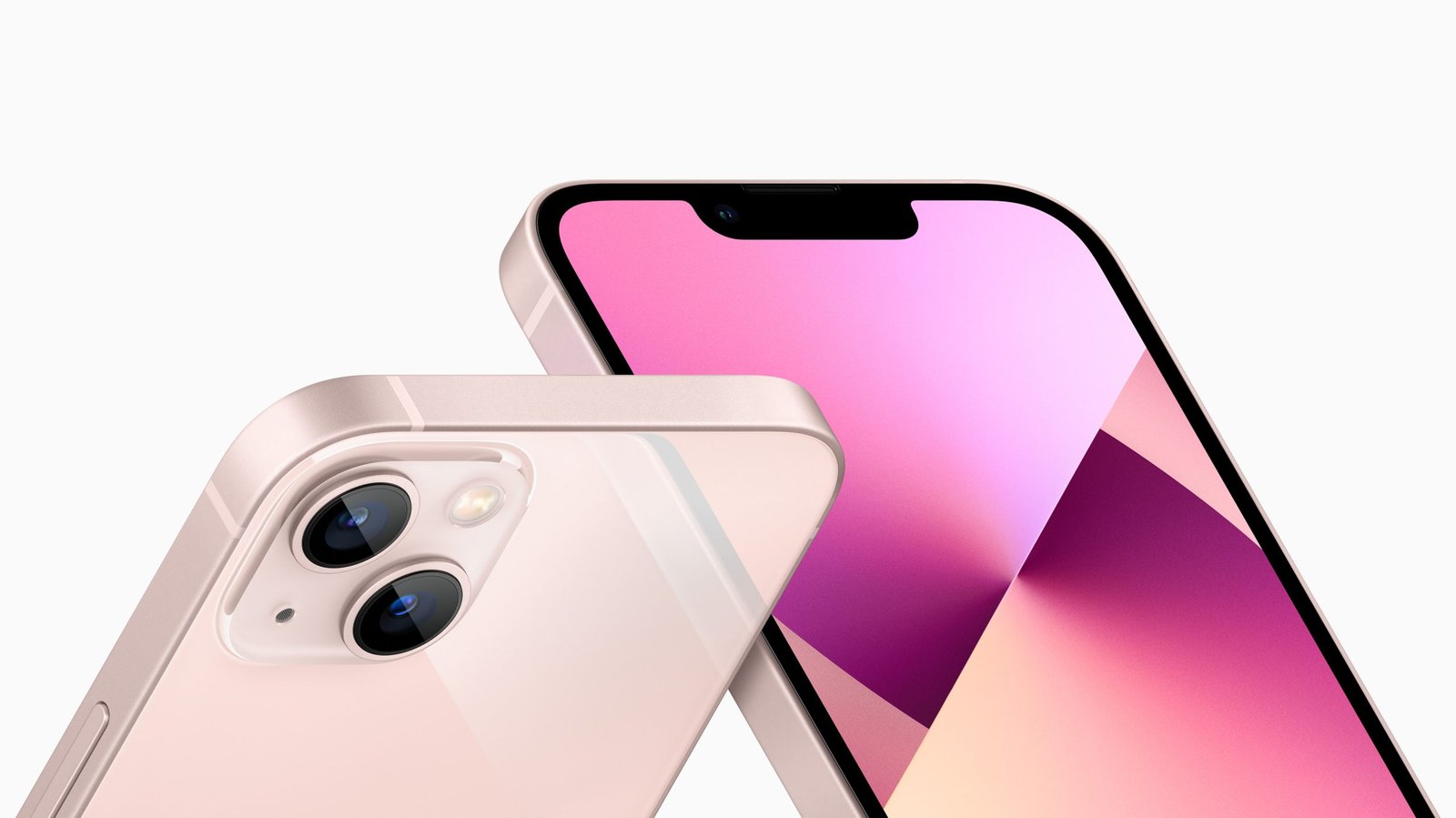
The iPhone 13 camera is powerful and versatile. It can capture stunning photos and videos.
In this blog post, we’ll explore how to make the most of the iPhone 13 camera. Whether you’re a photography enthusiast or just love taking pictures, this guide will help you. The iPhone 13 comes packed with advanced features. These features can enhance your photography skills.
From night mode to cinematic video, there’s a lot to discover. Understanding these features can elevate your photos. So, let’s dive into the tips and tricks. Learn how to use the iPhone 13 camera to its full potential. You’ll be taking better photos in no time!
Introduction To Iphone 13 Camera
The iPhone 13 camera is more than just a camera. It is a powerful tool that brings your photos and videos to life. Whether you are a professional photographer or just love taking pictures, the iPhone 13 camera will impress you. Let’s dive into its key features and what makes it stand out.
Key Features
The iPhone 13 camera comes with many key features. Here are some of the most important ones:
- Dual-Camera System: It includes a 12MP wide and ultra-wide camera.
- Night Mode: This feature allows you to take clear photos in low light.
- Photographic Styles: You can customize the look of your photos.
- Cinematic Mode: This mode gives your videos a movie-like quality.
Why It Stands Out
The iPhone 13 camera stands out for several reasons:
- Ease of Use: The camera interface is simple and intuitive.
- High-Quality Photos: The camera captures sharp and vibrant images.
- Advanced Technology: Features like Night Mode and Cinematic Mode use advanced algorithms.
- Seamless Integration: The camera works well with other iPhone features like iCloud and editing tools.
Credit: www.outsideonline.com
Basic Camera Settings
The iPhone 13 camera is a powerful tool. It offers many features that can enhance your photos. By learning the basic settings, you can take better pictures. This guide will help you understand the essential camera settings.
Accessing Camera Settings
First, open the Settings app on your iPhone. Scroll down and tap on “Camera.” This will bring you to the main camera settings menu. Here, you can adjust various options to suit your needs.
Adjusting Resolution And Format
To change the resolution, go to “Record Video” or “Record Slo-mo.” Select the resolution you prefer. Higher resolutions give better quality but take more space. For most users, 1080p at 30 fps is a good balance.
You can also change the format of your photos. Go back to the main Camera settings. Tap on “Formats.” Choose between “High Efficiency” and “Most Compatible.” “High Efficiency” saves space but may not work with all devices. “Most Compatible” uses more space but works everywhere.
These basic settings can make a big difference. Take some time to explore and adjust them. Your photos will improve with the right settings.
Mastering Photography Modes
Mastering photography modes on the iPhone 13 can elevate your photos. With its advanced camera features, you can capture stunning images effortlessly. Explore these tips to make the most of your iPhone 13 camera.
Portrait Mode Tips
Portrait mode creates a depth-of-field effect. It keeps the subject in focus and blurs the background. Here are some tips:
- Use natural light: Position your subject in good light. The iPhone 13 performs best with ample light.
- Adjust the depth: Tap the
ficon to change the aperture. A lowerfnumber means more blur. - Experiment with angles: Try different angles. This can add drama to your portraits.
- Utilize Portrait Lighting: Explore the lighting effects. Options like Studio Light or Contour Light can enhance your shots.
Night Mode Techniques
Night mode helps you capture bright and detailed photos in low light. Here’s how to get the best results:
- Keep the camera steady: Use a tripod. This reduces blur from shaky hands.
- Look for light sources: Position your shot near streetlights or other light sources.
- Use the timer: Set a 3-second timer. This prevents movement when you press the shutter button.
- Adjust exposure: Tap and hold to lock focus and exposure. Drag your finger up or down to brighten or darken the shot.
- Choose the right moment: Capture scenes with minimal movement. This ensures clarity and sharpness.
Mastering these modes on the iPhone 13 allows you to take professional-quality photos with ease. Practice and experiment to find your unique style.

Credit: www.youtube.com
Advanced Features And Tools
The iPhone 13 camera is not just about point-and-shoot. It offers advanced features and tools to enhance your photos. By understanding these features, you can take your photography to the next level. Let’s explore some of the key tools available.
Using Proraw
ProRAW is a powerful feature for those who want more control over their photos. It combines the benefits of RAW format with Apple’s computational photography.
Benefits of ProRAW:
- More flexibility in editing
- Higher image quality
- Better control over exposure and color
To enable ProRAW:
- Go to Settings
- Tap on Camera
- Select Formats
- Turn on Apple ProRAW
After enabling, you can shoot in ProRAW mode by tapping the RAW icon in the camera app. This provides a higher level of detail and editing flexibility.
Exploring Photographic Styles
The iPhone 13 introduces Photographic Styles, allowing you to customize the look of your photos. These styles apply tone and color adjustments to your pictures.
Types of Photographic Styles:
| Style | Description |
|---|---|
| Rich Contrast | Dark shadows, deeper colors |
| Vibrant | Bright, vivid colors |
| Warm | Golden undertones |
| Cool | Blue undertones |
To use Photographic Styles:
- Open the Camera app
- Swipe up on the viewfinder
- Tap the Photographic Styles icon
- Select your preferred style
These styles can be adjusted to fit your preference. This ensures your photos have a consistent look.
Video Recording Tips
Using the iPhone 13 camera for video recording can produce amazing results. The device offers advanced features that enhance video quality. Here are some tips to make the most of your iPhone 13 camera for video recording.
4k Recording
4K recording is a significant feature of the iPhone 13 camera. It provides high-resolution videos with sharp details. To enable 4K recording:
- Go to Settings.
- Tap on Camera.
- Choose Record Video.
- Select 4K at 24 fps, 30 fps, or 60 fps.
Recording in 4K enhances video clarity, making it ideal for professional projects. Remember, 4K videos consume more storage space. Ensure you have enough storage available.
Slow Motion And Time-lapse
Slow motion and time-lapse are fun features for creative video recording. They add unique effects to your videos.
Slow Motion
Slow motion captures detailed actions at a slower speed. To use slow motion:
- Open the Camera app.
- Swipe to Slo-Mo mode.
- Tap the Record button.
- Press again to stop recording.
Adjust the playback speed in the Photos app to emphasize key moments.
Time-Lapse
Time-lapse condenses long recordings into short, fast-paced videos. To use time-lapse:
- Open the Camera app.
- Swipe to Time-Lapse mode.
- Tap the Record button.
- Let it record for a while, then press again to stop.
Time-lapse videos are great for capturing changes over time, like sunsets or busy city streets.
Editing Photos And Videos
Editing photos and videos on the iPhone 13 can enhance the quality of your content significantly. With various tools and apps available, making the most out of your iPhone 13 camera is easier than ever. Here’s how you can get started.
Built-in Editing Tools
The iPhone 13 comes with powerful built-in editing tools. These tools are found in the Photos app, making it convenient to edit your photos and videos.
- Adjust: Enhance the brightness, contrast, and saturation.
- Filters: Apply different filters to change the mood of your photos.
- Crop: Trim your photos to focus on the main subject.
- Rotate: Straighten your images with the rotate tool.
- Auto Enhance: Automatically improve your photos with one tap.
These tools are user-friendly and offer a wide range of options for enhancing your photos and videos.
Best Third-party Apps
For more advanced editing features, consider using third-party apps. Here are some of the best options available:
| App | Features |
|---|---|
| VSCO | Advanced filters, editing tools, and photo sharing. |
| Snapseed | Professional-grade editing tools and user-friendly interface. |
| Adobe Lightroom | Powerful editing tools and cloud storage. |
| ProCamera | Advanced controls and high-quality output. |
These apps offer additional features that can enhance your photos and videos beyond the built-in tools.
Editing photos and videos on the iPhone 13 is both fun and easy. Whether you use the built-in tools or third-party apps, you can create stunning visuals with minimal effort.
Accessories For Enhanced Photography
The iPhone 13 camera is powerful on its own. But adding some accessories can take your photography to the next level. These tools can help you capture better photos with less effort. Here are some top accessories for enhanced photography.
Lenses And Filters
Clip-on lenses can give you more options. Wide-angle lenses let you capture more of a scene. Macro lenses help you take detailed close-ups. Filters can change the mood of your photos. They can add warmth or cool tones. They can also reduce glare from bright lights.
Stabilizers And Tripods
Stabilizers keep your phone steady while you shoot. They are great for video too. Handheld gimbals are a popular choice. They help you get smooth footage. Tripods are useful for still shots. You can set up your phone and take your time. They are also handy for low-light photos. Some tripods are small and easy to carry. You can take them anywhere.
Sharing And Managing Your Media
The iPhone 13 camera is an amazing tool for capturing stunning photos and videos. But capturing media is only part of the experience. Sharing and managing your media effectively is equally important. Below are some tips to help you share and manage your media seamlessly.
Using Icloud
iCloud is a great way to keep all your photos and videos safe. It allows you to access your media from any Apple device.
Here’s how to use iCloud:
- Go to Settings on your iPhone.
- Tap on your name, then select iCloud.
- Tap Photos and turn on iCloud Photos.
This will automatically upload and store your photos and videos in iCloud. You can access them anytime from your iPhone, iPad, or Mac.
Social Media Integration
Sharing your media on social media platforms is easy with the iPhone 13. It integrates seamlessly with apps like Instagram, Facebook, and Twitter.
To share a photo or video:
- Open the Photos app.
- Select the photo or video you want to share.
- Tap the Share button.
- Choose the social media app you want to use.
This allows you to share your moments with friends and family instantly.
You can also use the Share Sheet to customize your sharing options. Add or remove apps, set favorites, and more.
Troubleshooting Common Issues
Having trouble with your iPhone 13 camera can be frustrating. Yet, many common issues are easy to fix. This section will help you troubleshoot and fix common iPhone 13 camera problems.
Resolving Focus Problems
Focus problems can ruin your photos. Make sure your lens is clean. Dust and smudges can cause blur. Gently wipe the lens with a soft cloth.
Restart your iPhone. This can fix minor software glitches. Hold the power button and slide to power off. Turn it back on after a few seconds.
Update to the latest iOS version. Updates often fix bugs. Go to Settings, then General, and select Software Update.
Try tapping on the screen to focus. Your iPhone will adjust the focus for you. If it still doesn’t work, reset your camera settings. Go to Settings, then Camera, and select Reset Settings.
Dealing With Low Light
Low light can be a challenge. Use Night mode. Your iPhone 13 can take great low-light photos. The Night mode icon appears automatically in low light. Tap it to turn it on.
Hold your iPhone steady. This helps reduce blur. Use a tripod if you have one. If not, prop your phone against a stable surface.
Adjust your exposure manually. Tap the screen to focus, then slide up or down to change the brightness. This can help capture more details in the dark.
Use the flash wisely. Sometimes, a flash can help. But it can also cause harsh shadows. Try taking a photo with and without it to see which looks better.
Experiment with different light sources. Even a small lamp can make a difference. Move around to find the best light angle.
Conclusion And Final Tips
Maximize your iPhone 13 camera by experimenting with different settings. Practice regularly to enhance your photography skills. Adjust lighting and angles for the best results.
Making the most of the iPhone 13 camera can seem complex. But with the right tips, you can capture stunning photos. The iPhone 13 offers many features to boost your photography skills. These tips will help you use them effectively.Key Takeaways
The iPhone 13 camera has advanced features. It includes night mode, cinematic mode, and macro photography. Use the night mode for low light settings. It will enhance the details and colors of your photos. Cinematic mode adds depth to your videos. It helps in focusing on the main subject. Macro photography allows close-up shots. Capture small details with clarity.Practice these features regularly. Experiment with different settings. Learn how each feature affects your photos. Take time to explore the camera app.Inspiration For Creativity
Let the world around you inspire your creativity. Look for interesting patterns and textures. Capture the beauty of everyday objects. Use natural light to enhance your photos. Try different angles and perspectives. Don’t be afraid to get close to your subject. The iPhone 13 camera can handle it.Edit your photos to bring out the best in them. Use the built-in editing tools. Adjust brightness, contrast, and saturation. Make your photos stand out.Remember, practice makes perfect. Keep experimenting with your iPhone 13 camera. Over time, you will see improvement in your photography skills. “`
Credit: www.youtube.com
Frequently Asked Questions
How Can I Improve Iphone 13 Camera Quality?
To enhance iPhone 13 camera quality, use ProRAW for better editing. Adjust exposure, focus, and lighting. Clean the lens regularly.
What Are The Best Iphone 13 Camera Settings?
Optimal iPhone 13 camera settings include using HDR, activating Night mode, and selecting 4K video resolution for high-quality footage.
How Do I Use Night Mode On Iphone 13?
To use Night mode, open the Camera app and it activates automatically in low-light conditions. Hold steady for best results.
Can I Shoot In Raw Format On Iphone 13?
Yes, you can shoot in RAW format by enabling ProRAW in camera settings. This offers more editing flexibility.
Conclusion
The iPhone 13 camera offers amazing features for everyone. Use the tips shared here to capture stunning photos. Experiment with settings and find what works best for you. Practice makes perfect. Keep exploring and enjoying your photography journey. Your iPhone 13 is a powerful tool.
Make the most of it. Happy shooting!
As an Amazon Associate, I earn from Qualifying Purchases.