
Are you ready to capture your world in stunning detail but don’t know where to start? Choosing the right digital camera can feel overwhelming with so many options out there.
But what if you had a simple guide tailored just for beginners like you? Imagine picking up a camera that fits your needs perfectly and helps you take amazing photos from the very first click. You’ll discover everything you need to know about digital cameras for beginners — from key features to smart buying tips.
Keep reading, and soon you’ll be snapping photos with confidence and creativity!
Choosing Your First Camera
Choosing your first digital camera can feel confusing. Many options exist with different features and prices. Focus on what fits your needs and skill level. A good camera for beginners offers ease of use and good image quality. This section helps you understand camera types, key features, and budget factors. You will find the right camera faster.
Types Of Digital Cameras
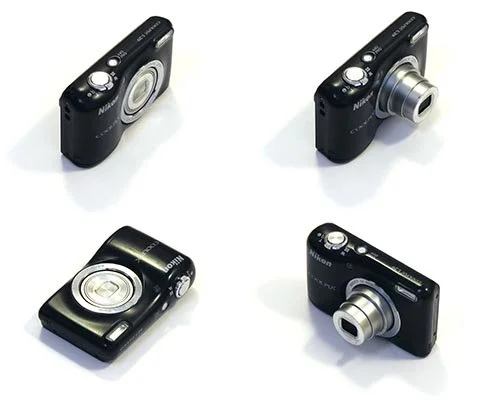
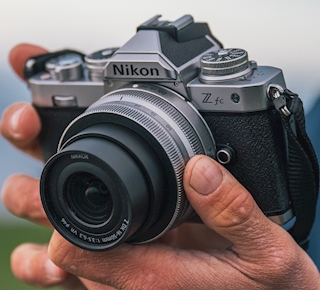
Digital cameras come in several types. Point-and-shoot cameras are small and simple. They suit casual photography and quick shots. Mirrorless cameras offer better image quality and interchangeable lenses. They are lightweight and easy to carry. DSLR cameras provide advanced controls and excellent photo quality. They are larger and more complex but great for learning. Choose a type based on your interest and comfort.
Key Features For Beginners
Look for cameras with automatic modes. These help you take good pictures without manual settings. A clear LCD screen or viewfinder makes framing easy. Image stabilization reduces blur from shaky hands. Built-in flash helps in low light situations. Check for a good zoom range for versatility. Simple menu navigation and button layout improve your experience. These features support learning and creativity.
Budget Considerations
Set a budget before choosing a camera. Beginner cameras vary from $100 to $800 or more. Affordable options can deliver good results for casual use. Mid-range cameras offer better features and image quality. Remember to budget for memory cards, extra batteries, and a carrying case. Avoid overspending on features you may not use. A sensible budget helps you enjoy photography without stress.
Basic Camera Settings
Basic camera settings form the foundation of great photography. Understanding these settings helps beginners take clear and well-lit photos. Adjusting your camera properly controls how much light enters the lens and affects image quality. Learning to manage exposure, ISO, shutter speed, and aperture improves your photography skills.
Understanding Exposure
Exposure determines how bright or dark your photo appears. It depends on three key factors: ISO, shutter speed, and aperture. Correct exposure balances these settings to capture the right amount of light. Too much light causes overexposure, making photos too bright. Too little light causes underexposure, making photos too dark.
Iso, Shutter Speed, And Aperture
ISO controls your camera sensor’s sensitivity to light. A low ISO value keeps images clear and sharp in bright light. A high ISO helps in low light but may cause grainy photos.
Shutter speed is the time the camera’s shutter stays open. Fast shutter speeds freeze motion, while slow speeds create motion blur. Choose shutter speed based on your subject’s movement.
Aperture controls the size of the lens opening. A wide aperture (small f-number) lets in more light and creates a blurred background. A narrow aperture (large f-number) sharpens the whole image.
Using Auto And Manual Modes
Auto mode lets the camera choose the best settings for you. It works well for quick shots and beginners. Manual mode gives you full control over ISO, shutter speed, and aperture. This mode is useful to create specific effects and improve your skills. Practice switching between these modes to understand their impact on your photos.
Mastering Composition
Good composition makes photos more interesting. It guides the viewer’s eyes and tells a story.
Understanding basic composition helps beginners take better pictures quickly. Simple rules create strong, clear images.
Rule Of Thirds
The rule of thirds divides an image into nine equal parts. Place important subjects along the lines or at intersections.
This creates balance and makes photos look natural. Avoid placing the subject in the center every time.
Leading Lines And Framing
Leading lines draw the viewer’s eye through the photo. Use roads, fences, or rivers to lead attention.
Framing means using objects to surround the subject. Trees, windows, or doorways work well as frames.
Both techniques add depth and focus to your pictures.
Balancing Elements
Balance keeps the photo from feeling too heavy on one side. Place a smaller object opposite the main subject.
This creates harmony and makes the image feel complete. Avoid clutter and keep the scene simple.
Lighting Techniques
Lighting plays a key role in photography. It affects the mood, clarity, and quality of your photos. Learning simple lighting techniques helps beginners create better images. Different light sources and settings can change your photo’s look. Understanding these basics allows you to take clearer, more vibrant pictures.
Natural Light Tips
Natural light is easy to use and often the best choice. Shoot during the golden hour, shortly after sunrise or before sunset. The light is soft and warm at this time. Avoid harsh midday sun that creates strong shadows. Position your subject so light falls evenly on their face. Use reflectors or white surfaces to bounce light and reduce shadows.
Using Flash Effectively
Flash adds light when natural light is not enough. Use flash indoors or in dark places to brighten your subject. Avoid direct flash that causes harsh shadows and red eyes. Instead, bounce the flash off ceilings or walls for soft, even light. Adjust flash power to prevent overexposure. Experiment with different angles to find the best effect.
Dealing With Low Light
Low light can be tricky but manageable. Use a tripod to avoid blurry photos caused by shaky hands. Increase your camera’s ISO setting to make the sensor more sensitive to light. Be careful, as high ISO can add grain to your images. Open the lens aperture wide to let in more light. Slow down your shutter speed for longer exposure times.
Focusing Tips
Focusing is key to clear photos. Beginners often struggle to get sharp images. Understanding focus can improve your photography skills fast.
This section explains simple tips for focusing your digital camera. It covers different focus modes, focus points, and how to capture sharp images.
Auto Vs Manual Focus
Auto focus lets the camera choose the focus area. It is fast and easy for beginners. Most cameras have reliable auto focus systems.
Manual focus gives you full control. You adjust the lens focus by hand. Use manual focus in low light or tricky scenes.
Try both modes to see which suits your style. Auto focus works well for moving subjects. Manual focus helps with precise shots.
Focus Points And Tracking
Focus points are areas where the camera focuses. Cameras have multiple focus points you can select. Choosing the right point improves sharpness.
Focus tracking follows a moving subject. It keeps the subject sharp as it moves. Use tracking for sports or wildlife photography.
Most cameras let you switch focus points quickly. Practice selecting points for better composition and focus.
Capturing Sharp Images
Keep your camera steady to avoid blur. Use a tripod or hold the camera firmly. Press the shutter button gently for best results.
Use a faster shutter speed for moving subjects. This freezes motion and keeps images sharp. Increase ISO if needed to maintain speed.
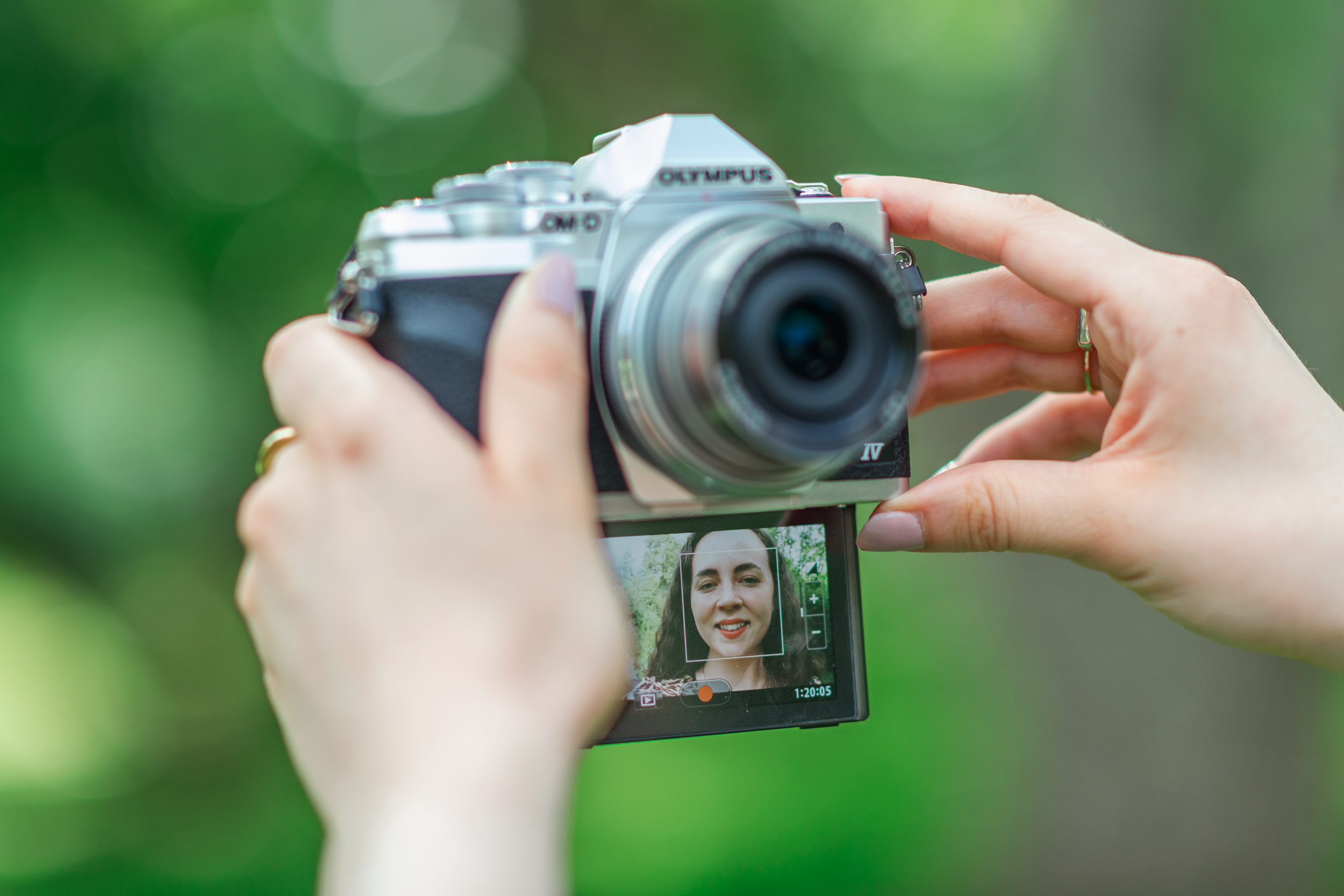
Focus on the subject’s eyes in portraits. Sharp eyes make photos look professional. Check focus on the camera screen before shooting.
Credit: www.digitalcameraworld.com
Shooting Different Subjects
Shooting different subjects with your digital camera builds skills and confidence. Each subject type needs a unique approach. Learning these basics helps beginners capture better images. Practice simple tips for portraits, landscapes, and action shots.
Portrait Photography
Portraits focus on people’s faces and expressions. Use a wide aperture to blur the background. This makes the subject stand out sharply. Natural light works well for soft, flattering images. Ask your subject to relax and try different poses. Capture emotions to tell a story with your photo.
Landscape Shots
Landscape photography shows wide scenes like mountains or beaches. Use a small aperture for sharp details throughout the image. Find interesting foreground objects to add depth. Shoot during early morning or late afternoon for warm light. Keep your camera steady with a tripod for clear pictures.
Action And Sports
Action shots capture fast movement and energy. Increase shutter speed to freeze the motion clearly. Use continuous shooting mode to get multiple frames quickly. Focus on the main subject and track their movement smoothly. Bright daylight helps keep images sharp and colorful.
Using Camera Accessories
Using camera accessories can improve your photography experience. They help you take better pictures and make your camera easier to handle. Accessories can also expand what your camera can do. Beginners should try some basic tools first. These tools help stabilize your shots and improve image quality.
Tripods And Stabilizers
Tripods keep your camera steady. They are useful for low light and long exposure shots. Stabilizers help reduce camera shake while moving. These accessories prevent blurry images. They are essential for sharp photos and smooth videos. Beginners find tripods and stabilizers easy to use and helpful.
Lenses For Beginners
Different lenses create different effects. A kit lens is good for general use. Prime lenses offer better image quality and wider apertures. Zoom lenses let you change focal length without moving. Beginners should start with one or two simple lenses. Learning lens basics improves photo creativity.
Filters And External Flashes
Filters change the look of your photos. They protect your lens and enhance colors. Common filters include UV, polarizing, and ND filters. External flashes provide more light than the camera’s built-in flash. They help brighten dark scenes and reduce shadows. Using filters and flashes adds variety to your photography.
Credit: app.rumelitarih.com
Photo Editing Basics
Photo editing is a key skill for beginners using digital cameras. It helps improve pictures and bring out the best in each shot. Editing allows you to correct mistakes and add style. Even simple edits can make photos look more professional and attractive.
Understanding basic editing tools helps you learn faster and create better images. Let’s explore some easy editing steps and software choices for beginners.
Popular Editing Software
Many editing programs are easy to use and beginner-friendly. Adobe Lightroom is popular for its simple interface and powerful tools. Photoshop Express offers quick fixes and creative effects on mobile devices. Free options like GIMP and Paint.NET also provide good features without cost. These programs support common photo formats and basic editing tasks.
Simple Enhancements
Adjusting brightness and contrast can instantly improve a photo. Increasing sharpness makes details clearer. Changing saturation adds or reduces color intensity. These changes help photos look natural and vibrant. Use sliders or preset filters to apply enhancements quickly. Keep edits subtle to avoid unnatural results.
Cropping And Straightening
Cropping removes unwanted parts of an image. It focuses attention on the main subject. Straightening fixes tilted horizons or lines. Most software has easy drag-and-drop tools for this. A well-cropped photo looks balanced and clean. Straightening creates a professional and polished appearance.
Storing And Sharing Photos
Storing and sharing photos are important steps after capturing memories. Proper storage keeps your images safe. Sharing allows friends and family to enjoy your photos. Beginners should learn easy methods to save and share photos.
Memory Cards And Backup
Memory cards store your photos inside the camera. Choose cards with enough space for many pictures. Always carry extra cards to avoid running out of storage. Backup your photos on a computer or cloud service. This prevents loss if the card gets damaged.
Organizing Your Photos
Organize photos in folders by date or event. Use simple names for easy finding later. Delete blurry or unwanted pictures to save space. Some cameras let you add tags or notes to photos. This helps in searching and sorting your collection.
Sharing Online Safely
Share photos on trusted websites or apps only. Adjust privacy settings to control who sees your images. Avoid sharing photos with personal information visible. Use watermarks to protect your pictures from misuse. Always think before posting to keep your privacy safe.
Common Mistakes To Avoid
Starting with a digital camera can be exciting. Yet, beginners often make simple errors. Avoiding these mistakes helps improve your photography quickly. Here are some common pitfalls to watch out for.
Overusing Zoom
Using zoom too much can reduce image quality. Digital zoom lowers the picture sharpness. Optical zoom is better but still use it sparingly. Try moving closer to your subject instead. This keeps your photos clear and sharp.
Ignoring Backgrounds
Backgrounds affect the whole photo look. A busy or messy background distracts from the subject. Always check behind your subject before taking a shot. Choose simple, clean backgrounds for better photos. This makes your subject stand out more.
Neglecting Battery And Storage
Running out of battery or memory is frustrating. Always carry extra batteries and memory cards. Check battery levels and storage space before shooting. Prepare well to avoid missing important moments.
Credit: www.jessops.com
Frequently Asked Questions
What Is The Best Digital Camera For Beginners?
The best digital camera for beginners offers easy controls, good image quality, and affordability. Popular models include Canon EOS Rebel T7 and Nikon D3500. These cameras provide helpful guides, reliable autofocus, and versatile features for learning photography basics effectively.
What Is The Best Affordable Camera For Beginners Photography?
The Canon EOS Rebel T7 offers excellent image quality and user-friendly features at an affordable price. It suits beginner photographers perfectly.
Which Is Better For Beginners Canon Or Nikon?
Canon suits beginners with user-friendly controls and affordable lenses. Nikon offers excellent image quality and durability. Both brands have strong beginner models, so choose based on budget and preferred features.
What Is The Best Entry-level Camera?
The Canon EOS Rebel T7 offers excellent image quality and user-friendly controls. Nikon D3500 provides great battery life and simple operation. Both suit beginners well. Choose based on budget and preferred features for best entry-level camera experience.
What Is The Best Digital Camera For Beginners?
A simple camera with easy controls and good image quality is best for beginners.
How Much Should Beginners Spend On A Digital Camera?
Spending between $100 and $500 is ideal for a beginner digital camera.
What Features Are Important In Beginner Digital Cameras?
Look for auto mode, zoom, image stabilization, and easy menu navigation.
Should Beginners Buy Dslr Or Mirrorless Cameras?
Mirrorless cameras are lighter and simpler, making them great for beginners.
How To Choose The Right Lens For A Beginner Camera?
Start with a versatile zoom lens covering wide to telephoto ranges.
Is Manual Mode Necessary For Beginners To Learn?
Manual mode helps improve skills but beginners can start with auto mode.
Conclusion
Choosing the right digital camera starts with understanding your needs. Simple features help beginners take better photos quickly. Practice shooting often to improve your skills. Remember, good photos come from patience and creativity. Enjoy capturing moments and learning every day.
A basic camera can still produce great images. Explore different settings and have fun with your camera. Photography is a journey, not a race. Keep experimenting, and your confidence will grow.
As an Amazon Associate, I earn from Qualifying Purchases.