Finding The Right Auto Tracking Camera For Live Streaming
When you’re setting up a live stream, keeping the camera focused on the subject can be tricky. Whether you’re presenting, teaching, or capturing an event, manual adjustments can interrupt the flow and lower the quality of your broadcast.
Auto tracking cameras promise to solve this, but choosing one isn’t straightforward. There are different technologies, video outputs, and tracking features to consider. Some models focus on AI-driven face and body tracking, while others emphasize connectivity options or zoom capabilities. Balancing price, ease of use, and technical features can feel overwhelming.
This guide will help you understand what matters most when selecting an auto tracking camera for live streaming. It aims to clarify common confusions and help you find the right fit for your streaming needs.
What To Consider When Choosing An Auto Tracking Camera
Think about how and where you’ll use the camera. Are you streaming from a small room, a large stage, or outdoors? The tracking technology should match your environment and subject movement. For example, some cameras track a single presenter smoothly, while others handle broader motion or multiple subjects.
Connectivity is another key factor. Cameras may offer HDMI, USB, SDI, or network streaming (NDI) options. Choose one compatible with your existing setup and streaming software.
Also, consider ease of control. Some cameras offer remote controls, web interfaces, or software presets to adjust tracking and framing. This can save time and reduce disruptions during your live stream.
Common Misunderstandings About Auto Tracking Cameras
Not all auto tracking cameras track multiple people or fast movement equally well. Some models are designed for smooth tracking of a single person and may struggle with quick or complex motion. Expecting flawless tracking in all scenarios can lead to disappointment.
Another point is audio. Some cameras include built-in microphones with noise cancellation, while others focus solely on video. Depending on your setup, you might need separate audio equipment.
How This Guide Can Help You
The products covered here represent a range of capabilities, from budget-friendly webcams to professional-grade PTZ cameras. They vary in tracking technology, zoom levels, and output options to suit different live streaming scenarios.
Keep your specific needs in mind as you review each option. The goal is to help you make a clear, informed choice without getting lost in technical details.
Below, you’ll find carefully selected auto tracking cameras grouped by features and use cases to help you find the best match for your live streaming setup.
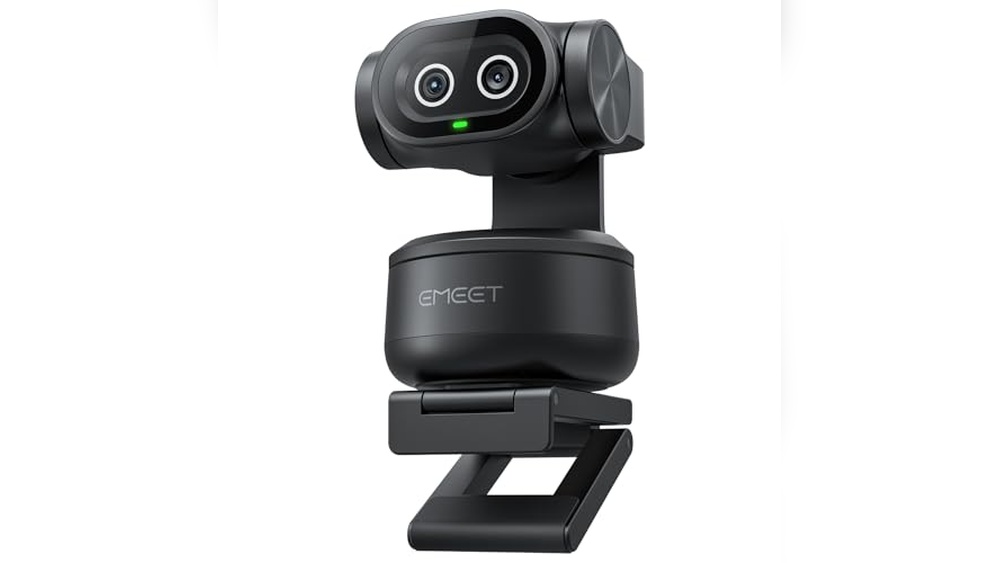
Emeet Pixy Dual-camera 4k Webcam
The best auto tracking camera for live streaming that delivers smooth AI-powered tracking and crisp 4K video quality for dynamic content creators.

The EMEET PIXY Dual-Camera 4K Webcam is designed for live streamers who need precise auto tracking and ultra-clear video. Its dual-camera system uses AI to track movement smoothly while maintaining sharp focus and natural skin tones in any lighting. This webcam addresses the challenge of keeping subjects centered and visible during active streams or presentations.
Using this camera feels effortless because it automatically adjusts to your movements with fast 0.2-second autofocus and intelligent gesture controls. It saves time by removing the need for manual adjustments and provides confidence in consistent video quality, making it suitable for fitness demos, business meetings, and creative streaming.
Key Advantages for Streamers
- Dual AI cameras ensure accurate face detection and flawless skin tone reproduction.
- Ultra-fast autofocus combines PDAF and AI for 0.2-second focusing speed.
- 310° pan and 180° tilt with 3-chip AI tracking for smooth and stable framing.
- Built-in 3-mic array with noise-canceling modes for clear, studio-grade audio.
- Preset positions and gesture control simplify on-the-fly adjustments.
- Compatible with popular streaming platforms like OBS, Twitch, and YouTube.
- Compact design with clip or tripod mount options for flexible setups.
Considerations Before Buying
- Higher price point compared to basic webcams, reflecting advanced features.
- 4K mode limits field of view adjustments to maintain video stability.
- Remote control sold separately for hands-free operation.
Who This Camera Works For
This webcam is ideal for content creators who require reliable, hands-free auto tracking to keep their face or body centered during active live streams or presentations. It removes the stress of manual camera adjustments and guesswork about focus, allowing you to concentrate on your performance or teaching.
To get the most from this device, use the preset angle features and gesture controls to switch views quickly without interrupting your flow. You can expect consistent, professional-looking streams with less hassle, supported by clear audio and smooth motion tracking.
| Best for | Why |
|---|---|
| Fitness instructors and dancers | Tracks full-body movements smoothly with wide pan and tilt range. |
| Online educators and presenters | Auto-focus and preset angles help maintain clear framing during lessons. |
| Product demonstrators and streamers | Dual-camera system ensures sharp detail and natural skin tones on video. |
| Podcasters and content creators | Triple-mic array with noise canceling delivers studio-quality sound. |
Tongveo 4k Ndi Ptz Camera
The best auto tracking camera for live streaming that offers seamless 4K quality and AI-powered tracking for clear, professional broadcasts.

The TONGVEO 4K NDI PTZ Camera is designed for live streaming environments where clear visuals and reliable auto-tracking are essential. It delivers up to 4K/30FPS resolution via HDMI and USB, while supporting 1080P over network streaming, making it ideal for professional venues like churches, schools, and conferences.
Using this camera means you get smooth, precise AI-driven auto-tracking that adjusts effortlessly to your subject’s movements, even if partially obscured. The intuitive web-based control and PoE support simplify setup, helping you maintain focus on your content rather than technical hurdles.
Key Advantages for Live Streaming
- True 4K video quality via HDMI and USB for crystal-clear streams
- AI auto-tracking with facial and body recognition for dynamic framing
- Official NDI integration ensures seamless compatibility with popular streaming software
- Flexible multi-output options including SDI and PoE for clean, professional setups
- Remote control through web browser or dedicated software enhances ease of use
- Includes necessary accessories like IR remote and wall mount for quick installation
- Power over Ethernet reduces cable clutter and simplifies power delivery
Considerations Before Buying
- Tracks only one person at a time, limiting multi-subject tracking scenarios
- Not designed for high-speed motion tracking; best for moderate movement
- 4K resolution limited to HDMI and USB outputs, with network streaming maxing at 1080P
Who This Fits Best
This camera is ideal for live streamers needing high-resolution video with reliable AI tracking, especially in controlled environments like worship services, lectures, or video conferences. It removes the guesswork of manual camera operation and cuts down setup complexity with PoE and web controls.
For best results, use the camera’s presenter tracking mode in well-lit settings to keep your subject sharp and centered. You’ll appreciate its consistent performance and professional-grade outputs that reduce surprises during live events. It’s a solid choice if you want quality and ease without complicated gear.
| Best for | Why |
|---|---|
| Church and Worship Streaming | Reliable AI tracking and 4K quality elevate the viewer experience during sermons and events |
| Educational Lectures and Classes | Easy remote control and presenter tracking keep instructors in clear focus throughout sessions |
| Professional Video Conferences | NDI integration ensures smooth workflow with popular conferencing platforms like Zoom and Teams |
| Online Content Creators | High-quality optics and multi-output flexibility support streaming on YouTube, OBS, and vMix |
Tenveo 4k Ai Auto Tracking Ptz Camera
The Tenveo 4K AI Auto Tracking PTZ Camera is a reliable Best Auto Tracking Camera for Live Streaming, designed to keep your subjects perfectly centered with advanced humanoid and face tracking.

The Tenveo 4K AI Auto Tracking PTZ Camera offers high-quality video streaming with 4K 30fps and 1080P 60fps resolution. It solves the challenge of keeping moving subjects in frame by using advanced AI humanoid and face auto-tracking technology, making it ideal for live events and video conferences.
Using this camera means fewer worries about manual adjustments during live streaming. The precision tracking and multiple video output options provide a smooth and professional experience, saving time and effort while ensuring consistent framing and clarity.
Key Advantages for Live Streaming
- Accurate dual AI tracking of both human body and face for smooth subject following
- Supports multiple output interfaces: USB3.0, HDMI, LAN/NDI for versatile connectivity
- 20X optical zoom with Sony CMOS sensor delivers clear, detailed images
- Compatible with popular streaming protocols like RTMP, RTSP, and SRT
- PoE support simplifies power and data over a single cable
- NDI protocol enables low-latency IP-based video workflows
- 3-year warranty and lifetime technical support for peace of mind
Considerations Before Buying
- No built-in microphone included, so separate audio capture is needed
- PoE functionality requires compatible switch or injector hardware
- Price may be higher than basic PTZ cameras without AI tracking features
Who This Works Best For
This camera is best suited for churches, video conferences, and live streamers who need reliable auto-tracking to maintain professional video quality without constant manual control. It removes the hassle of adjusting camera angles during live events, allowing you to focus on content delivery.
For optimal results, use the Presenter and Autoframing modes to match your streaming style. The solid build and comprehensive support reduce surprises and technical issues, giving you confidence during important broadcasts. I appreciate how it balances advanced features with ease of use.
| Best for | Why |
|---|---|
| Church services and worship streaming | Reliable auto-tracking keeps speakers centered during movement |
| Professional video conferences | High-quality 4K video and multiple outputs fit various setups |
| Multi-camera live productions | NDI support enables easy multi-camera synchronization |
| Online educators and presenters | AI tracking ensures presenters stay framed without manual control |
Avkans 4k Ai Auto Tracking Camera
This AVKANS model stands out as the Best Auto Tracking Camera for Live Streaming by offering precise AI tracking and versatile video outputs ideal for professional broadcasts.
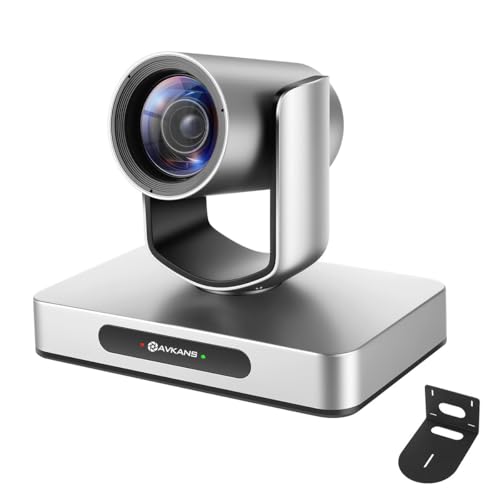
The AVKANS 4K AI Auto Tracking Camera is designed to simplify live streaming by automatically tracking a single presenter with customizable settings like tracking area and speed. It supports multiple video outputs including HDMI, SDI, and NDI, making it suitable for professional setups in churches, schools, or live events.
Using this camera provides a reliable and efficient streaming experience. Its web-based control and compatibility with popular streaming software help reduce setup time and technical hassle, letting you focus on delivering quality content without constant manual adjustments.
Key Benefits for Streamers
- Sharp 4K resolution at 30FPS for clear and detailed video.
- AI auto tracking with customizable modes for smooth subject follow.
- Multiple output options: HDMI, SDI, USB, and NDI for flexible connections.
- Easy setup and control through a web browser or free Windows software.
- Supports Power over Ethernet (PoE) for streamlined cabling.
- Compatible with major streaming platforms and software like OBS and Zoom.
- Long SDI cable support up to 300ft for professional installations.
Considerations Before Buying
- Tracks only one person and is not suitable for fast-moving sports subjects.
- Joystick controller for multi-camera setups is sold separately.
- Tracking performance may require some initial configuration to optimize.
Who This Is Ideal For
This camera is a strong fit for live streamers who need reliable, hands-free presenter tracking in controlled environments like churches or classrooms. It removes the stress of manual camera operation and helps ensure consistent framing and focus during broadcasts.
To get the best results, spend some time adjusting tracking sensitivity and zones before going live. This preparation reduces the chance of tracking errors and gives peace of mind that your stream will maintain professional quality.
If you prefer a straightforward, network-based camera that works well with common streaming tools, this AVKANS model offers a good balance of features and ease of use.
| Best for | Why |
|---|---|
| Church worship streaming | Automatic tracking keeps focus on the speaker with minimal intervention. |
| Educational live broadcasts | Easy setup and IP streaming support simplify complex AV systems. |
| Professional live event production | Multiple output options support diverse video switchers and long cable runs. |
| Small to medium-sized venues | PoE support reduces cable clutter and installation complexity. |
Avkans 30x Ndi Auto Tracking Cam
This AVKANS camera stands out as the Best Auto Tracking Camera for Live Streaming, offering precise AI tracking and versatile output options for seamless broadcast quality.

The AVKANS 30X NDI Auto Tracking Cam is a professional PTZ camera designed for live streaming environments such as churches, schools, and sports events. It addresses the need for smooth, automatic subject tracking with a powerful 30x optical zoom, delivering clear 1080p video at up to 60fps. Its compatibility with NDI HX2 and HX3 makes setup and control simple through a single Ethernet cable.
Using this camera offers confidence in consistent framing and image quality without constant manual adjustments. The integration with popular streaming software like OBS and Zoom means setup is straightforward, helping streamers focus more on content and less on technical issues.
Key Benefits for Live Streaming
- AI-powered auto tracking with multiple framing options for presenters
- High-quality video capture with Japanese lens and sensor for sharp images
- Supports multiple output formats: NDI IP, 3G-SDI, and HDMI
- Single Ethernet connection for power, control, and video reduces cable clutter
- Compatible with major broadcast frame rates and streaming platforms
- PoE support simplifies installation and reduces power cabling needs
- Flexible tracking zones to cover dynamic event spaces
Considerations Before Buying
- Relatively heavy at over 7 pounds, requiring sturdy mounting
- Designed primarily for professional or semi-professional setups, may be complex for casual users
- Price point reflects advanced features, might be high for small or casual streamers
Who This Fits Best
This camera is ideal for organizations and individuals streaming live events where presenter movement is frequent, such as worship services, educational lectures, and sports broadcasts. It removes the hassle of manual camera operation and guesswork in framing by automating tracking with AI.
To get the best results, ensure your network and streaming setup fully support NDI protocols and PoE to leverage the camera’s capabilities without added complexity. Its reliability in maintaining smooth tracking and broadcast-quality video provides peace of mind during live productions.
If you value automated control and integration with professional streaming workflows, this camera offers a dependable solution that balances power and ease of use.
| Best for | Why |
|---|---|
| Church Worship Streaming | Auto tracking follows pastors and presenters with versatile framing options |
| Educational Lectures | Sharp video with broadcast frame rates supports clear online teaching |
| Live Sports Coverage | 30x optical zoom captures distant action with stable tracking |
| Professional Live Events | Multi-output compatibility and PoE simplify integration into AV setups |
Avkans Ai Auto Tracking Ptz Camera
The AVKANS AI Auto Tracking PTZ Camera is one of the Best Auto Tracking Cameras for Live Streaming, offering versatile output options and precise tracking features for event streaming.

The AVKANS AI Auto Tracking PTZ Camera is designed for live streaming needs, especially in churches, events, and media ministries. It features advanced AI auto-tracking with multiple modes and outputs including HDMI, SDI, USB3.0, and NDI, supporting smooth and reliable video capture.
Using this camera is straightforward with free software and web interfaces for control and setup. The tracking performance is customizable, which helps maintain focus on a single speaker or presenter, enhancing the professionalism of live streams without constant manual adjustments.
Key Advantages for Live Streamers
- Multiple video outputs including HDMI, SDI (up to 300ft without extra devices), USB3.0, and NDI for flexible integration.
- Supports both NDI HX2 and the latest NDI HX3 for high-quality, low-latency 1080p60 video streaming.
- Customizable AI tracking with three modes to suit different live event setups.
- Free control software and web interface compatible with Windows and Mac for easy setup and operation.
- Ideal for churches, weddings, sports, and studio productions needing reliable presenter tracking.
- Includes NDI license/key, removing extra software costs.
- Robust customer support with training and remote assistance.
Considerations Before Buying
- Tracks only one person at a time, not suitable for fast-moving sports or multiple subject tracking.
- May require network bandwidth consideration depending on chosen NDI mode.
- Weight and size are moderate; not ultra-compact for portable use.
Who This Camera Works For
This camera is best for small to medium-sized venues like churches and event halls where a single presenter or speaker needs consistent framing without manual camera control. It removes the hassle of manual panning and zooming during live streams, letting you focus on content delivery.
By adjusting tracking sensitivity and modes, you can tailor the camera behavior to fit your event style, ensuring fewer surprises during broadcasts. The included software and customer support also ease the learning curve, making it a solid choice for those new to AI tracking cameras.
| Best for | Why |
|---|---|
| Church worship services | Reliable tracking of a single speaker with seamless integration into common streaming setups |
| Live event streaming | Multiple video outputs and customizable tracking modes suit various event types |
| Media ministries and studios | Supports professional SDI output and NDI for studio broadcast compatibility |
| Budget-conscious streamers | Includes NDI license and offers long SDI cable runs without extra devices |
Xbotgo Chameleon Ai Sports Camera
The Best Auto Tracking Camera for Live Streaming designed to follow team sports action effortlessly and stream directly to your favorite platforms.

The XbotGo Chameleon AI Sports Camera is a smart phone mount built to automatically track players during team sports like soccer and basketball, capturing smooth 4K 60FPS video with a wide 120° view. It solves the challenge of recording dynamic games without needing a dedicated cameraman or complicated setups.
Using this camera is straightforward and reliable, letting you focus on the game while it tracks players or highlights key athletes with FollowMe mode. Live streaming is simple, supporting major platforms with just one tap, making it easy to share moments instantly and without subscription fees.
Key Advantages for Team Sports Recording
- Automatic AI tracking covers entire teams for consistent game coverage
- FollowMe mode focuses on individual players for detailed highlights
- Supports live streaming to popular platforms including YouTube and TikTok
- No subscription fees thanks to the free XbotGo app with cloud storage
- High-quality 4K 60FPS video with wide-angle lens captures every detail
- Easy Bluetooth remote and Apple Watch controls for convenient operation
- Up to 8 hours of recording to avoid missing important moments
Considerations Before Buying
- Designed primarily for team sports, less suited for solo or non-sports uses
- Requires compatible iOS or Android device to use the app and features
- Physical weight of about 2.1 pounds may require stable mounting setup
Where This Camera Excels
This camera is ideal for parents and coaches who want hands-free, high-quality recordings of team sports without hiring a videographer. It removes the hassle of manually tracking players and juggling live streams, letting users concentrate on the action.
To get the best results, position the camera where it has a clear view of the entire field or court. The FollowMe mode is particularly useful for capturing individual performances without needing manual adjustments.
With reliable AI tracking and no ongoing fees, this device gives peace of mind that your footage is secure and easy to share, making it a dependable choice for sports enthusiasts.
| Best for | Why |
|---|---|
| Team sports parents | Automatically captures entire games with focus on key players |
| Coaches reviewing performance | Provides detailed tracking and instant video sharing for analysis |
| Live streamers on social media | Supports direct streaming to multiple popular platforms with ease |
| Users avoiding subscription fees | Includes free app and cloud storage with no ongoing costs |
Xbotgo Chameleon Ai Sports Camera
This is the Best Auto Tracking Camera for Live Streaming, offering precise AI sports tracking and smooth real-time broadcasting for team games and solo sports enthusiasts.

The XbotGo Chameleon AI Sports Camera is designed to track and capture dynamic sports action automatically, solving the problem of missing key moments during live games. Its AI-powered tracking supports over 20 sports and integrates with your smartphone for seamless control and live streaming.
Using this camera feels straightforward and reliable, with AI handling the hard work of following players and adjusting angles. It saves time on manual filming and editing, allowing you to focus on the game while sharing clear, engaging footage with minimal effort.
Key Advantages for Sports Streaming
- Advanced AI tracks multiple sports precisely for consistent framing.
- 360° panoramic tracking and 120° ultra-wide lens capture full action scenes.
- Live streaming integrated via app for real-time sharing without extra gear.
- Bluetooth remote and Apple Watch control enable easy adjustments on the fly.
- Strong battery life and portable design make it practical for outdoor use.
- Auto highlight generation simplifies post-game editing and sharing.
Considerations Before Buying
- Best suited for sports enthusiasts familiar with smartphone app controls.
- No subscription required but depends on the XbotGo app for updates and features.
- Weight and size may not be ideal for casual or very lightweight setups.
Who Will Benefit Most
This camera is ideal for coaches, athletes, and content creators who need reliable, hands-free sports tracking and live streaming. It removes the hassle of manual camera operation and guesswork about framing fast-moving sports action.
To get the best results, use the XbotGo T4 tripod accessory for elevated perspectives. This setup provides peace of mind with dependable AI tracking and smooth video output for both team and individual sports.
It’s a great fit if you want to focus on the game while having professional-level footage captured automatically.
| Best for | Why |
|---|---|
| Team sports streaming | Accurate AI tracking for soccer, basketball, and more ensures full coverage |
| Solo athletes’ training | Automatically follows individual players for focused practice review |
| Live sports content creators | Integrated live streaming and auto-editing simplify broadcasting |
| Users needing remote control | Bluetooth remote and Apple Watch integration allow easy angle adjustments |
Obsbot Tiny 2 Lite 4k Webcam
The OBSBOT Tiny 2 Lite is the Best Auto Tracking Camera for Live Streaming that offers customizable AI tracking modes tailored for smooth, professional broadcasts.

The OBSBOT Tiny 2 Lite 4K Webcam is a compact AI-powered streaming camera designed for desktop and laptop use. It helps content creators and professionals by automatically tracking subjects with customizable modes, ensuring smooth video calls, meetings, and live streams without manual adjustments. Its 4K sensor delivers clear visuals, ideal for detailed presentations or gaming highlights.
Using this webcam is straightforward and efficient, thanks to gesture controls that eliminate fiddly manual operations. The customizable preset modes allow quick scene adjustments, saving time and reducing distractions during live sessions. This makes it a reliable tool to maintain a polished and professional streaming experience.
Key Benefits for Streamers and Professionals
- Customizable AI tracking modes including upper body and hand tracking
- 4K resolution with a 1/2″ CMOS sensor for sharp image quality
- Dynamic gesture control simplifies camera operations
- Preset positions reduce setup time for changing scenes
- Integrated microphones enhance audio capture for calls and streams
- Official Esports World Cup camera partner, ensuring pro-grade tech
Considerations Before Buying
- Some advanced streaming features like voice control and whiteboard mode are not included in this Lite version
- Focused on teaching and meeting scenarios, may not suit highly complex production needs
- Compact size limits physical adjustment options compared to larger PTZ cameras
When This Webcam Makes Sense
This webcam is best for educators, business professionals, and casual streamers who want reliable auto-tracking without complex controls. It removes the hassle of manual camera adjustments and guesswork during live sessions, making video calls and presentations smoother.
To get the best results, use the preset positions feature to quickly switch between common scenes or tracking setups. You’ll appreciate the consistent framing and the peace of mind knowing your camera will follow you accurately throughout your session.
| Best for | Why |
|---|---|
| Online educators and presenters | Custom tracking modes and preset positions help keep focus on the speaker during lessons and meetings |
| Casual live streamers | Gesture controls and AI tracking simplify camera operation without extra gear |
| Remote workers on video calls | Sharp 4K video and clear microphones improve communication clarity |
| Esports content creators | Official EWC partnership ensures professional-grade capture of gaming highlights |
Tenveo 4k Ndi Ptz Auto-tracking Camera
The Tenveo 4K NDI PTZ Camera is the Best Auto Tracking Camera for Live Streaming, providing precise AI humanoid and face tracking for smooth, professional broadcasts.

The Tenveo 4K NDI PTZ Auto-Tracking Camera is a professional-grade webcam solution designed for live streaming and video production. It features advanced AI-based humanoid and face auto-tracking, ensuring subjects stay centered even during movement. With 20X optical zoom and multiple output interfaces including HDMI, USB3.0, and LAN with PoE support, it meets diverse streaming needs.
Using this camera feels seamless and reliable for live events such as church services, conferences, or education. The included 7’’ LCD quad-screen joystick controller allows real-time preview and precise PTZ control, reducing setup stress and enabling smooth, consistent tracking during broadcasts.
Key Advantages for Live Streaming
- AI humanoid and face auto-tracking for accurate subject framing
- Multiple video outputs: HDMI, USB3.0, and LAN/NDI for flexible connectivity
- 20X optical zoom delivers clear, detailed images at a distance
- 7’’ LCD quad-screen joystick controller enables real-time preview and precise control
- Supports common streaming protocols (RTSP, RTMP, ONVIF) for easy integration
- PoE support simplifies network power and connection setup
- Built-in OSD menu allows easy image adjustments without extra software
Considerations Before Buying
- No built-in microphone, requiring external audio capture solutions
- Relatively heavy and sizable compared to simpler webcams, may need stable mounting
- PoE requires compatible network switch or injector for power over Ethernet
When This Camera Excels
This camera is best for users who need professional live streaming with dependable auto-tracking, such as churches, educational institutions, or event broadcasters. It removes the hassle of manually adjusting framing, saving time and reducing distractions during live shows.
To get the best results, pair it with a PoE switch and ensure your streaming platform supports NDI or RTSP protocols. The comprehensive joystick controller offers peace of mind by providing instant visual feedback and control, making live production smoother and more predictable.
Its robust design suits those who prefer a hands-on control experience and value consistent, high-quality video output throughout long streaming sessions.
| Best for | Why |
|---|---|
| Church live services | Precise AI tracking keeps speakers centered without manual adjustment |
| Educational streaming | Multiple output options and real-time preview simplify setup and control |
| Professional video production | High-quality 4K output with 20X zoom captures detailed scenes remotely |
| Conference broadcasting | Supports common streaming protocols and offers smooth PTZ camera control |
Understanding Your Live Streaming And Tracking Needs
Before choosing an AI-powered PTZ or sports action camera, consider the environment where you’ll use it. Think about room size, lighting conditions, and subject movement. For example, tight indoor spaces may benefit from compact webcams with fast autofocus, while large venues might require cameras with higher optical zoom and advanced tracking capabilities.
Also, reflect on your streaming platform compatibility and workflow preferences. Some cameras offer multiple video outputs such as HDMI, SDI, USB, and NDI, which affect how you connect and control your device.
Key Features To Prioritize
Tracking Technology
Decide whether you need basic face tracking, full-body tracking, or multi-person tracking. Some models excel in presenter tracking with smooth pan-tilt-zoom functions, while others offer specialized AI for sports team tracking.
Video Quality and Zoom
4K resolution is common, but check the frame rates supported at different resolutions. Optical zoom ranges vary significantly; higher zoom is ideal for large spaces or distant subjects, while wide-angle lenses work better for close-range or group scenes.
Audio Capabilities
Consider if built-in microphones meet your audio needs or if external mics are necessary. Features like noise cancellation or multiple mic arrays can enhance sound clarity for podcasts and live events.
Control and Integration
Examine how the camera is controlled: via software, web interfaces, joysticks, or gesture control. Compatibility with popular streaming software and protocols (e.g., OBS, NDI, RTMP) is crucial for smooth integration.
Common Decision Challenges
Buyers often face confusion about the difference between PTZ cameras and action cameras, especially when both use AI tracking. PTZ cameras are optimized for controlled environments with pan, tilt, and zoom functions, while sports action cameras emphasize dynamic tracking and portability.
Another challenge is understanding output connections. HDMI and SDI are typical for professional setups, but USB and NDI offer network-based solutions. Choose based on your existing hardware and desired setup complexity.
Be cautious about claims of multi-person tracking, as many AI tracking cameras focus on a single subject at a time.
Usage Tips For Optimal Performance
Place cameras on stable mounts or tripods to prevent unwanted movement. Use included or recommended software to configure tracking zones and presets for faster operation during live events.
Ensure firmware and software are up to date to benefit from the latest tracking improvements and bug fixes.
For multi-camera productions, consider adding joystick controllers or software that supports synchronized control.
When streaming, verify network stability and bandwidth to maintain consistent video quality.
Frequently Asked Questions
Can these cameras track multiple people simultaneously?
Most AI tracking PTZ cameras focus on tracking one person at a time. Some models offer advanced tracking modes, but multi-person tracking is generally limited or unavailable.
Do I need additional software to control these cameras?
Yes, many cameras come with proprietary control software or web interfaces. Some also support third-party streaming and control software. Check compatibility before purchase.
Is Power over Ethernet (PoE) necessary?
PoE simplifies installation by delivering power and data over one cable. It’s especially useful for fixed installations, but not always required depending on your setup.
Are built-in microphones sufficient for professional audio?
Built-in mics vary in quality. For critical audio, external microphones or dedicated audio equipment are recommended.
How do these cameras handle low-light conditions?
Performance varies by model. Look for cameras with large sensors, good autofocus, and AI-driven exposure adjustments for better low-light video.
Final Considerations
Selecting the right AI-powered PTZ or sports action camera depends on matching its capabilities to your specific use case. Balance factors like video quality, tracking features, audio needs, and integration options against your environment and workflow. Taking time to understand these aspects will help you choose a solution that reliably meets your expectations without unnecessary complexity.
As an Amazon Associate, I earn from Qualifying Purchases.